Woodpecker
A menu bar app that gives your Mac keyboard the sound of a real mechanical keyboard
Adds authentic mechanical keyboard sounds to your Mac with 22 different switches, each key panned spatially, staying silent during calls and password entry.
About this launch
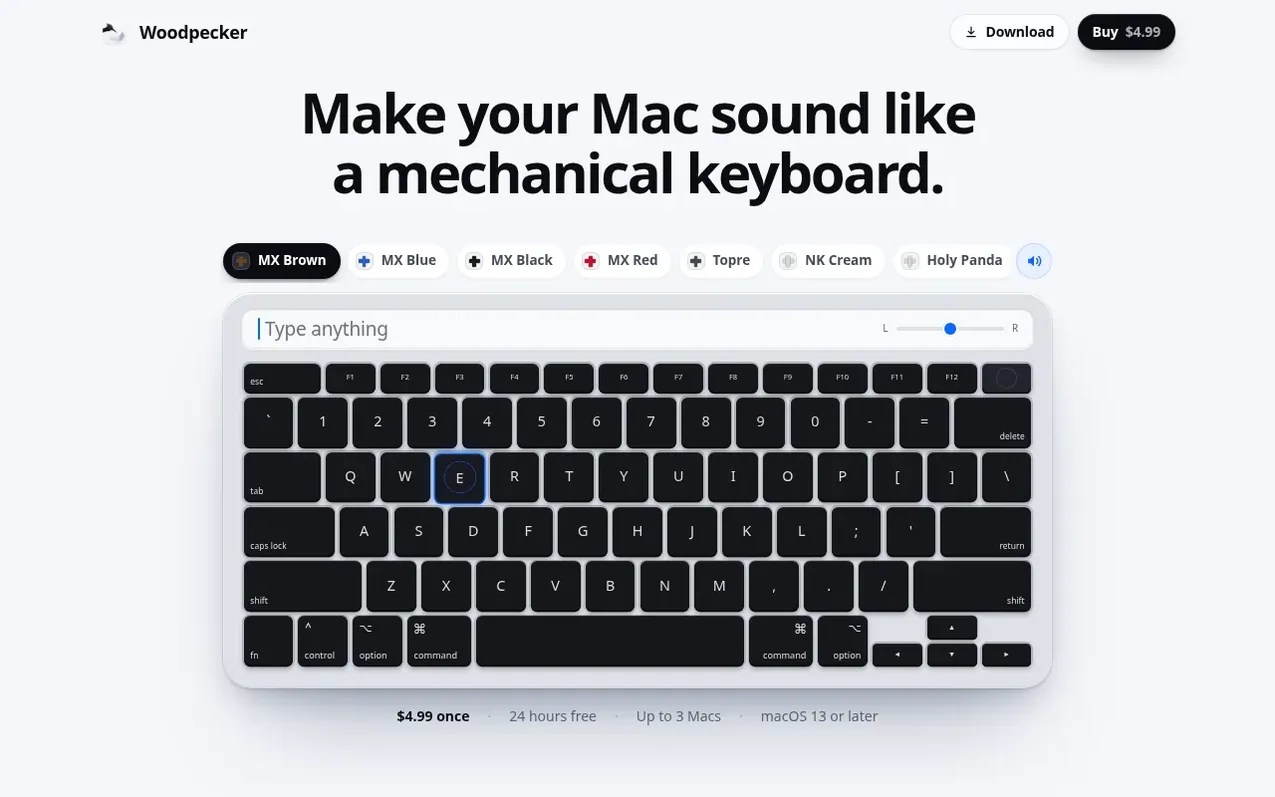
Woodpecker is a menu bar utility for macOS that plays realistic mechanical keyboard sounds as you type. Each of the 22 recorded switches has its own unique sound, panned across your keyboard to match where each key sits, creating an immersive typing experience.
The app includes adjustable audio characteristics: you can slide between deep and bright tones and between close and room acoustics. Woodpecker intelligently stays silent while your microphone is active during calls and in password fields, ensuring privacy and avoiding background noise during video meetings.
The app requires Accessibility permission to hear your keystrokes in other applications, but it only listens and cannot type, press or change keys. It records nothing you type. You get 24 hours free to try the full experience, with support for up to three Macs.
What it does
- 22 recorded mechanical switch options
- Spatial panning of sounds across keyboard layout
- Adjustable room acoustics
- Automatic muting during calls
- Silent in password fields
- Privacy-focused with no keystroke recording
- Support for up to 3 Macs per license
- 24-hour free trial before purchase
Pricing
Pricing model: Paid
$4.99 one-time purchase, with 24 hours free trial. Up to 3 Macs.
Shopper questions
Why does Woodpecker need Accessibility permission?
macOS requires Accessibility permission before any app can hear the keys you press in other applications. Woodpecker only listens to your keystrokes and cannot type, press or change keys. It never records what you type, and the try pad inside the app works without any permission.
Why is there a delay when using Woodpecker with AirPods?
Bluetooth introduces a delay of 150 to 250 milliseconds between the app and your ears, and no app can remove this limitation. On MacBook speakers, a key sound plays in about 20 milliseconds.
What happens when the free trial ends?
Everything works for 24 hours from the first launch. To keep the sound after that, you need to buy a license and enter its key by clicking the Woodpecker icon in the menu bar and selecting Enter License Key.
Why does it need Accessibility permission?
macOS asks for it before any app can hear the keys you press in other apps. Woodpecker only listens: it cannot type, press or change a key, and it never records what you type. The try pad inside the app plays without any permission.
Why is there a delay on my AirPods?
Bluetooth adds 150 to 250 ms between every app and your ears, and no app can remove it. On the MacBook speakers a key sounds in about 20 ms.
Woodpecker has a free listing. The owner can unlock the full profile with a paid launch for $5:
- Founder story (locked)
- Milestones (locked)
- Demo video (locked)
- Dofollow website link (locked)
Shoppers also viewed
- Music Remover
Audio editing
- GeeksKai
Audio editing
- Background Audio Remover
Audio editing
- Unmix Studio
Audio editing



