
Music Remover
AI tool to separate vocals, background music, and other sounds from audio and video files
Music Remover uses AI to separate vocals, background music, and other sounds from audio and video files up to 3 hours long, supporting 20+ formats.
About this launch
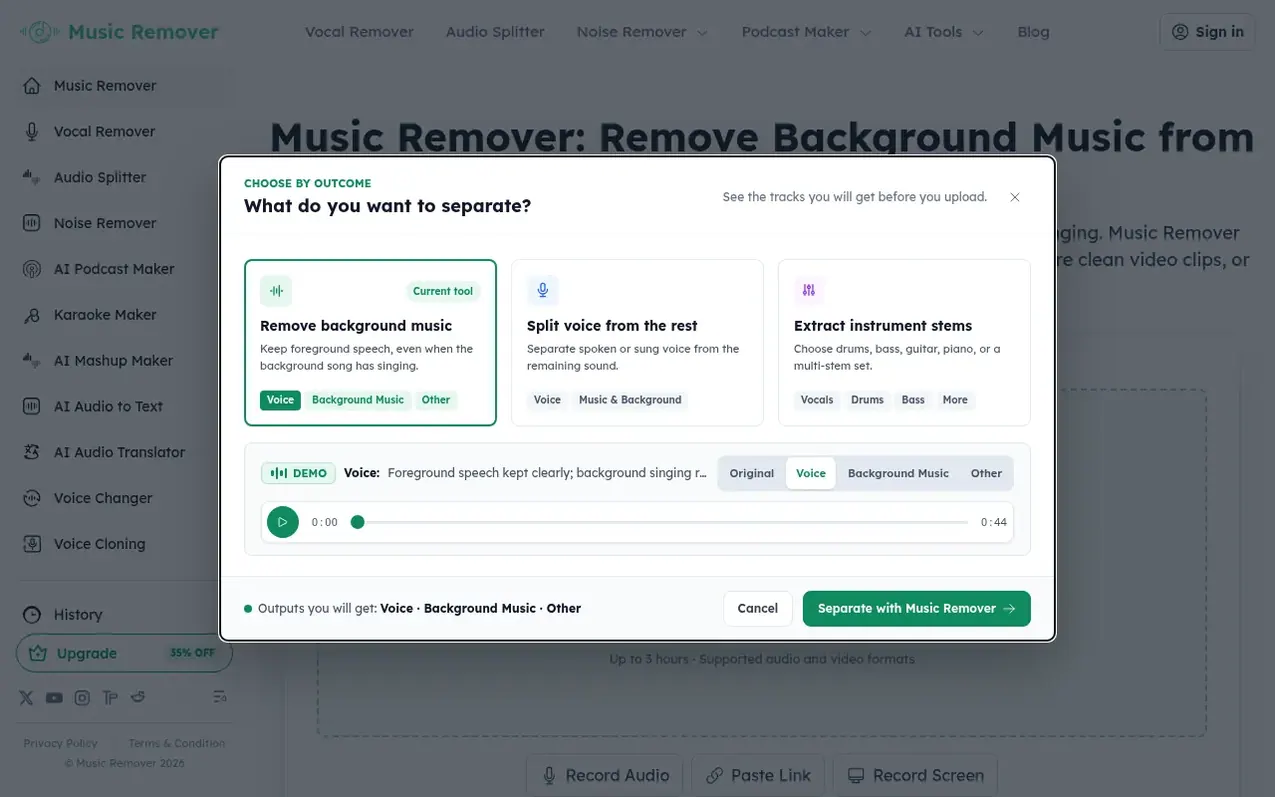
Music Remover is an AI-powered audio and video processing tool that separates audio into three stems: Vocal, Background Music, and Other sounds. Users can upload audio or video files up to 3 hours long, preview the separated tracks, adjust the mix, and download individual stems or all stems together. The tool removes instrumental music or songs with vocals while preserving dialogue, making it useful for creating video clips, transcripts, translations, and new soundtracks without rebuilding the original edit. It supports 20+ audio and video formats and runs entirely in the browser with no complex editing software required.
What it does
- Separate audio into three stems: Vocal, Background Music, and Other
- Download individual stems or all stems together
- Process audio and video files up to 3 hours
- Support for 20+ audio and video formats
- Custom Mix to rebalance separated stems
- Process files up to 10GB in size
Pricing
Pricing model: Freemium
Shopper questions
How to remove background music from video or audio file for free?
Upload your video or audio file and let Music Remover separate it into Vocal, Background Music, and Other stems. Then preview and download the result you need. The background music can be instrumental or include sung vocals.
How to remove music from video but keep voice?
Use Music Remover to separate the background music from the spoken voice in your video. The tool is designed to remove background music while preserving dialogue as much as possible, which is useful for interviews, lessons, vlogs, and social clips.
Can Music Remover remove background music that contains vocals?
Yes. The three-stem model is designed to separate foreground Vocal, Background Music, and Other sounds, so Background Music can include an instrumental track or a song with sung vocals. Separation quality depends on the mix, especially when foreground speech and singing overlap.
Can I remove background music from any file format?
Music Remover supports common video and audio formats used for social clips, interviews, lessons, songs, podcasts, and mobile recordings, like .M4A, .MP4, .3GP, .AVI, .MOV, .MP3, and .WAV.
How do you bill credits?
Most splitting, noise removal and translation tasks use 1 credit per started minute. Voice changing uses 2 credits per minute; podcast audio uses 10 credits per minute. Mashups use 1 credit each. Karaoke and Audio to Text currently use no credits.
Music Remover has a free listing. The owner can unlock the full profile with a paid launch for $5:
- Founder story (locked)
- Milestones (locked)
- Demo video (locked)
- Dofollow website link (locked)
Shoppers also viewed
- GeeksKai
Audio editing
- Background Audio Remover
Audio editing
- Unmix Studio
Audio editing
- AI Voice Cleaner
Audio editing



