
VoiceRemover
Remove vocals from songs and videos to get instrumental and vocal tracks separately
Free online tool that separates vocals from music in songs and videos using AI, delivering full-length instrumental and vocal tracks with no sign-up required.
About this launch
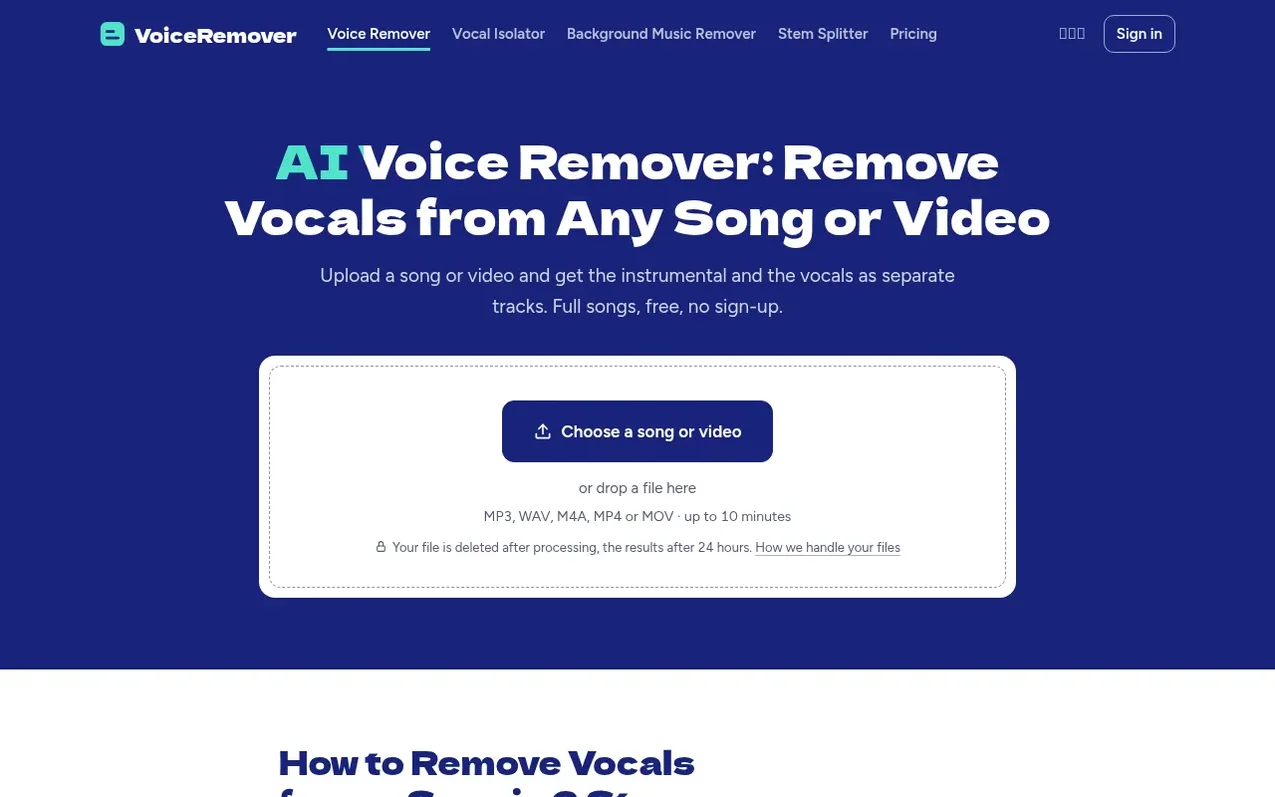
VoiceRemover uses AI to separate the vocals from the music in any song or video. Upload an MP3, WAV, M4A audio file or an MP4 or MOV video, and within about 30 seconds you get two separate files: the instrumental (the song without singing) and the vocals (the singing on its own). You can listen to both on the page before downloading them as MP3 files.
The tool works in your web browser on any device, including phones, with no app to install. The free plan allows 3 songs per day, up to 10 minutes each. Paid plans offer more songs and longer file lengths, plus WAV downloads.
VoiceRemover uses Demucs, an open-source music separation model from Meta's Facebook AI Research, which works differently from older karaoke vocal removal techniques. Rather than cancelling out centre-panned audio, it learns what a singing voice sounds like and separates it from all other elements, preserving the full instrumental sound including kick drums and other centre-panned instruments.
What it does
- Separate vocals and instrumentals from songs and videos
- Full songs with no watermark or time limit
- Process complete in about 30 seconds
- Supports MP3, WAV, M4A audio and MP4, MOV video files
- AI-based separation learns singing voice patterns
- Preview and compare tracks before downloading
- Extract music from video while keeping audio quality
- Download as MP3 or WAV formats
- Access download history page
Pricing
Pricing model: Freemium
Free: 3 songs a day, full length as MP3, files up to 10 minutes and 100 MB, no sign-up. Pro: $4.99/month for up to 120 songs per month, WAV downloads, files up to 20 minutes and 200 MB. One-time Pack: $3.99 for 15 songs that never expire, WAV downloads, files up to 20 minutes and 200 MB.
Shopper questions
Is it really free?
Yes. You can remove the vocals from 3 songs a day for free, full length, as MP3, with no watermark and no account. Pro and the one-time pack are only for WAV downloads, longer files or more songs.
Does it work on my phone?
Yes. It works in the browser on iPhone and Android. You can pick a song from your files or a video from your photos, listen to both tracks and download them. There's no app or software to install.
How long does it take?
Usually about half a minute for a song. When many people are using it at once you may wait in line for a bit longer; the page shows your place in line.
What happens to my files?
The file you upload is deleted as soon as processing finishes or fails. The two tracks you get back are kept in storage for 24 hours so you can download them, then deleted. The separation runs on an outside processing service which deletes the separated parts as soon as processing finishes or fails.
Can I use the instrumental for a performance or a cover?
The tool is yours to use, but the song still belongs to whoever owns it. Removing the vocals doesn't give you the rights to the music. For a public performance, a cover you publish, or anything commercial, check what permission you need.
VoiceRemover has a free listing. The owner can unlock the full profile with a paid launch for $5:
- Founder story (locked)
- Milestones (locked)
- Demo video (locked)
- Dofollow website link (locked)
Shoppers also viewed
- Music Remover
Audio editing
- GeeksKai
Audio editing
- Background Audio Remover
Audio editing
- Unmix Studio
Audio editing



