VoiceIsolator
Free AI voice isolator to remove noise from audio and video in your browser, or strip background music with GPU isolation
VoiceIsolator removes background noise from recordings in your browser for free, or uses AI to isolate voice from music on cloud servers for a per-minute credit
About this launch
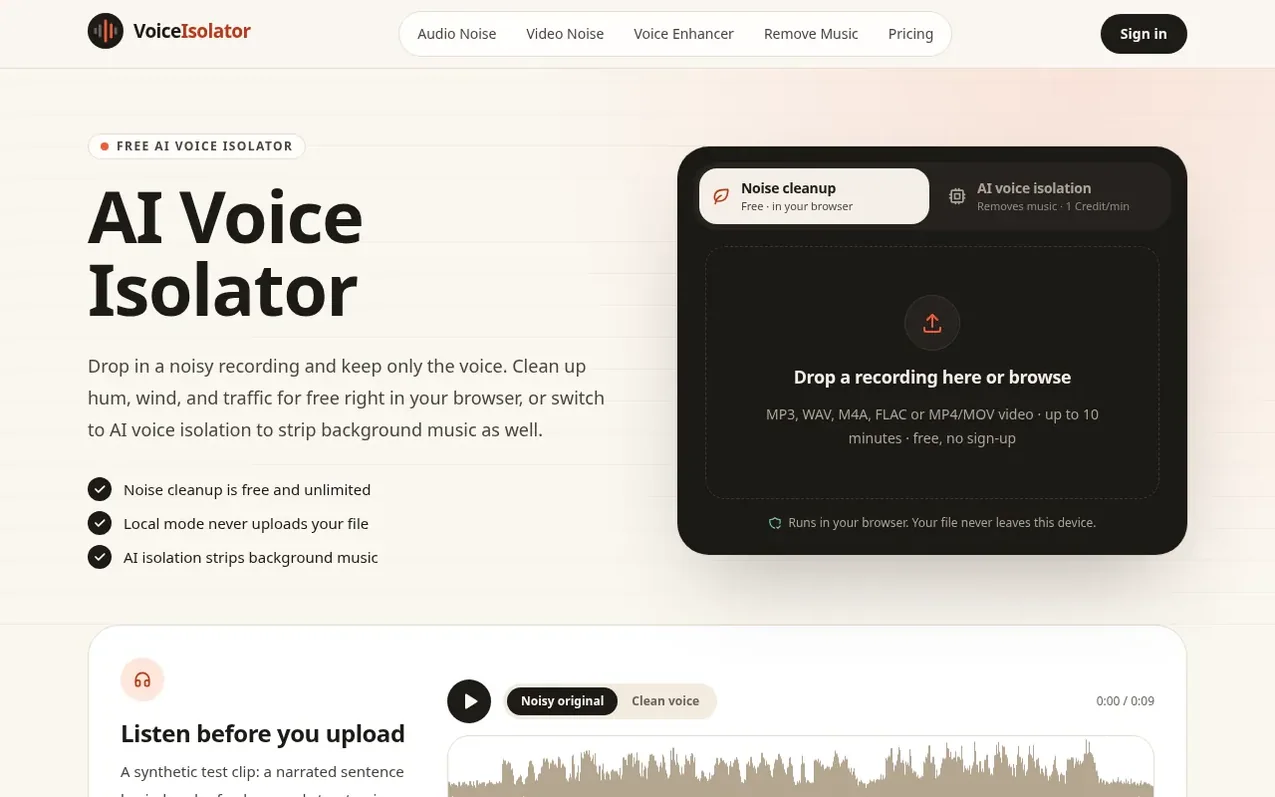
VoiceIsolator is an online tool that isolates voices from recordings using two engines. The free noise cleanup runs in your browser using DeepFilterNet3 to remove hum, wind, traffic, and other background noise without uploading your file. For recordings where music plays under speech, the AI voice isolation engine uses Mel-Band RoFormer on cloud GPUs to separate voice from background music.
Both engines accept audio files (MP3, WAV, M4A, AAC, FLAC, OGG) and video files (MP4, MOV, WebM) up to 10 minutes long. You can compare the original and cleaned versions before downloading the result as WAV or MP3. The tool works in web browsers on desktop and mobile devices.
What it does
- Free browser-based noise cleanup using DeepFilterNet3
- AI voice isolation with Mel-Band RoFormer to remove background music
- No file upload for noise cleanup mode
- Supports multiple audio and video formats
- Before and after comparison player
- Works on mobile browsers and phones
- Downloads as WAV or MP3
- 10-minute file length limit with 100 MB size limit for AI isolation
- Three strength settings: Gentle, Balanced, and Maximum
Pricing
Pricing model: Freemium
Noise cleanup: free and unlimited. AI voice isolation: 1 Credit per minute. Credit packs: 100 Credits for $4.99 (5.0¢ per minute), 250 Credits for $9.99 (4.0¢ per minute). New accounts receive 10 free Credits.
Shopper questions
Is this voice isolator really free?
Noise cleanup is completely free and unlimited with no account and no watermark because it runs on your device. AI voice isolation uses Credits; new accounts get 10 free Credits, enough for about 10 minutes of audio.
Does my recording get uploaded?
Not in noise cleanup mode: the file is processed inside your browser and never sent anywhere. In AI voice isolation mode the file is uploaded privately for processing, the upload is deleted when the job finishes, and results are kept for 7 days.
Can it remove background music from speech?
Yes, with the AI voice isolation engine. The free noise cleanup is tuned for noise such as hum, wind, and traffic, and will leave most music in place.
What file formats can I use?
MP3, WAV, M4A, AAC, FLAC, and OGG audio, plus MP4, MOV, and WebM video are supported. Files can be up to 10 minutes long; AI voice isolation also has a 100 MB size limit.
Will the voice sound robotic?
Usually not at the Gentle or Balanced settings. If you hear artifacts, choose a gentler setting; Maximum is meant for recordings where the noise is louder than the voice.
VoiceIsolator has a free listing. The owner can unlock the full profile with a paid launch for $5:
- Founder story (locked)
- Milestones (locked)
- Demo video (locked)
- Dofollow website link (locked)
Shoppers also viewed
- TokScript
Audio, Voice & Podcasting
- Relayo
Audio, Voice & Podcasting
- hearlog
Audio, Voice & Podcasting
- Audionarrator
Audio, Voice & Podcasting