
Video Transcriber
Transcribe video and audio files to timestamped text
An online workspace that converts audio and video files into accurate, timestamped text with support for multiple formats and export options.
About this launch
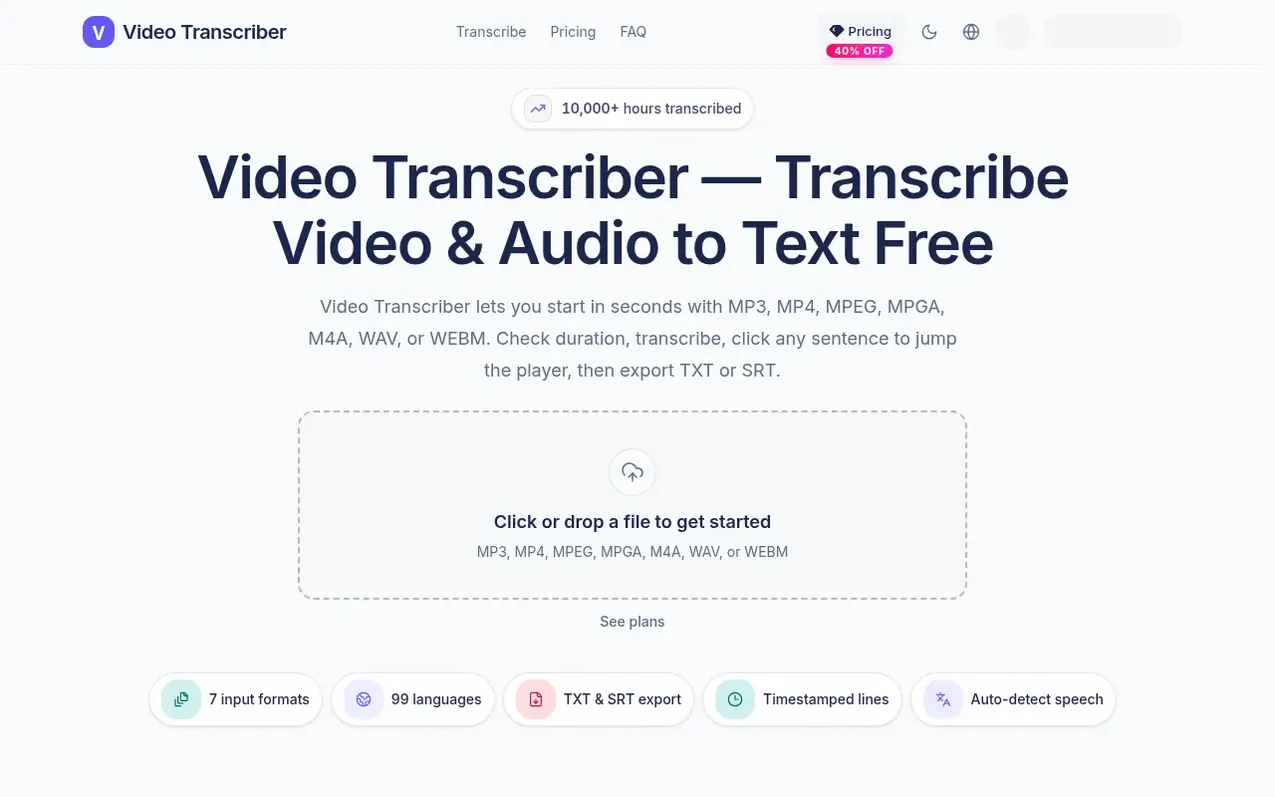
Video Transcriber is an online workspace for converting audio and video files to text. Users upload MP3, MP4, MPEG, MPGA, M4A, WAV, or WEBM files from their device and receive timestamped transcripts that can be reviewed in the browser with synchronized playback. The tool supports 99 languages with auto-detect capability and allows users to click any sentence to seek the player. Transcripts can be exported as TXT or SRT files for use in notes, captions, or editing. New accounts receive 20 free minutes to try the service without requiring a credit card.
What it does
- Support for 7 input formats (MP3, MP4, MPEG, MPGA, M4A, WAV, WEBM)
- 99 languages with auto-detect
- Timestamped transcript with click-to-seek
- Export to TXT and SRT formats
- Synchronized playback review
- Up to 1 GB file size per upload
- No daily upload limit
- Credits refunded if job fails
- Email support
- Transcribe multiple files sequentially
Pricing
Pricing model: Freemium
Free: 20 minutes. Monthly subscription plans: BASIC $10.00/mo (1,200 min), PRO $20.00/mo (3,000 min), MAX $30.00/mo (6,000 min). Annual plans at 40% discount: BASIC $6.00/mo (1,200 min monthly), PRO $12.00/mo (3,000 min monthly), MAX $18.00/mo (6,000 min monthly). One-time packs: BASIC $12.90 (300 m
Shopper questions
What is Video Transcriber?
Video Transcriber is an online workspace that turns audio and video files into accurate, timestamped text. Users upload their own files from their device, review the transcript in the browser with synchronized playback, and export the results as TXT or SRT files.
How do I convert audio or video to text online?
Sign in, upload MP3, MP4, MPEG, MPGA, M4A, WAV, or WEBM files, confirm the duration and credit cost, choose auto-detect or select a language, then click Transcribe. Your file stays on the same page while it processes.
Is it free to convert audio and video to text?
Yes. New accounts receive 20 free minutes to try the workspace without requiring a credit card. Paid plans add more monthly minutes when users outgrow the starter balance.
Which audio and video formats do you support?
Supported formats include MP3, MP4, MPEG, MPGA, M4A, WAV, and WEBM. Files must include a readable duration or the upload is rejected. Clear speech and minimal background noise produce the best results.
How are transcription minutes billed?
One credit equals one billed minute, rounded up. A 30-second file costs 1 credit, and a 30-minute, 1-second file costs 31 credits. Credits are refunded only if the job fails.
Video Transcriber has a free listing. The owner can unlock the full profile with a paid launch for $5:
- Founder story (locked)
- Milestones (locked)
- Demo video (locked)
- Dofollow website link (locked)
Shoppers also viewed
- TokScript
Audio, Voice & Podcasting
- Relayo
Audio, Voice & Podcasting
- hearlog
Audio, Voice & Podcasting
- Audionarrator
Audio, Voice & Podcasting