ScribeFox
AI video to text transcription with editing and export
Upload video or audio files or paste public video links to transcribe to text with AI, then search, edit, and export as TXT, SRT, or VTT files.
About this launch
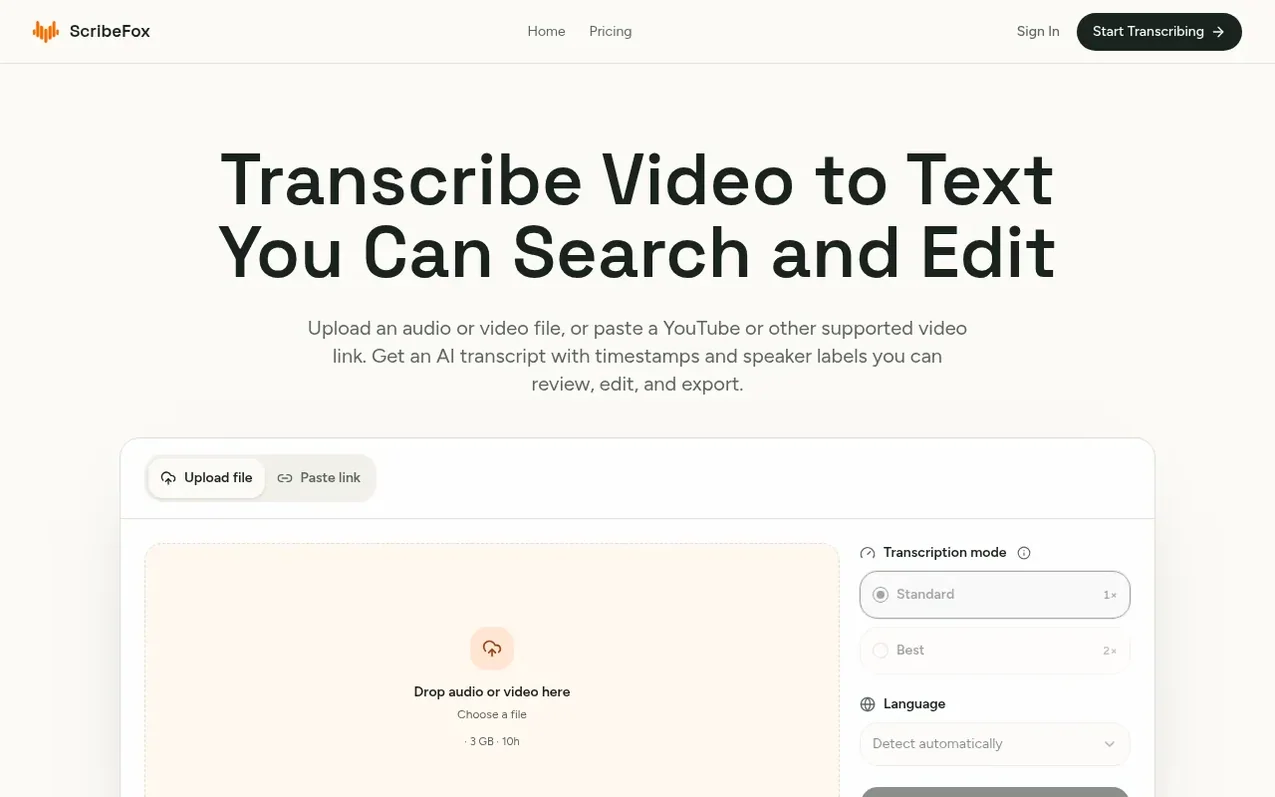
ScribeFox transcribes video and audio to searchable text using AI. Upload MP4, MOV, or WebM video files, or MP3, WAV, M4A, AAC, and FLAC audio files up to 3 GB and 10 hours, or paste public links from YouTube, TikTok, Instagram, Facebook, and X. The service provides timestamps and speaker labels in the transcript, which you can search to find specific moments, replay audio, correct words and speaker assignments, and adjust segment boundaries. Export your reviewed transcript as readable TXT files or time-coded SRT and VTT subtitle files for use in notes, articles, captions, or other projects.
What it does
- AI transcription with timestamps and speaker labels
- Search transcript to find exact moments in recording
- Edit text, speakers, and segment boundaries
- Rename or merge duplicate speaker labels
- Export as TXT, SRT, or VTT files
- Support for Standard and Best transcription modes
- Background transcription with task history
- Support for files up to 3 GB and 10 hours, video links up to 2 GB
- Automatic or manual language selection for transcription
Pricing
Pricing model: Freemium
Free: 20 welcome credits (Standard 20 min or Best 10 min, one file at a time, results expire after 7 days). Pro: €94.9/year (€7.9/mo equivalent, billed yearly, 21,600 annual credits upfront, up to 10 concurrent transcriptions, results saved indefinitely). Pay as you go: 1,800 credits €19.9, 4,000 cr
Shopper questions
Can I transcribe video to text for free?
Yes. Eligible new accounts receive 20 welcome credits after account verification. Upload a supported MP4 or audio file, or paste a public video link, then select Start now; credits are consumed as processing runs.
What audio and video formats does ScribeFox support?
ScribeFox supports MP3, WAV, M4A, AAC, and FLAC audio files, plus MP4, MOV, and WebM video files. Local uploads can be up to 3 GB and 10 hours long, while supported public video links have a separate 2 GB limit.
Can I transcribe video to text from YouTube, TikTok, or Instagram?
Yes. Paste a YouTube video's public link without manual download. ScribeFox also imports supported TikTok, Instagram Posts or Reels, Facebook, and X videos. For Instagram video-to-text transcription, use a post or Reel containing speech.
How are credits calculated?
Standard transcription uses 1 credit per audio minute, while Best uses 2 credits per minute. Each file is rounded up to the next full minute, and both modes use the same balance.
Can I correct mistakes in the transcript?
Yes. Find and replace repeated mistakes, split a segment where a speaker changes, or merge adjacent segments. You can also rename speakers, merge duplicate labels, and replay each part after splitting to verify edits.
ScribeFox has a free listing. The owner can unlock the full profile with a paid launch for $5:
- Founder story (locked)
- Milestones (locked)
- Demo video (locked)
- Dofollow website link (locked)
Shoppers also viewed
- TokScript
Audio, Voice & Podcasting
- Relayo
Audio, Voice & Podcasting
- hearlog
Audio, Voice & Podcasting
- Audionarrator
Audio, Voice & Podcasting