
Reel
A portable 4-track recorder for iPhone with hardware-inspired workflow
A portable 4-track recorder for iPhone that records 32-bit float audio at up to 96kHz with overdub, loop and mix capabilities using a hardware-inspired jog
About this launch
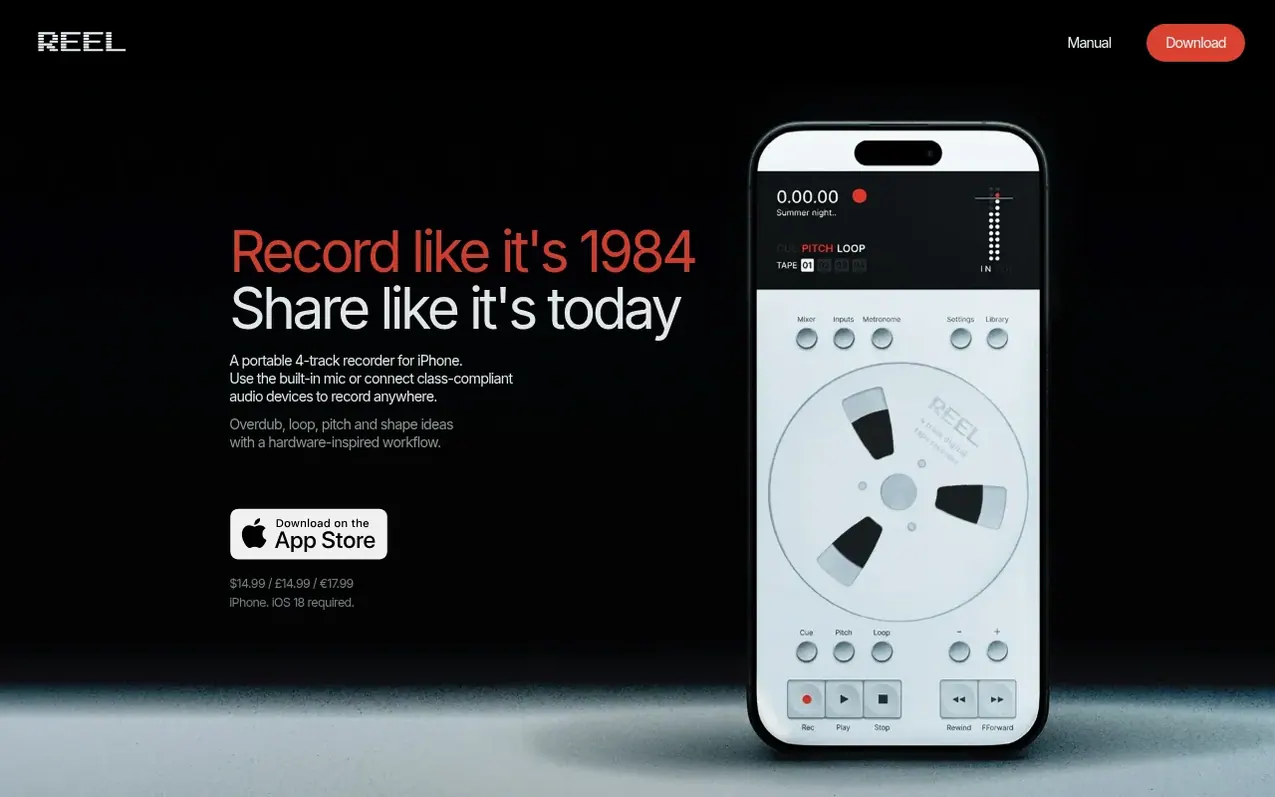
Reel is a tape-style multitrack recorder for iPhone that brings hardware aesthetics and workflow to mobile recording. It records up to four tracks of 32-bit float audio at sample rates up to 96kHz, with features including overdub, punch-in, looping, and reverse recording. The app uses a tactile jog wheel interface for scrubbing and playback control with haptic feedback, mimicking the feel of a physical tape machine. It supports MIDI sync, Ableton Link, and connects to any class-compliant USB audio interface for expanded input and output options. Recordings are stored locally on the device with optional iCloud sync, and can be exported as WAV, AIFF, or M4A with stem separation capabilities.
What it does
- 32-bit float audio recording up to 96kHz
- 4 tracks per recording, stereo or mono
- Overdub and punch-in with latency compensation
- Bar-synced looper with 1, 2, 4, 8 or 16 bar lengths
- Jog wheel interface with haptic feedback
- MIDI clock and transport sync
- 8-in / 10-out USB audio routing
- Export as WAV, AIFF or M4A with stems
- Reverse playback and reverse recording
- Master Record and Resample
Pricing
Pricing model: Paid
$14.99 / £14.99 / €17.99 one-time purchase
Shopper questions
What audio formats does Reel support?
Reel records in 32-bit float WAV format throughout every project, recording, and export. You can choose sample rates of 44.1kHz, 48kHz, or 96kHz. Any incoming audio from hardware that doesn't support 32-bit float is converted to match the project. You can export in WAV, AIFF (both 32-bit float), or M4A (AAC).
Does Reel work with my audio interface?
Yes. Reel works with any class-compliant USB interface or instrument. When you plug in, it auto-routes the connection. An interface is optional as the built-in iPhone mic works out of the box, but an interface adds stereo input and higher quality.
Can I overdub or punch in on multiple tracks at once?
A fresh reel records up to 4 tracks at once, but simultaneous multitrack overdubbing requires a USB audio interface or a class-compliant instrument with multi-channel output like the OP-1 Field. From there, overdubs and punch-ins work one track at a time while the others play back, following the tape workflow.
How do I use the jog wheel?
Rotate the disc on screen to scrub through your recording. The jog wheel provides haptic feedback to simulate mechanical resistance. Slow rotations let you position precisely, while fast spins navigate rapidly.
Is Reel a subscription or one-time purchase?
Reel is a one-time purchase with no subscription, no ads, and no account required. You buy it once and own it.
Reel has a free listing. The owner can unlock the full profile with a paid launch for $5:
- Founder story (locked)
- Milestones (locked)
- Demo video (locked)
- Dofollow website link (locked)
Shoppers also viewed
- Music Remover
Audio editing
- GeeksKai
Audio editing
- Background Audio Remover
Audio editing
- Unmix Studio
Audio editing



