
Normal Map Bench
Browser-based tool for generating OpenGL and DirectX tangent-space normal maps from images
Free browser-based normal map generator that converts height textures into OpenGL or DirectX normal maps with live preview and local processing.
About this launch
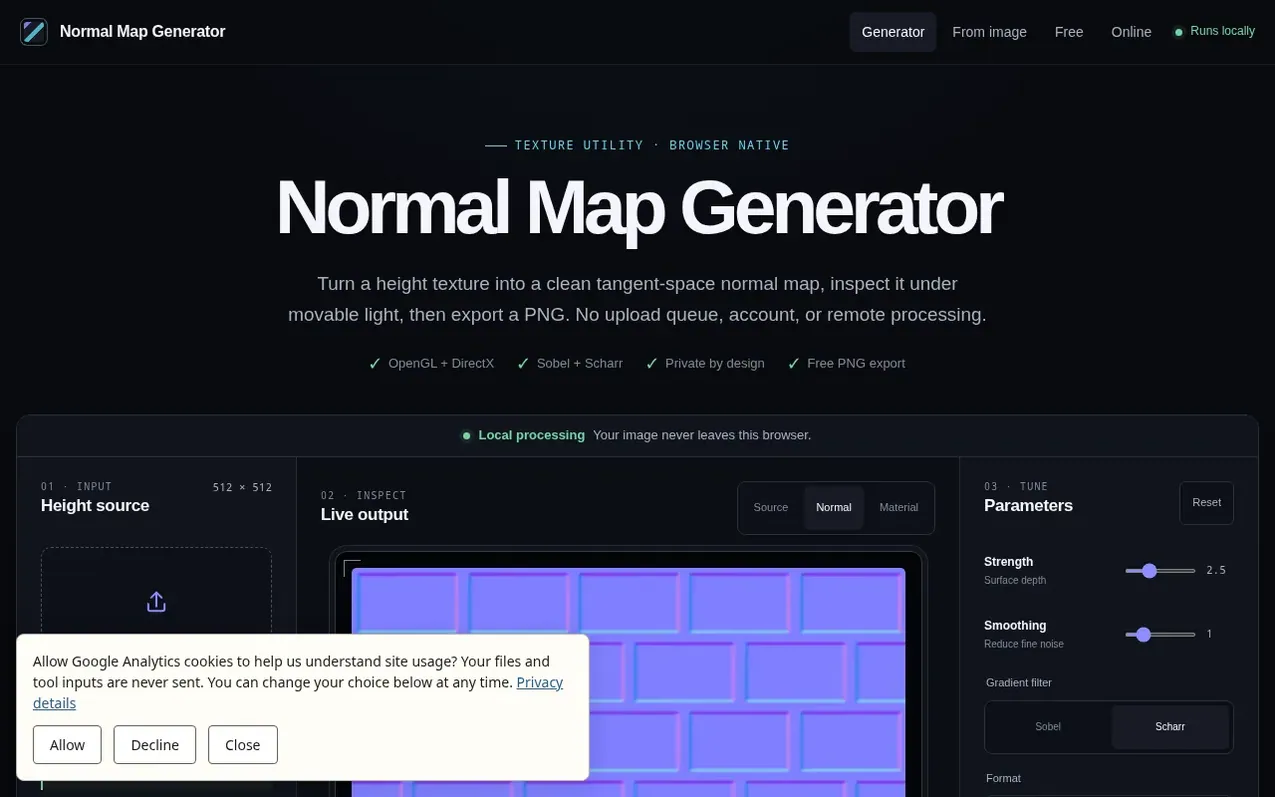
Normal Map Bench is a browser utility for texture artists, game developers, and 3D hobbyists who need to convert height images into tangent-space normal maps. The tool runs entirely locally in your browser, converting image luminance into a height field and applying either Sobel or Scharr gradient filters to generate normal map data. It supports both OpenGL and DirectX output formats, allows you to inspect the result under interactive lighting, and exports the final normal map as a PNG file. The workflow includes controls for smoothing, strength, edge behavior (clamp or wrap), and height inversion, with no account, upload queue, or remote processing required.
What it does
- Local image processing
- OpenGL and DirectX output
- Sobel and Scharr filters
- Material lighting preview
- PNG export
- Smoothing and strength controls
- Edge behavior control (clamp or wrap)
- Tiled preview
- Height inversion
- Interactive light inspection
Pricing
Pricing model: Free
Shopper questions
Does this tool upload my texture?
No. Image decoding, filtering, preview rendering, and PNG creation happen in the browser. The service has no upload endpoint, account system, or third-party image processor.
Should white be high or low in the source?
By default, white is treated as high and black as low. Enable Invert height when your source uses the opposite convention or when the result looks embossed instead of engraved.
Which normal map format should I use?
Use the format your target engine requests. Blender and many OpenGL workflows typically use Y+, while several DirectX pipelines use Y−. If uncertain, import a small test and confirm the green-channel direction under a known light.
Can I use a color photo?
Yes. The tool converts RGB brightness into a height field. However, color changes caused by paint or lighting may become false bumps. A cleaned grayscale height image usually creates a more controlled material.
Why is the preview limited to a 1200-pixel edge?
Large images are resized for predictable interactive performance on phones and ordinary laptops. This is an explicit working limit, not an upload limit, because processing stays local.
Normal Map Bench has a free listing. The owner can unlock the full profile with a paid launch for $5:
- Founder story (locked)
- Milestones (locked)
- Demo video (locked)
- Dofollow website link (locked)
Shoppers also viewed
- MyPaperKit
Design tools
- AI Kitchen Design
Design tools
- ideare
Design tools
- Matita
Design tools



