
MP3Transcript
Free online AI tool to transcribe audio to text in seconds
Transcribe audio and video files to editable text, then create summaries, subtitles, and creator content from the transcript.
About this launch
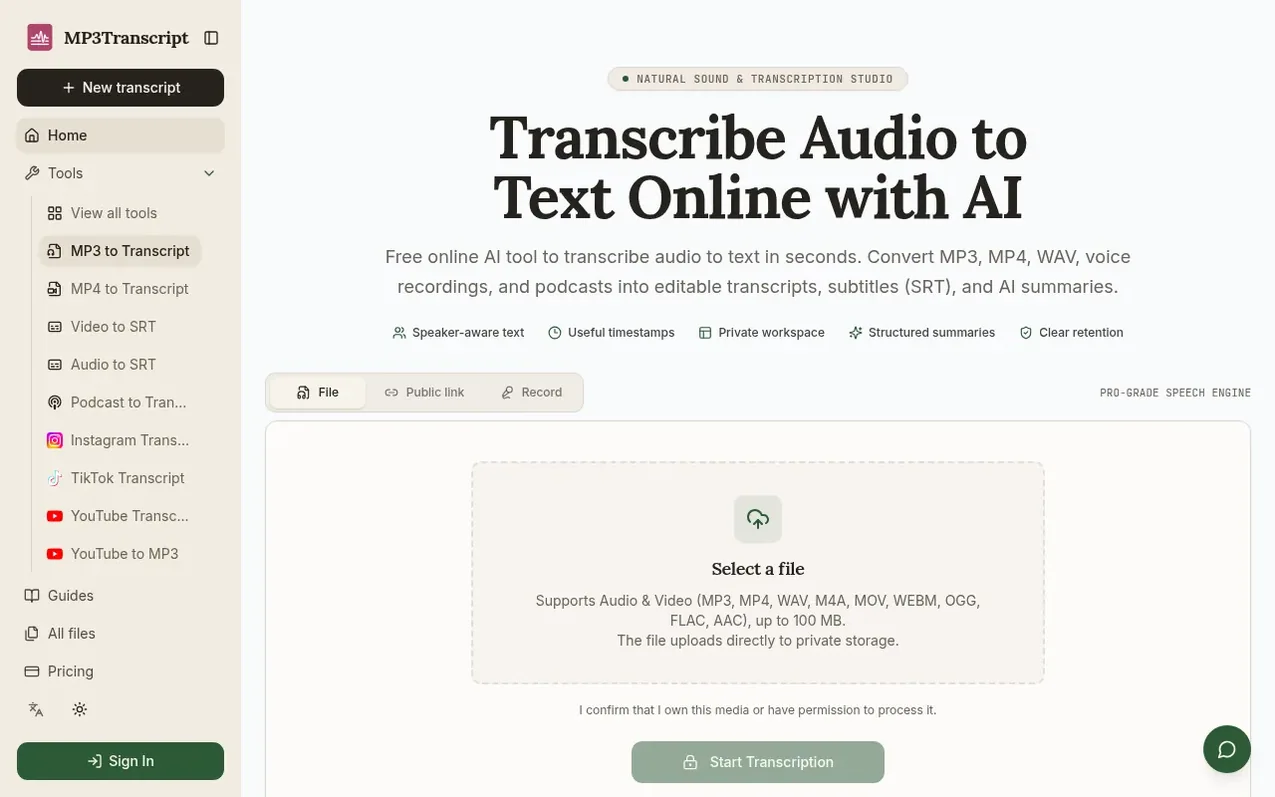
MP3Transcript is a transcription workspace that converts audio and video files into editable text transcripts. Users upload MP3, MP4, WAV, or M4A files up to 100 MB, and the service uses AI to create timestamped, speaker-labeled transcripts that can be reviewed and edited before publication.
From the verified transcript, creators can generate structured summaries, SRT subtitle files, show notes, blog drafts, and social media content. All outputs remain connected to the original source material and transcript revisions, supporting workflows for podcasters, video creators, interviewers, and publishers.
Guest and Free users receive 5 free transcriptions per 24 hours, up to 15 minutes each. Paid subscription plans offer higher monthly transcription minute allowances. The service supports 130+ languages and keeps all projects private by default, with automatic deletion of guest projects after 24 hours.
What it does
- Editable transcript with speaker labels and timestamps
- Support for MP3, MP4, WAV, M4A files up to 100 MB
- Private workspace to organize projects and revisions
- AI-generated structured summaries
- Export to SRT, PDF, DOCX, and TXT formats
- Support for 130+ languages
- Browser recording capability
- Content templates for show notes and blog drafts
- Speaker identification with PRO option
- Direct public HTTPS media link support
Pricing
Pricing model: Freemium
Free: 5 free transcriptions per 24 hours, up to 15 minutes each. Starter: $4.16/month or $49.90/year, 600 transcription minutes, 50 AI generations. Creator: $9.99/month or $119.88/year, 2,400 transcription minutes, 500 AI generations. Pro: $19.99/month or $239.88/year, 4,000 transcription minutes, 1
Shopper questions
What is MP3Transcript?
MP3Transcript is an online audio to text and MP3 transcription platform. Upload audio or paste a link, review the editable transcript in a private Workspace, and use the transcript as the source for structured Summaries, SRT subtitles, or reusable content.
Can I edit the transcript after transcription?
Yes. The transcript is treated as an editable source document rather than a final answer. Review wording, speaker labels, timestamps, and names before using it to create a Summary or repurposed content.
Does the transcript include speakers and timestamps?
Speaker labels and timestamps are included when the transcription provider can identify them from the recording. Audio quality, overlapping speech, background noise, and the number of speakers can affect the result, so review the transcript before publishing it.
What happens to my uploaded audio?
Uploads are stored in a private project flow and are not made public by default. Guest projects are scheduled for automatic deletion after 24 hours. Deleting a project removes its source asset and derived transcript and content artifacts together.
How do I transcribe audio to text?
Choose an MP3, MP4, WAV, or M4A file, confirm that you have permission to process it, and create a private Workspace. After the upload is verified, the AI transcription workflow processes the audio and makes the transcript available for review.
MP3Transcript has a free listing. The owner can unlock the full profile with a paid launch for $5:
- Founder story (locked)
- Milestones (locked)
- Demo video (locked)
- Dofollow website link (locked)
Shoppers also viewed
- TokScript
Audio, Voice & Podcasting
- Relayo
Audio, Voice & Podcasting
- hearlog
Audio, Voice & Podcasting
- Audionarrator
Audio, Voice & Podcasting