
MP3 to MIDI Online
Convert MP3 to MIDI online for free. Preview the notes on a piano roll, then download an editable MIDI file for FL Studio, Ableton or Logic. No signup.
Free online tool to convert MP3 and other audio files to editable MIDI files. Upload audio, preview notes on a piano roll, and download MIDI for use in DAWs.
About this launch
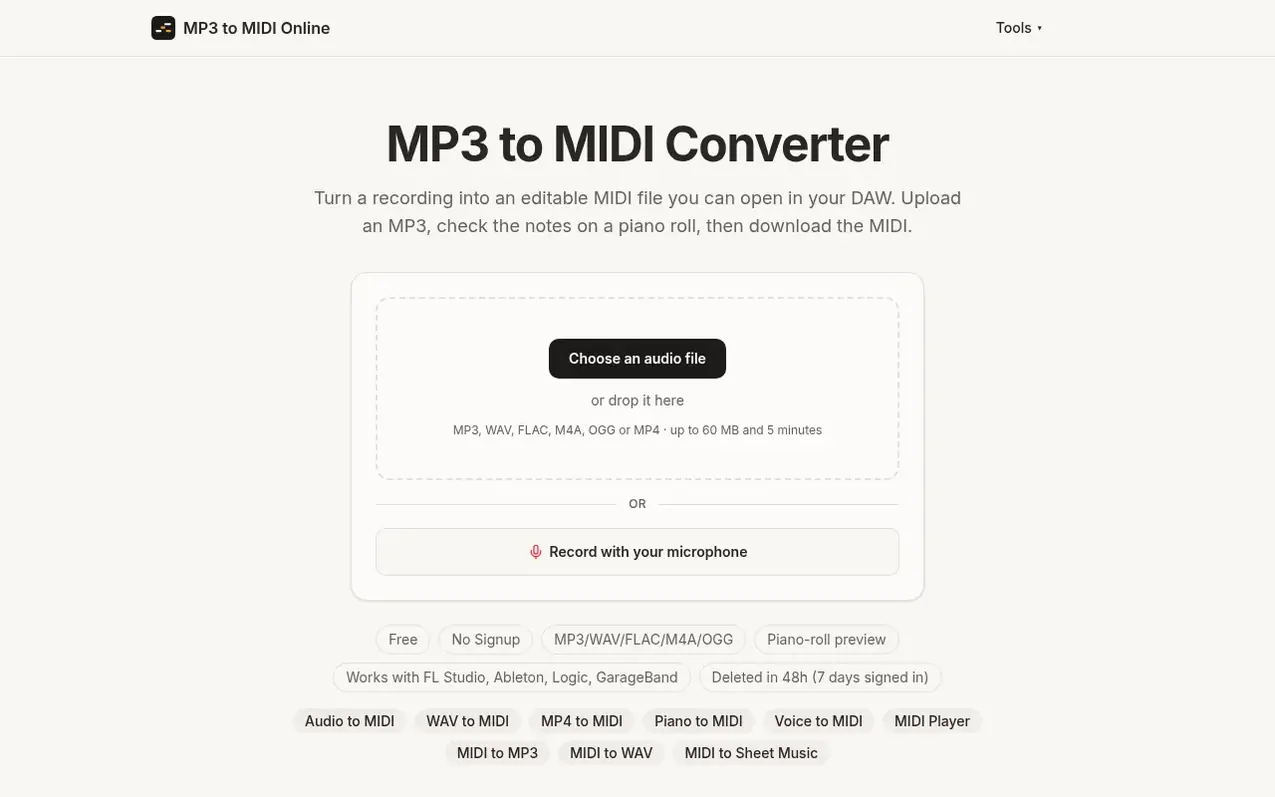
MP3 to MIDI Online converts recordings into editable MIDI files for music production. Upload an MP3, WAV, FLAC, M4A, OGG or MP4 file (up to 60 MB and 5 minutes), preview the detected notes on a piano roll, and download a MIDI file you can open in any DAW like FL Studio, Ableton, Logic or GarageBand.
The tool uses Basic Pitch, an open-source neural network from Spotify, to transcribe audio and detect which notes sound in a recording, when they start and how long they last. It works best with one instrument or voice at a time such as solo piano, guitar or sung melodies. The conversion requires no account, and files are deleted automatically within 48 hours (7 days if signed in).
The site also offers related tools including Audio to MIDI, WAV to MIDI, MP4 to MIDI, Piano to MIDI, Voice to MIDI, MIDI Player, MIDI to MP3, MIDI to WAV and MIDI to Sheet Music converters.
What it does
- Upload MP3, WAV, FLAC, M4A, OGG or MP4 files up to 60 MB and 5 minutes
- Piano roll preview before downloading
- Download editable MIDI files
- Record directly from microphone
- Works with FL Studio, Ableton, Logic and GarageBand
- Automatic note detection using Spotify's Basic Pitch model
- Handles chords and multiple notes simultaneously
- Automatic cleanup of short and stray notes
- Files deleted automatically in 48 hours
- Daily limits: 10 file conversions and 2 MIDI downloads per day for free users
Pricing
Pricing model: Free
Shopper questions
How do I convert an MP3 to MIDI?
Choose your MP3 in the converter at the top of the page. After a short upload the notes appear on a piano roll; listen to them, then press Download MIDI.
What kind of audio works best?
A single instrument or a single voice works best, such as solo piano, guitar, or a sung or hummed melody. Clean recordings without background music give the most accurate notes. For piano there is the piano to MIDI converter; for singing or humming, the voice to MIDI converter keeps one note at a time.
Which file formats are supported?
MP3, WAV, FLAC, M4A/AAC and OGG/Opus are supported, plus the sound of MP4 and MOV videos, up to 60 MB and 5 minutes per file (10 minutes when signed in).
Is it free and do I need an account?
Yes, it is free and you do not need an account. Each visitor can convert up to 10 files and download 2 MIDI files per day. Sign in with Google for 3 downloads a day, files up to 10 minutes and a 7-day history.
What happens to the files I upload?
Your audio and the MIDI result are used only to run the conversion and are deleted automatically within 48 hours, or within 8 days for files converted while signed in.
MP3 to MIDI Online has a free listing. The owner can unlock the full profile with a paid launch for $5:
- Founder story (locked)
- Milestones (locked)
- Demo video (locked)
- Dofollow website link (locked)
Shoppers also viewed
- Music Remover
Audio editing
- GeeksKai
Audio editing
- Background Audio Remover
Audio editing
- Unmix Studio
Audio editing



