Memory Notch
On-device recording and transcription for Mac, iPhone and iPad
Record conversations with live transcription and speaker labels that run on your device. Your audio and notes stay local, offline, with a five-minute free
About this launch
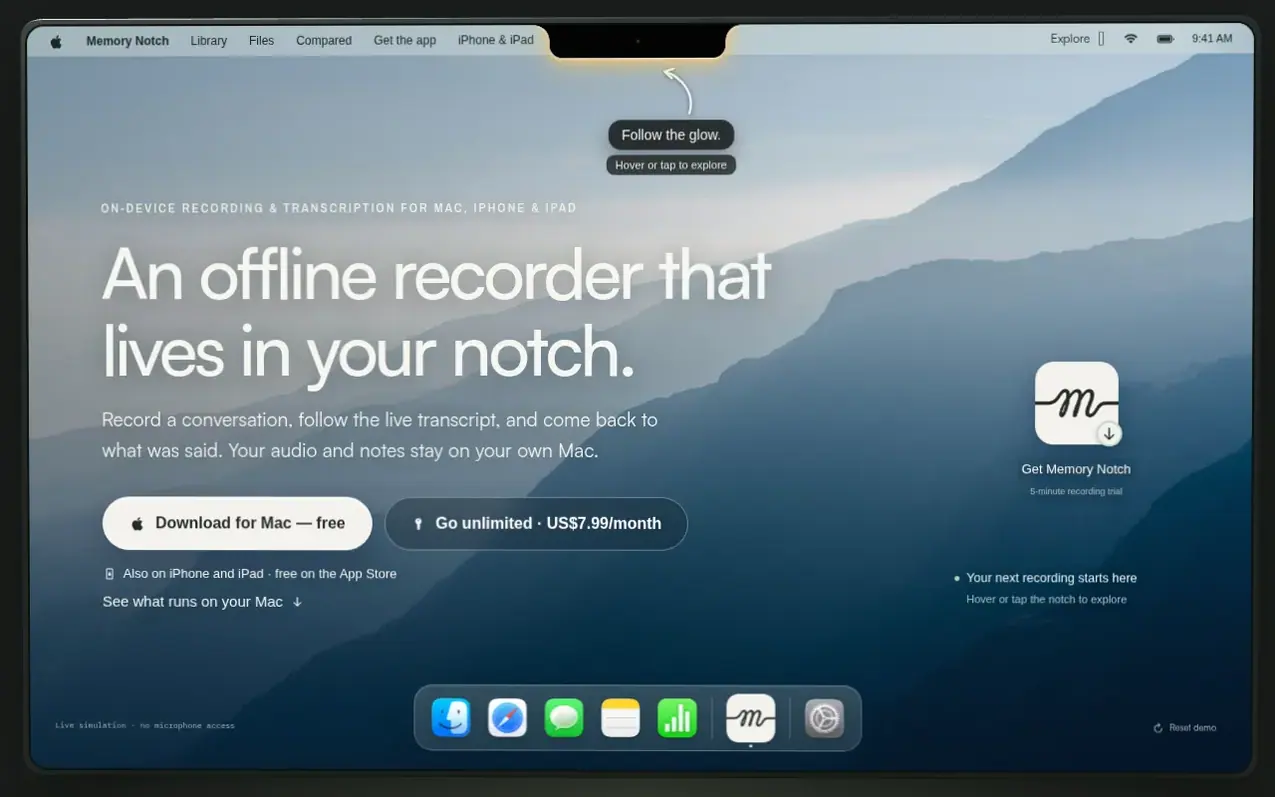
Memory Notch is an offline recording application that captures conversations with live transcription and speaker labeling on your Mac, iPhone, or iPad. Recording, transcription, and speaker labeling run entirely on your device using included local models, with no audio uploaded to any server. You can record your microphone and system audio together, follow a live transcript as you speak, and access a local library of notes stored in plain Markdown files on your device. The app sits in your Mac's notch and includes a dictation feature that types what you say into other applications. Files are stored in a ~/memory folder that you can access directly and use with other tools.
What it does
- Live transcription with speaker labels while recording
- Record both microphone and system audio together
- Local recording library with Markdown notes
- Optional screen recording alongside audio
- Dictation into any app with double-tap ⌘
- Vocabulary customization for improved recognition
- Enhanced transcript re-transcription
- Access files with third-party AI tools and editors
- Import Apple Voice Memos into library
- Command-line interface for managing recordings
Pricing
Pricing model: Freemium
Free trial with five-minute recording limit per recording. Mac: US$7.99/month or US$79 one-time purchase for unlimited recording on five Macs with one year of updates. iPhone and iPad: US$5.99 one-time in-app purchase.
Shopper questions
Does it work offline?
Yes. Recording, transcription, and speaker labeling run on your Mac. Release installers include the models needed. The app checks for updates and revoked licenses when online, but those requests don't contain your recordings.
How does the trial work?
The trial includes recording, transcription, speaker labels, and your local library. Each trial recording can last up to five minutes, and at 5:00 it stops and saves everything captured. A US$79 one-time license removes the recording limit.
Can it record both sides of a call?
Yes. It captures your microphone and system audio together with your permission. You need to grant macOS Screen Recording permission for system audio, even if you're not saving a video. Keep your display awake during calls, and for AirPods use your Mac's built-in microphone.
Where are my recordings saved?
On a Mac, recordings are saved in ~/memory on your device. Each recording gets a folder containing its audio, transcript, and Markdown note, plus video if you enabled screen recording. You can open the files directly and use them independently of the app.
Can Memory Notch type what I say into other apps?
Yes. Double-tap either Command key, say a phrase, and after two seconds of quiet it's pasted into the app you're typing in. Your speech is recognized on your Mac and the audio isn't saved. Dictation is free with or without a license and requires macOS's Accessibility permission.
Memory Notch has a free listing. The owner can unlock the full profile with a paid launch for $5:
- Founder story (locked)
- Milestones (locked)
- Demo video (locked)
- Dofollow website link (locked)
Shoppers also viewed
- TokScript
Audio, Voice & Podcasting
- Relayo
Audio, Voice & Podcasting
- hearlog
Audio, Voice & Podcasting
- Audionarrator
Audio, Voice & Podcasting