
Key & BPM Lab
Free browser-based audio tools for finding and changing song key and BPM
Browser-based tools to detect musical key and tempo, change pitch or BPM, tap a beat, practice with a metronome, and edit audio.
About this launch
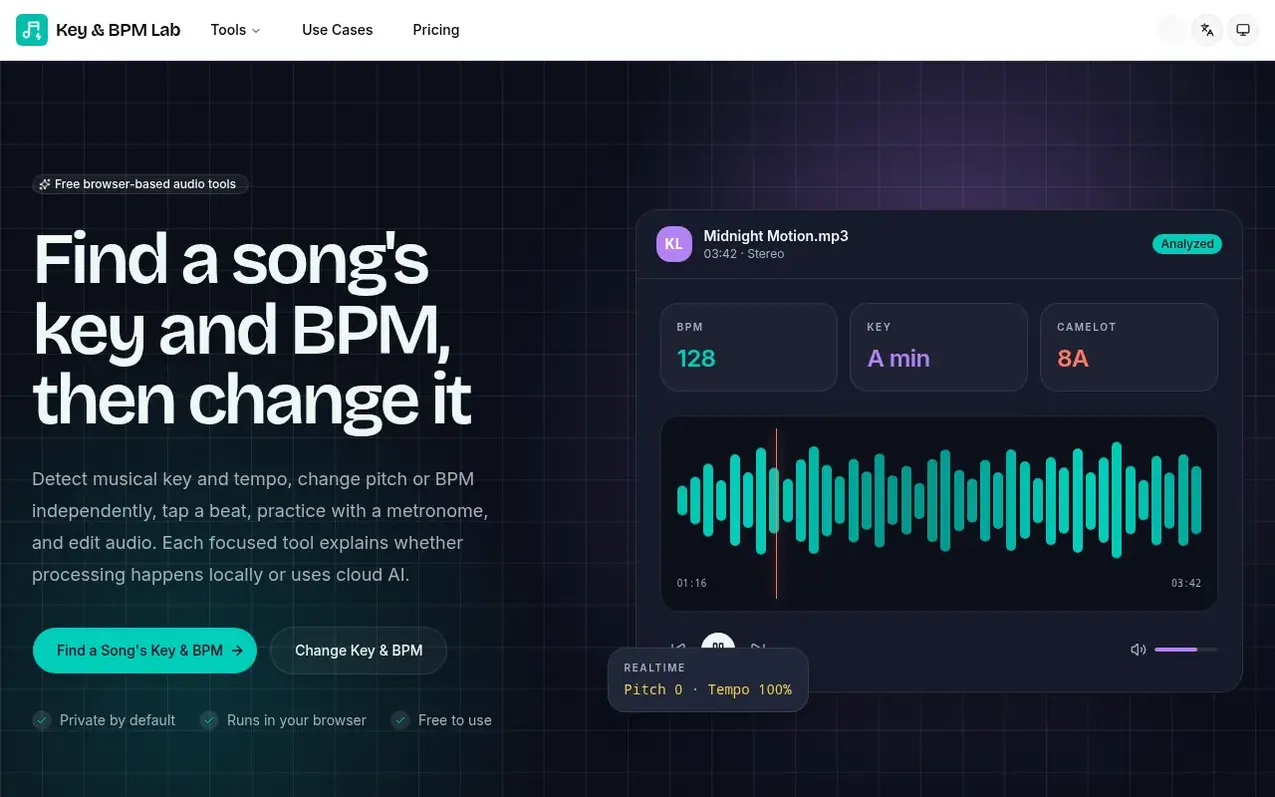
Key & BPM Lab provides free browser-based audio tools for music analysis and editing. Users can detect a song's tempo, musical key, scale and Camelot code from local audio files, change key or BPM independently, cut and join audio segments, record voice, and tap beats or practice with a metronome. Many core tools process files locally in the browser without uploading to servers. The platform also offers AI-powered features like vocal removal, stem splitting, audio enhancement and audio-to-MIDI conversion available through paid subscriptions or credit packs. All source audio remains in browser memory and is not saved to cloud storage unless explicitly uploaded for AI processing.
What it does
- Detect song tempo, musical key, scale and Camelot code
- Change key and BPM independently and export as WAV
- Cut and join audio segments
- Record voice and tap beat timing
- Practice with online metronome
- Remove vocals from songs
- Split songs into instrument stems
- Enhance audio quality with AI
- Convert audio to editable MIDI
Pricing
Pricing model: Freemium
Free plan includes Key & BPM Finder and Changer, Audio Cutter and Joiner, BPM Tapper and Metronome, Voice Recorder, and local processing tools with files saved for 6 hours. Plus plan: $9.90/month with 1,000 credits per month and files saved for 7 days. Pro plan: $19.90/month with 2,500 credits per m
Shopper questions
Are the audio tools free?
Yes, the current Key & BPM Lab tools are free to use and do not require an account.
Do you upload or save my songs?
It depends on the tool. Many browser-based tools decode and process files on your device. Tools using cloud or AI processing explain on their page what is uploaded, stored, or linked to your account.
Which audio formats are supported?
The tools accept formats your browser can decode, commonly MP3, WAV, M4A, AAC, OGG and FLAC. Exact support varies by browser and operating system.
Do the tools work on phones and tablets?
The lighter tools work in modern mobile browsers. Large audio files need more memory and processing power, so a current desktop browser usually performs better.
Should I use the BPM Finder or BPM Tapper?
Use the Finder when you have an audio file and want automatic BPM plus musical-key analysis. Use the Tapper when you want to count a live source manually or compare an automatic result by feel.
Key & BPM Lab has a free listing. The owner can unlock the full profile with a paid launch for $5:
- Founder story (locked)
- Milestones (locked)
- Demo video (locked)
- Dofollow website link (locked)
Shoppers also viewed
- AudioScribe.io
Audio editing
- CleanAudio
Audio editing
- Mozonic
Audio editing
- Neirose
Audio editing