Neirose
Compact music player for Windows 11 with gapless FLAC playback and synchronized lyrics
A compact music player for Windows 11 with local-first design, gapless FLAC playback, synchronized lyrics, and taskbar controls.
About this launch
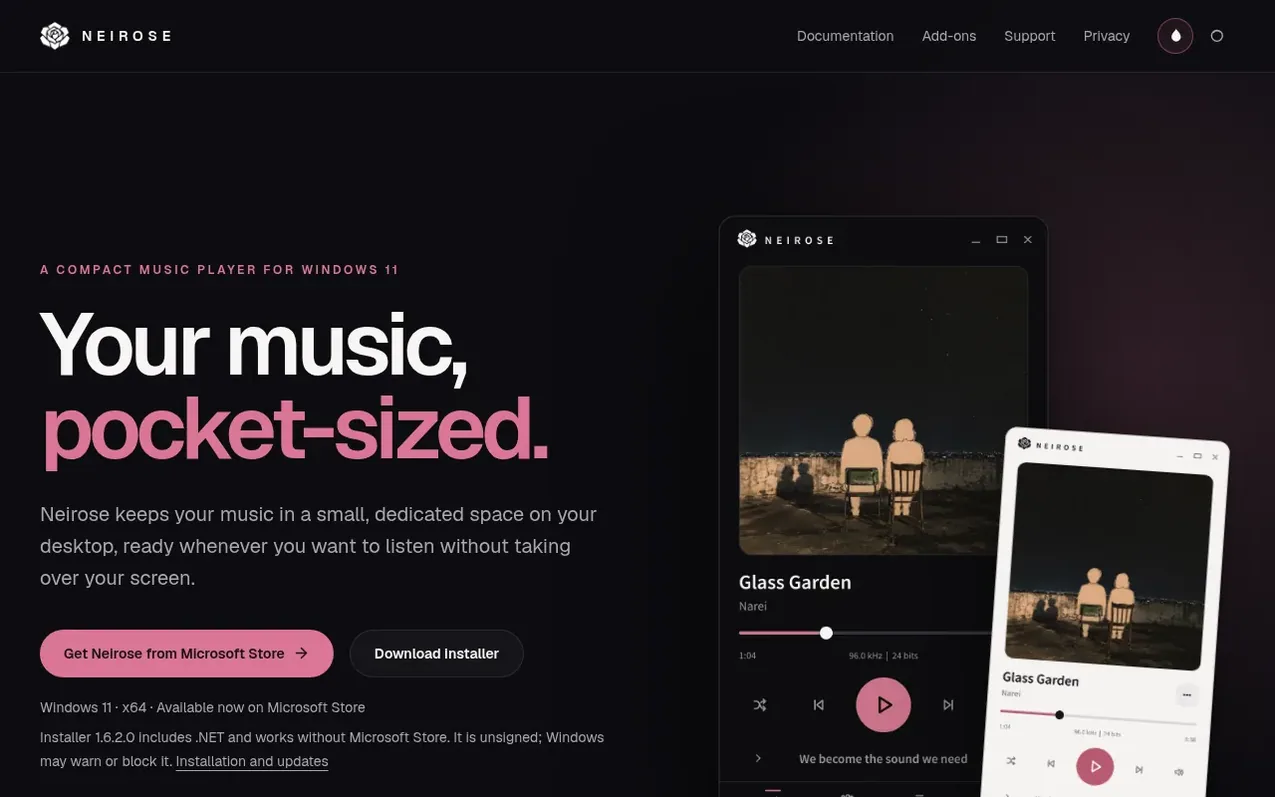
Neirose is a compact music player designed for Windows 11 that keeps your music in a small, dedicated space on your desktop. It features gapless playback for consecutive tracks in the same format, synchronized lyrics that follow the music from local .lrc files or embedded lyrics, and can display optional online lyrics. The player offers multiple browsing layouts for playlists, artists, albums, and folders, with drag-and-drop reordering of the queue. Neirose runs controls on the Windows 11 taskbar, mini-player, and notification area, so music continues playing even when the main window is closed. Your music library stays on your PC by default, with online features like Discord activity and exclusive audio output available as optional add-ons.
What it does
- Gapless playback for consecutive tracks in the same format
- Synchronized lyrics from .lrc files and embedded lyrics
- Taskbar controls and mini-player
- Multiple library views: playlists, artists, albums, folders in grid or list layouts
- Drag-and-drop queue reordering
- WASAPI Exclusive output as add-on
- Discord activity integration as add-on
- Queue persistence across restarts
Pricing
Pricing model: Freemium
Shopper questions
How do I install Neirose without Microsoft Store?
Download the installer from the Neirose website. The Windows 11 x64 installer includes .NET and is available as an unsigned installer, which means Windows may warn or block it. Refer to the standalone installation and update guide for detailed instructions.
What playback and desktop integration issues can I resolve myself?
For playback-device issues, refresh the device list and try Shared output. For taskbar-widget issues, open its Settings page and choose Retry now. For online lyrics or Discord, confirm that the corresponding privacy control is enabled and that the service is reachable. Open Settings and install any available updates.
How do I get a refund for an add-on?
If an add-on doesn't work on your PC, email support@neirose.app within 14 days of purchase for a full refund. Refunded license keys are deactivated. Microsoft Store purchases follow Microsoft's refund policy.
Are my music files uploaded to the cloud?
No. Your music library stays on your PC. Online lyrics and Discord features start off by default and only activate when you opt in. Diagnostic logs are kept locally and never uploaded automatically.
Neirose has a free listing. The owner can unlock the full profile with a paid launch for $5:
- Founder story (locked)
- Milestones (locked)
- Demo video (locked)
- Dofollow website link (locked)
Shoppers also viewed
- AudioScribe.io
Audio editing
- CleanAudio
Audio editing
- Mozonic
Audio editing
- Denoisr
Audio editing