AudioCraft
Free AI stem splitter and vocal remover for separating music into individual tracks
About this launch
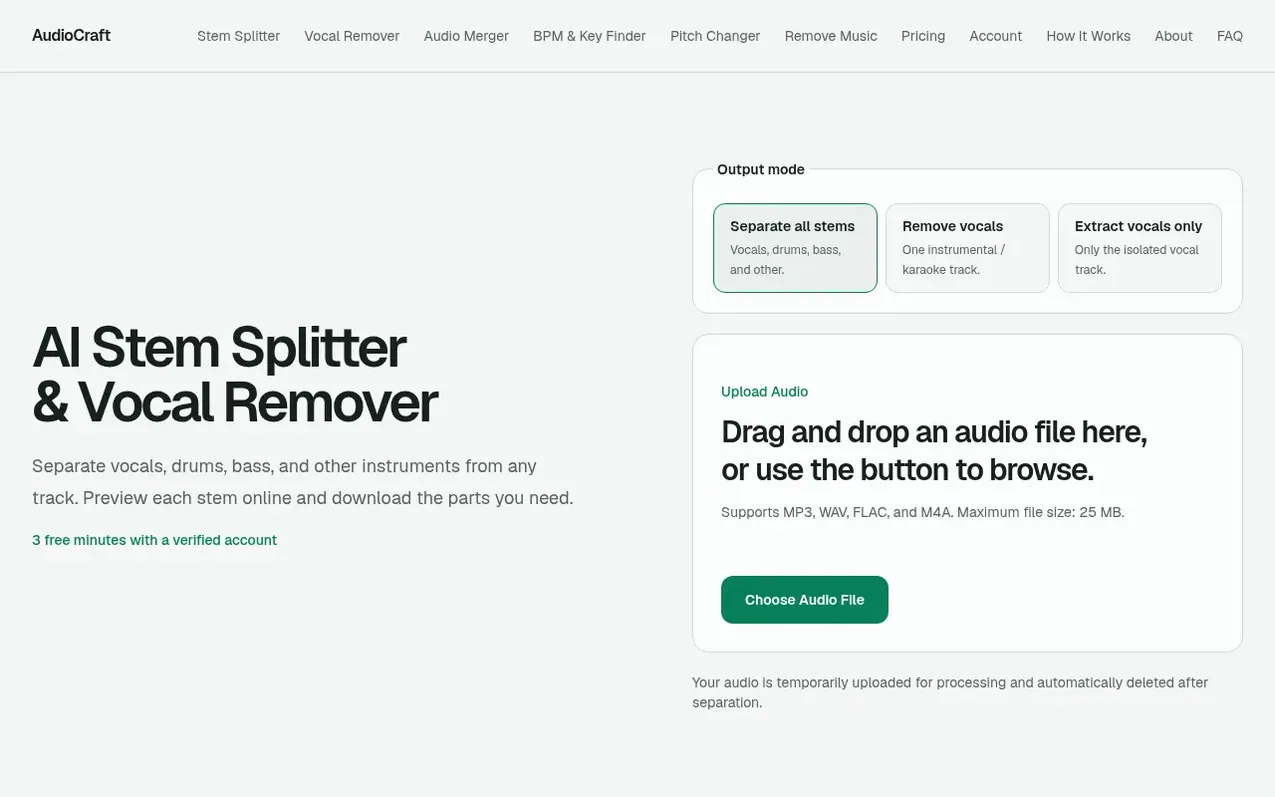
AudioCraft is an online AI audio tool for music source separation. Upload an MP3, WAV, FLAC, or M4A file up to 25 MB and the tool analyzes the mixed recording to estimate and separate vocals, drums, bass, and other instruments into four individual audio tracks. Each stem can be previewed in the browser before downloading.
The tool helps musicians and producers study arrangements, practice individual parts, create karaoke backing tracks, extract acapellas, and work with stems in remix and production projects where they have the necessary rights. AI stem separation requires a verified account and uses processing minutes, while other tools like BPM & Key Finder, Pitch Changer, and Audio Merger remain free and unlimited.
New verified accounts receive 30 free seconds of AI audio processing valid for 12 months with no credit card required. An optional one-time Starter pack purchase adds 100 more minutes for $9.90 USD. Results vary by song arrangement and encoding; some bleed or artifacts may remain in dense mixes. AudioCraft does not recover original studio sessions or grant copyright rights in the source recording.
What it does
- Separate into four stems: vocals, drums, bass, and other instruments
- Supports MP3, WAV, FLAC, and M4A audio formats
- Maximum file size of 25 MB
- Vocal remover mode for instrumental-only output
- Extract vocals only mode for isolated vocal tracks
- BPM & Key Finder tool free and unlimited
Pricing
Free: 30 free seconds of AI audio processing (12-month validity). Starter: $9.90 USD for 100 minutes of stem separation (one-time purchase, 12-month validity). BPM & Key Finder, Pitch Changer, and Audio Merger are free and unlimited.
Shopper questions
What is a stem splitter?
A stem splitter lets you hear parts of a finished mix on their own. AudioCraft creates four stems: vocals, drums, bass, and other instruments.
How does an AI stem splitter work?
AI analyzes patterns in the mixed recording and estimates which sounds belong in each stem. Results vary by song, and some bleed or artifacts may remain.
Can I use separated stems for remixes?
Yes, when you have the necessary rights or permission. Separating a track does not grant copyright or redistribution rights in the original recording.
Do I need to create an account?
AI stem separation requires a verified AudioCraft account. New verified accounts receive 30 free seconds of AI audio processing with no credit card required. BPM & Key Finder, Pitch Changer, and Audio Merger remain account-free.
How much does stem separation cost?
A new verified account receives 30 free seconds of AI audio processing, valid for 12 months. The optional Starter pack adds 100 more minutes as a one-time $9.90 USD purchase.
AudioCraft has a free listing. The owner can unlock the full profile with a paid launch for $5:
- Founder story (locked)
- Milestones (locked)
- Demo video (locked)
- Dofollow website link (locked)
Shoppers also viewed
- Music Remover
Audio editing
- GeeksKai
Audio editing
- Background Audio Remover
Audio editing
- Unmix Studio
Audio editing



