
Vocal Remover
AI vocal remover online to separate vocals and instrumentals from songs and videos
Upload a song and get two clean tracks back in about a minute: the instrumental without vocals, and the vocals on their own.
About this launch
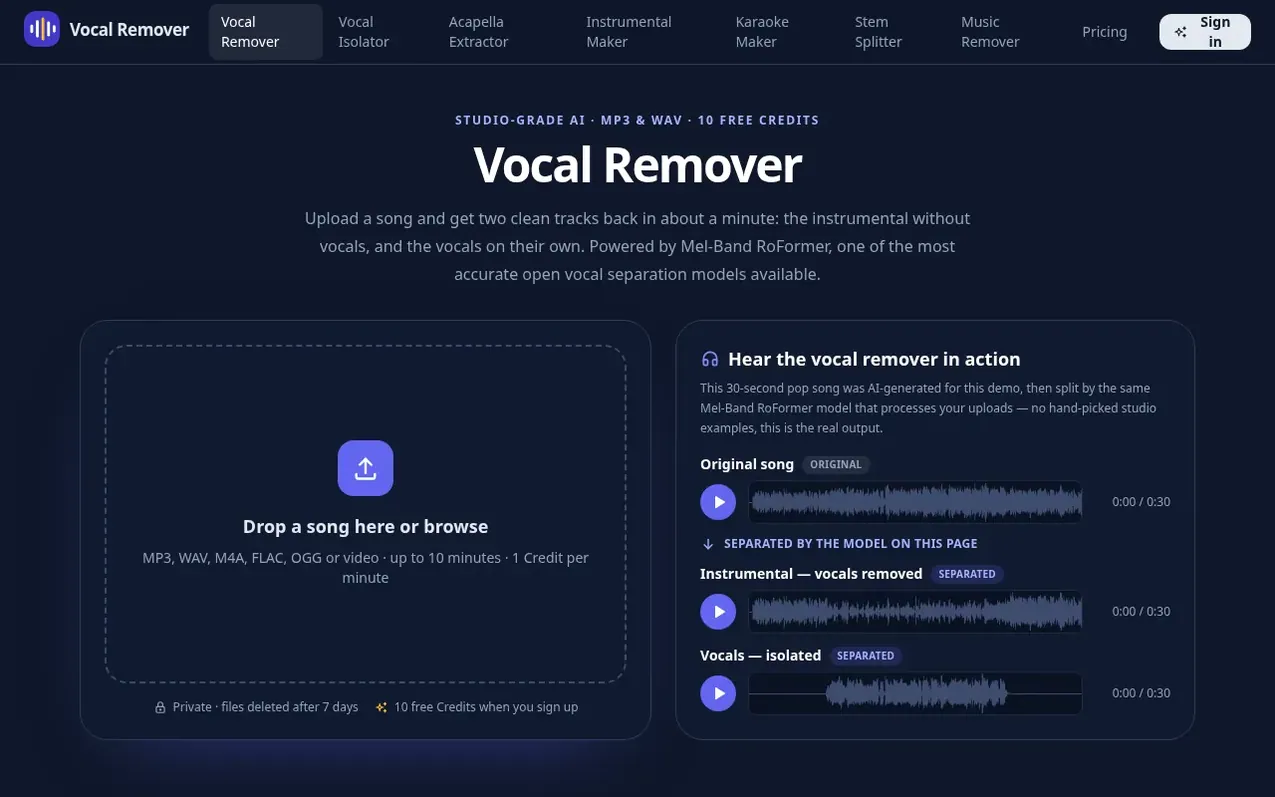
Vocal Remover is an online AI tool that separates vocals from instrumentals in songs and videos. Upload an MP3, WAV, FLAC, M4A, or video file up to 10 minutes and 100 MB, and the service splits it into two tracks: the instrumental without vocals and the isolated vocals. Results are typically ready in 20 to 60 seconds.
The tool uses Mel-Band RoFormer, a state-of-the-art neural network model trained on thousands of separated studio recordings. Unlike older phase-cancellation methods, it identifies the voice itself rather than relying on stereo positioning, keeping drums, bass, and the stereo image of instruments intact while removing most reverb associated with the vocal.
Downloads are available as 320 kbps MP3 or lossless 44.1 kHz WAV. Processing happens on dedicated NVIDIA GPUs. Files are encrypted during transfer, deleted after processing, and results are removed after 7 days. Nothing is shared or used for training.
What it does
- Remove vocals from songs and videos in about a minute
- Download as 320 kbps MP3 or lossless 44.1 kHz WAV
- Support for MP3, WAV, FLAC, M4A, and video files up to 10 minutes
- GPU processing on dedicated NVIDIA servers
- Stem splitting with HTDemucs for four separate tracks
- Karaoke tracks with adjustable guide vocal
- Files encrypted during transfer and deleted after processing
- Background music remover to remove music and keep speech
- Vocal isolator to extract only the singer's voice
Pricing
Pricing model: Freemium
Free: 10 Credits for new accounts (expires after 30 days). 100 Credits: $4.99 (one-time, never expires). 250 Credits: $9.99 (one-time, never expires). 1 Credit per minute of audio.
Shopper questions
What is the best vocal remover?
The best vocal remover is one with the strongest model. Vocal Remover uses Mel-Band RoFormer, which scores around 12 dB SDR on MUSDB18 and ranks among the top open vocal separation models.
How much does the vocal remover cost?
Each started minute of audio uses 1 Credit. New accounts get 10 free Credits, and packs start at $4.99 for 100 Credits. There is no subscription.
How long does it take to remove vocals from a song?
Usually 20 to 60 seconds, plus upload time. The first file after a quiet period can take a little longer while a GPU starts.
Can I remove vocals from a video?
Yes. Upload an MP4, MOV, or WebM file and you get the instrumental and the vocals as audio files. To remove music but keep speech, use the Background Music Remover.
Is the vocal remover safe?
Yes. Files are sent over an encrypted connection, the upload is deleted right after processing, and results are deleted after 7 days. Nothing is shared or used for training.
Vocal Remover has a free listing. The owner can unlock the full profile with a paid launch for $5:
- Founder story (locked)
- Milestones (locked)
- Demo video (locked)
- Dofollow website link (locked)
Shoppers also viewed
- GeeksKai
Audio editing
- Background Audio Remover
Audio editing
- Unmix Studio
Audio editing
- AI Voice Cleaner
Audio editing



