Loquendo
Convert text to audio with natural voices in Spanish and English
Browser-based studio to transform text into MP3 audio with expressive synthetic voices, supporting Spanish and English narration.
About this launch
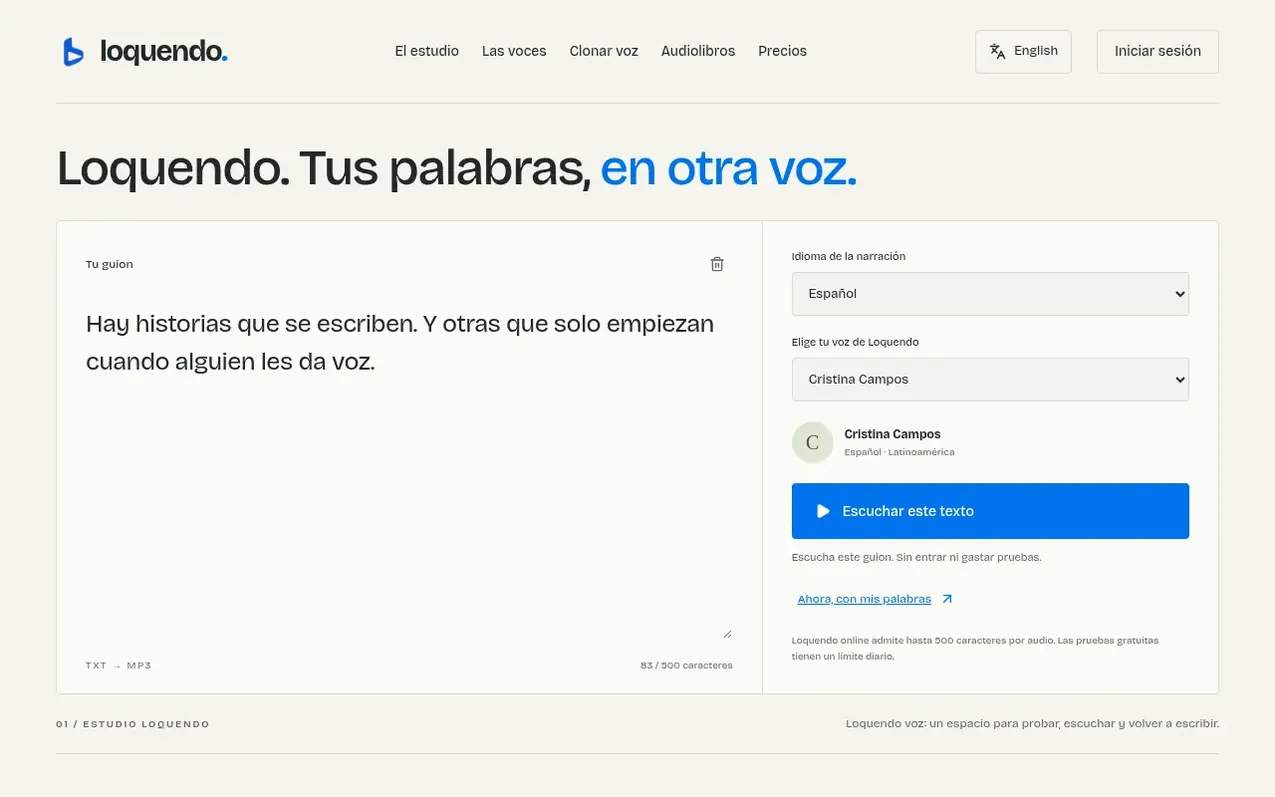
Loquendo is a web-based text-to-speech studio that converts written content into natural-sounding audio in Spanish and English. Users write or paste their text, select from a range of character-driven voices, and download the result as an MP3 file without needing to install any software. The tool is designed for creators, authors, and video producers who want to add narration to videos, audiobooks, or other projects.
The platform supports up to 500 characters per audio sample in the free trial and offers three subscription tiers—Starter, Studio, and Enterprise—each with different monthly character limits and features like voice cloning, audiobook creation, and API access. All plans use a credit system based on character count rather than duration. Loquendo emphasizes careful scriptwriting, proper punctuation, and attention to how the synthetic voice interprets text, providing guidance on how to format scripts for best results.
What it does
- Choose from multiple expressive voices in Spanish and English
- Write and test scripts up to 500 characters per audio in free tier
- Download audio in MP3 format
- No software installation required
- Voice cloning capability
- Create full audiobooks
- API connection for integration
- Commercial use licensing in Studio and Enterprise plans
- Priority processing with paid plans
Pricing
Pricing model: Freemium
Starter: 14,50 US$/month (150,000 characters/month, 1500 monthly credits); Studio: 49,50 US$/month (600,000 characters/month, 6000 monthly credits); Enterprise: 149,50 US$/month (3,000,000 characters/month, 30,000 monthly credits). Annual payment offers 50% discount. Additional credit packages: 200
Shopper questions
What can I do with Loquendo online?
Loquendo.ai is an independent browser-based studio to convert text into audio. You can write text in Spanish or English, choose a narrator voice, generate narration, and download the result in MP3 format without installing anything.
Does Loquendo allow downloading the results?
Yes. When generation is complete, a player appears to review the take and a link to download the MP3. Save the file before closing or reloading the page, as the temporary browser version is not a backup.
Can I use Loquendo voices for videos and social media?
You can add your audio to video editors you use. Before publishing a Loquendo voice, verify you have rights to the script, music and other materials, and check the conditions for the narrator chosen. Do not use synthetic narration to impersonate a person or deceive listeners.
Do I need to download a program to use Loquendo?
No. Loquendo online works in any modern browser on desktop and mobile. You need an internet connection to load voices and generate audio. The MP3 download is saved to your device.
Loquendo has a free listing. The owner can unlock the full profile with a paid launch for $5:
- Founder story (locked)
- Milestones (locked)
- Demo video (locked)
- Dofollow website link (locked)
Shoppers also viewed
- Verbatimly
Audio, Voice & Podcasting
- PodRandom
Audio, Voice & Podcasting
- Kingdom Frequency Radio™
Audio, Voice & Podcasting
- SubtitlePop
Audio, Voice & Podcasting