CrispScribe
Audio and video transcription for interviews, meetings and podcasts
About this launch
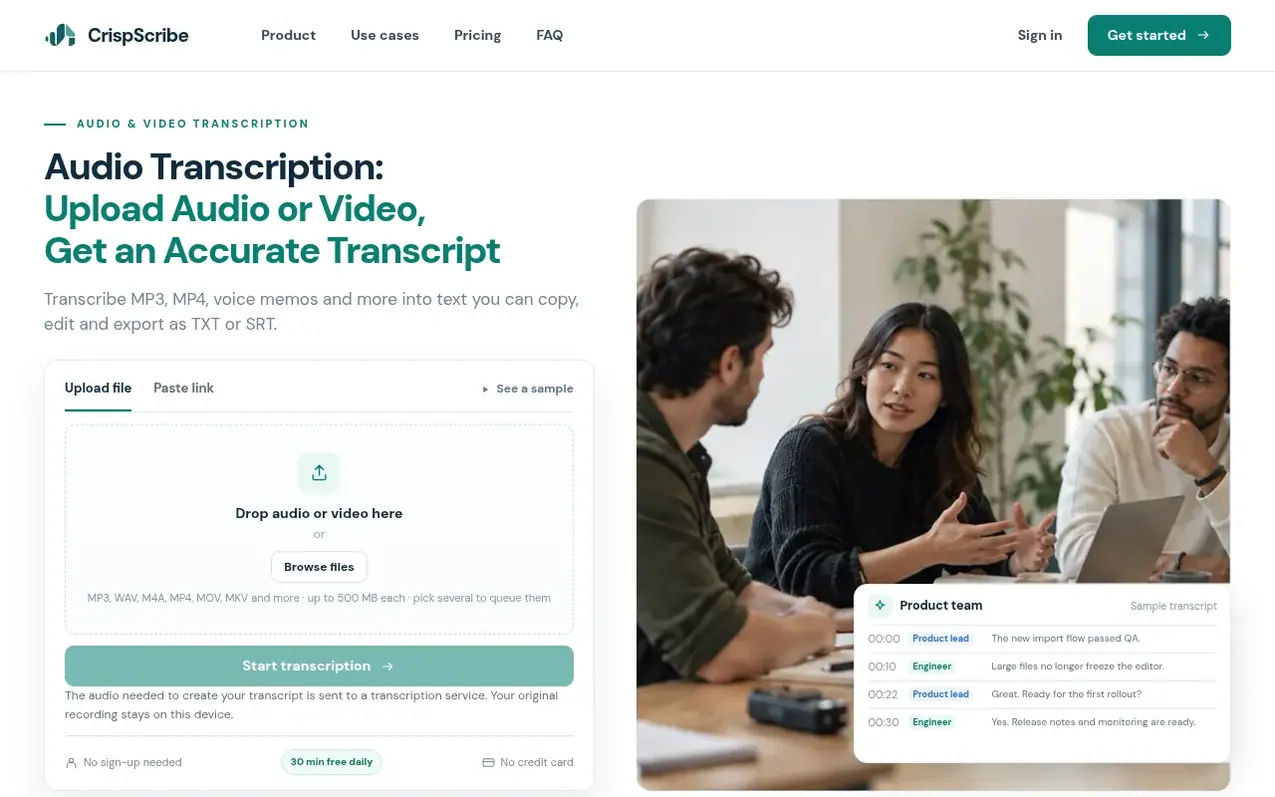
CrispScribe is an audio and video transcription service that converts spoken content into searchable, editable text. Users can upload recordings or paste public YouTube links to generate transcripts with automatic timestamps. The platform supports common formats including MP3, WAV, M4A, MP4, MOV and MKV files up to 500 MB each.
The service offers a free tier with daily limits of 2 files and 30 minutes, allowing users to start transcribing without creating an account. For regular use, paid plans provide higher allowances, advanced features like speaker separation, and additional export formats including VTT, DOCX and timestamped options.
Transcripts feature speaker labels, timestamps for jumping to specific moments, and built-in search functionality. Users can edit text directly, copy passages, and export as TXT or SRT files. The platform supports multilingual recordings with automatic language detection and offers additional tools for interviews, meetings, podcasts, lectures and video content.
What it does
- Upload audio and video files in multiple formats
- Automatic timestamps for each speaker
- Edit and correct transcript text
- Export as TXT and SRT files
- Import captions from public YouTube videos
- Multilingual recording support
- Cross-device transcript sync with account
- Advanced exports in VTT and DOCX format
- AI summaries and chapter generation
Pricing
Pricing model: Freemium
Free: 2 files, 30 minutes per day. Pay as you go: $4.99 one-time for 20 hours of standard transcription (credits never expire). Pro: $7.99/month with 120 standard hours per billing month and 10 separate advanced hours. Creator: $14.99/month with 250 standard hours per billing month and 25 separate a
Shopper questions
Do I need an account to transcribe audio?
No, you can start transcribing without an account. You create an account when you want to keep your transcript library available across devices.
What are the audio transcription limits?
Free standard transcription allows up to 2 files and 30 minutes each day. For more time, you can choose a monthly plan or a credit pack.
Which file formats can I upload?
Common audio formats such as MP3, WAV and M4A, plus MP4 video, are supported.
Can I edit and export a transcript?
Yes, you can open a transcript to correct the text, copy passages and download TXT or SRT. Additional export formats are available with paid plans.
Where are my transcripts stored?
Your recording stays on your device. The audio needed to create the transcript is sent to a transcription service. If you sign in, transcript text and library details sync to your account, but audio does not.
CrispScribe has a free listing. The owner can unlock the full profile with a paid launch for $5:
- Founder story (locked)
- Milestones (locked)
- Demo video (locked)
- Dofollow website link (locked)
Shoppers also viewed
- Verbatimly
Audio, Voice & Podcasting
- Loquendo
Audio, Voice & Podcasting
- PodRandom
Audio, Voice & Podcasting
- Kingdom Frequency Radio™
Audio, Voice & Podcasting