Wryte
A Mac app for writing your whole book
A Mac writing app for novels, short stories, non-fiction, theses and screenplays with chapters and scenes, index cards, Focus Mode and export to Word, PDF and
About this launch
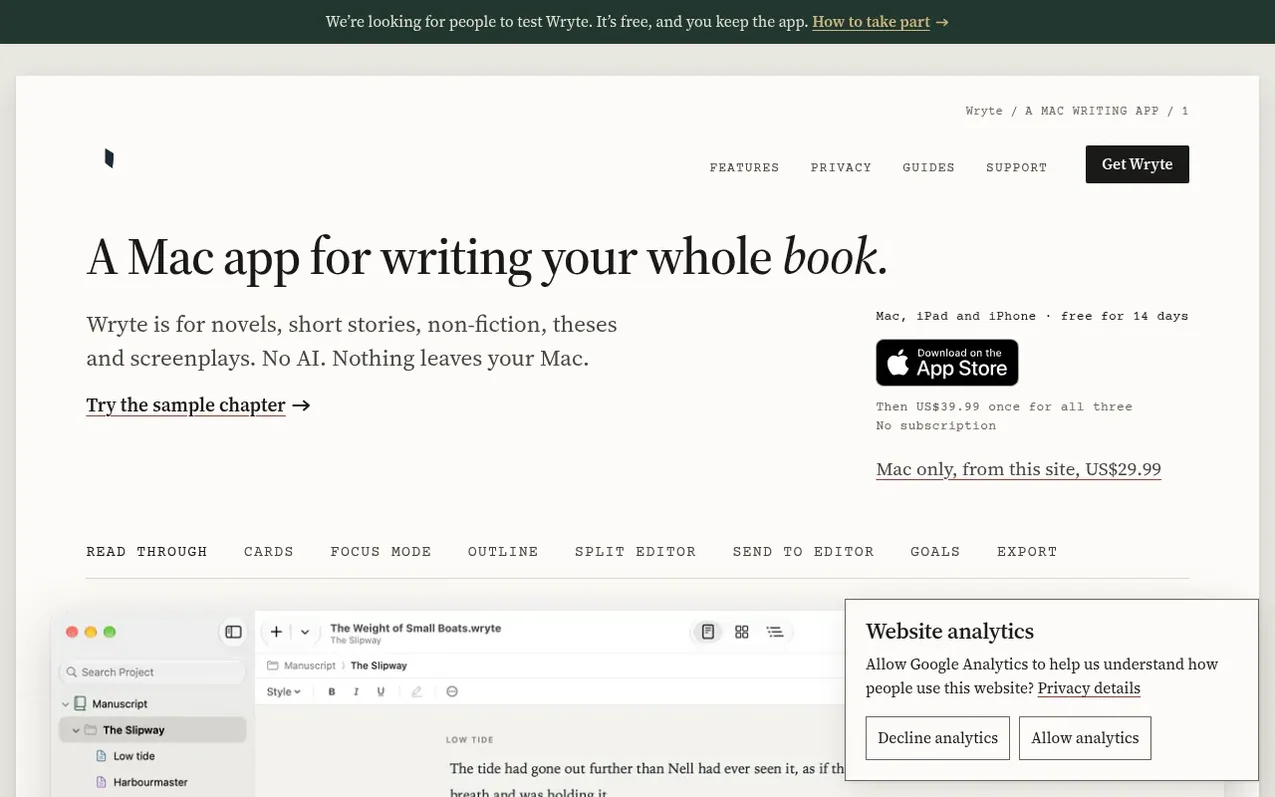
Wryte is a Mac app for writing long books including novels, short stories, non-fiction, theses and screenplays. It organises your work into chapters and scenes, provides multiple ways to view your manuscript including Read Through, Cards (index cards), and an editable Outline. The app includes Focus Mode to hide distractions, a Split Editor for working with research alongside your draft, checkpoints to save versions, and automatic backups. Wryte exports to Word documents in standard manuscript format, print-ready PDFs at various book sizes, and EPUBs for e-readers. The app has no AI and never uploads your writing—everything stays on your Mac or in your own iCloud Drive. It offers a 14-day free trial and costs US$29.99 for Mac only or US$39.99 paid once for Mac, iPad and iPhone together via the App Store.
What it does
- Chapters and scenes organisation
- Index cards (corkboard view)
- Focus Mode for distraction-free writing
- Export to Word, PDF and EPUB
- Tracked changes for editors
- Automatic backups
- Split Editor for research alongside draft
- Writing goals and history tracking
- Checkpoints to save versions
Pricing
Pricing model: Paid
Mac only from wryte.net: US$29.99 once. Mac, iPad and iPhone via App Store: US$39.99 paid once. Free 14-day trial available on both.
Shopper questions
Does Wryte use AI or upload my writing?
No. Wryte has no AI and never uploads, collects or trains on your writing. It goes online only to save web pages you add to Research and, in the edition downloaded from wryte.net, to check for updates once a day and check your licence key with Polar about once a week. None of that carries your writing.
How does the free trial work?
Download Wryte from wryte.net and it is the full app for 14 days with nothing to sign up for. After that you can still open your projects and export them, but you cannot type in them until you enter a licence key. Nothing is deleted or locked away.
Can I use Wryte on more than one Mac?
Yes. Save your project in iCloud Drive and it will be on each of your Macs. Close the project on one Mac before you open it on another.
How do I start a new book?
Choose File ▸ New and pick a template: Novel, Short Stories, Non-fiction, Thesis or Paper, or Blank. Your first scene is ready to type in. Wryte saves as you type; use File ▸ Save once to name the project and choose where it lives.
How do chapters and scenes work?
In the Contents sidebar, folders are chapters and the documents inside them are scenes. New Text (⌥⌘N) adds a document after the one you’re in, and New Folder (⇧⌥⌘N) adds a chapter. Drag to reorder, or use Document ▸ Move Up, Move Down, Move Out of Folder and Move Into Item Above (⌃⌘ and the arrow keys).
Wryte has a free listing. The owner can unlock the full profile with a paid launch for $5:
- Founder story (locked)
- Milestones (locked)
- Demo video (locked)
- Dofollow website link: not on this free listing (its website link is nofollow)
Shoppers also viewed
- Writer Studio
Writing & Content
- PlotLens
Writing & Content
- NarrAItor
Writing & Content
- StoriesDen
Writing & Content