TidyText.click
Convert ChatGPT, Claude and Gemini markdown into clean, formatted text for Google Docs and Word
A free browser tool that converts AI assistant markdown into properly formatted text for Google Docs and Word, removing hidden Unicode characters and
About this launch
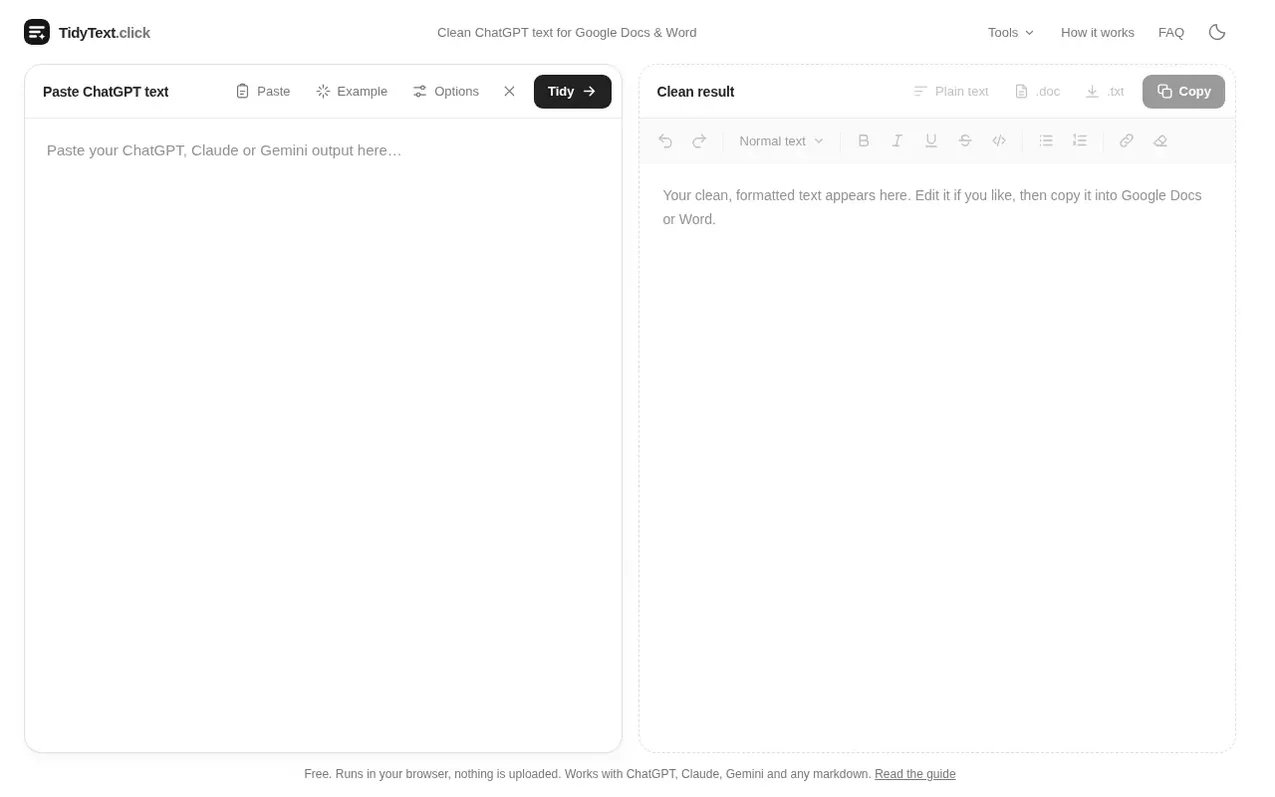
TidyText.click cleans text copied from AI assistants like ChatGPT, Claude, Gemini and others by converting markdown formatting into real text formatting that Google Docs and Microsoft Word understand. When you paste AI answers into documents, the markdown symbols like asterisks, pound signs and pipes normally appear as literal characters instead of formatting. TidyText.click converts these symbols into actual headings, bold text, lists and tables before you paste.
The tool handles all common markdown elements including headings, bold and italic text, bullet and numbered lists, tables with borders, code blocks, inline code, links, block quotes, checklists, horizontal rules and LaTeX math equations. It automatically removes hidden Unicode characters like zero-width spaces, joiners and soft hyphens that may be used as watermarks or left behind accidentally. It can also replace or remove the em dashes that AI assistants frequently use.
All conversion happens in your browser using JavaScript, so nothing you paste is sent to a server or stored. The page works offline once loaded and requires no account or installation. It is free with no limits on the length or number of uses.
What it does
- Converts markdown to real formatting for headings, bold, italic, lists and tables
- Handles code blocks with preserved indentation and line breaks
- Converts LaTeX math equations to readable Unicode characters
- Automatically removes zero-width spaces, joiners and other hidden Unicode watermarks
- Removes citation markers from AI-generated text
- Replace or remove em dashes with customizable options
- Optional removal of emojis and links
- Export as plain text with tab-separated tables
- Supports multiple AI assistants and markdown sources
Pricing
Pricing model: Free
Shopper questions
Why does ChatGPT text look messy when I paste it into Google Docs?
ChatGPT writes its answers in markdown. Google Docs and Word do not read markdown, so the asterisks, pound signs, pipes and backticks are pasted as literal characters. TidyText.click converts the markdown into real formatting first, so what you paste is already bold, headed, listed and tabled.
Does TidyText.click upload my text?
No. The conversion runs as JavaScript inside your browser. Nothing you paste is sent to a server or stored, and the page works offline once it has loaded.
Does it work with Claude, Gemini, Copilot and Perplexity?
Yes. Every major assistant writes markdown, so the same conversion works for Claude, Gemini, Microsoft Copilot, Perplexity, DeepSeek, Grok and Mistral, as well as for markdown from Notion, GitHub or Obsidian.
What happens to LaTeX math equations?
Equations written between dollar signs or backslash brackets are converted to readable Unicode text: x^2 becomes x², \frac{a}{b} becomes a/b, \alpha becomes α and so on. Very complex equations keep their symbols but may need a manual tidy. You can turn the conversion off in Options.
Is TidyText.click free?
Yes. There is no account, no limit on length or number of uses and nothing to install.
TidyText.click has a free listing. The owner can unlock the full profile with a paid launch for $5:
- Founder story (locked)
- Milestones (locked)
- Demo video (locked)
- Dofollow website link (locked)
Shoppers also viewed
- Grasmere
Writing & Content
- RhymeHamster
Writing & Content
- Plot Factory
Writing & Content
- The Novel Kit
Writing & Content