SuprPost
Create once. Make it right everywhere.
Publish to all your social platforms without manually resizing media, rewriting posts, fixing platform limits, or scheduling every account separately.
About this launch
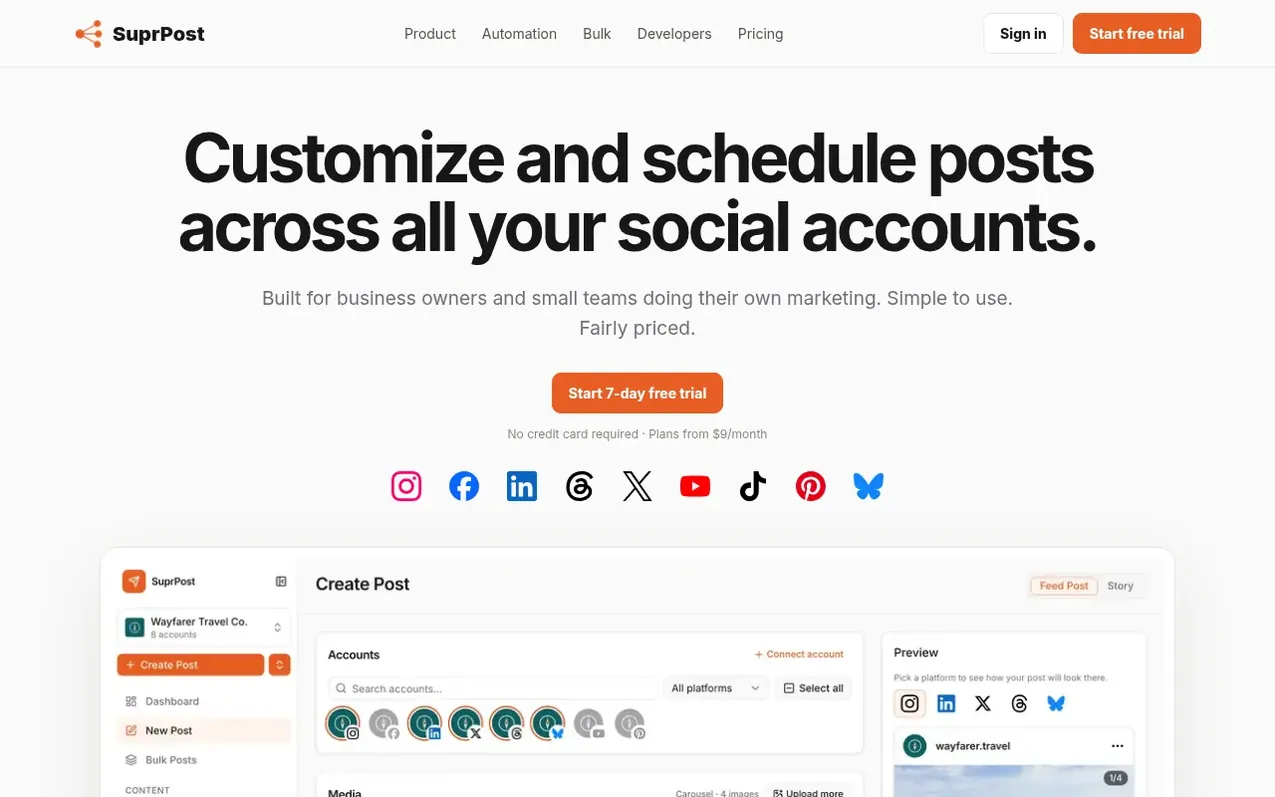
SuprPost allows you to write social media posts once and automatically adapt them for all your social accounts. The platform handles platform-specific requirements like resizing media, adjusting captions, and fixing publishing rules for each destination. You can customize individual posts per account, schedule content across your calendar using queues and recurring posts, and publish in bulk. SuprPost checks your posts before publishing to catch any issues specific to each platform, lets you manage image crops and adjustments for different social networks, and provides per-account publishing results so failures on one platform don't require republishing everywhere.
What it does
- Per-account customization of captions and media
- Platform-specific publishing settings
- Platform-aware image cropping and resizing
- Image editing with exposure, contrast, saturation adjustments
- Brand customization with colors, fonts, logo and watermark
- Queues and recurring post scheduling
- Bulk publishing from files, folders or pasted text
- Per-account publishing results and retry failed destinations only
- Media gallery for organizing reusable content
- MCP, REST API and webhook support for developers and AI agents
Pricing
Starter $9/month (10 social accounts), Creator $19/month (25 social accounts), Pro $39/month (60 social accounts). All plans include unlimited team members, unlimited posts and scheduling, bulk and queue scheduling, platform customization and fixes, API, webhooks and MCP access. Storage varies: Star
Shopper questions
What social platforms does SuprPost support?
SuprPost supports Bluesky, X, Threads, Instagram, Facebook, LinkedIn, YouTube, TikTok and Pinterest.
How long is the free trial and what happens if I cancel?
SuprPost offers a 7-day free trial with no credit card required. You can cancel anytime during the trial.
What is your refund policy?
You can request a full refund within 7 days of any charge with no questions asked from your Account settings or by emailing support@suprpo.st. Outside that window, payments are non-refundable except where the law requires otherwise.
Can I use SuprPost with AI assistants?
Yes, SuprPost supports integration with AI assistants through MCP connections using its existing OAuth flow. You can connect AI assistants or your own applications through MCP, REST API and webhooks.
What information should I include when contacting support?
Include the email address on your SuprPost account, the workspace name and social platform affected, the approximate time of the issue, post ID or screenshot of the error when available, and what you expected to happen versus what happened instead.
SuprPost has a free listing. The owner can unlock the full profile with a paid launch for $5:
- Founder story (locked)
- Milestones (locked)
- Demo video (locked)
- Dofollow website link (locked)
Shoppers also viewed
- Bolt Claw
Social Media & Creator Tools
- UpScrolled™
Social Media & Creator Tools
- Exploreel
Social Media & Creator Tools
- StarPresence
Social Media & Creator Tools