
STL Splitter
Free online tool to cut large 3D models into pieces that fit your printer
STL Splitter cuts large STL and 3MF 3D models into smaller parts that fit your printer's build plate, adds alignment pegs, and exports print-ready files.
About this launch
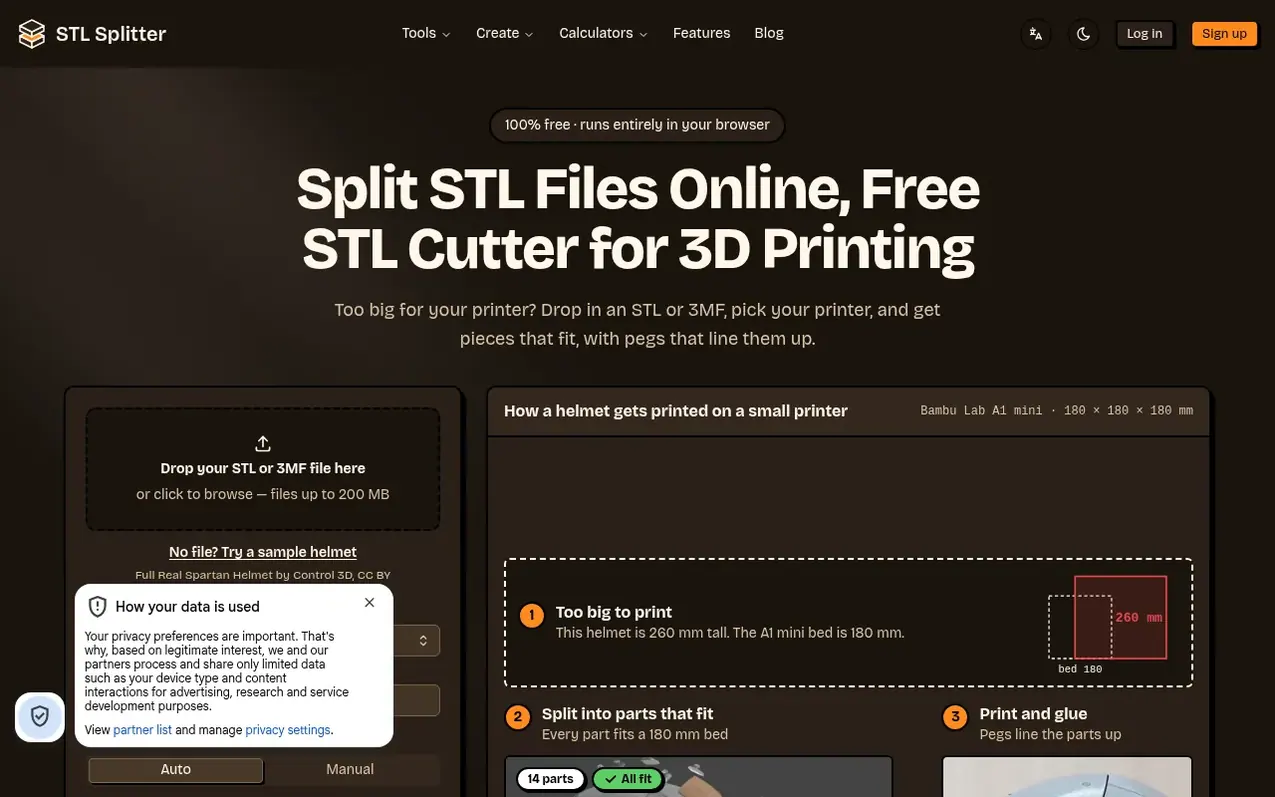
STL Splitter is a free browser-based tool for splitting oversized 3D models to fit smaller printer beds. Users drag STL or 3MF files up to 200 MB into the editor, select from 70+ printer presets or enter custom bed dimensions, then place cuts manually or use auto mode to divide the model into bed-sized pieces. The tool generates interlocking pegs with adjustable clearance and chamfered edges to align printed parts during assembly.
All processing happens locally in the browser with no file upload to servers. Users can preview every cut in 3D before exporting each piece as a separate STL file ready for slicing in Cura, PrusaSlicer, Bambu Studio or OrcaSlicer. The tool supports round, square, hex or cross pegs, and separate dowel pins for assembly, plus guides on cutting strategies, joining techniques and finishing seams.
What it does
- Supports 70+ 3D printer presets (Bambu, Prusa, Creality, Elegoo, Anycubic, Voron)
- Automatic and manual cutting modes
- Interlocking pegs and joints with adjustable clearance
- Real-time 3D preview of cuts
- Handles files up to 200 MB
- Reads STL, binary STL, ASCII STL and 3MF formats
- Exports each piece as individual STL files
- Separate dowels option for stronger joints
- Cross pins for improved strength
- No file upload to servers, all processing local to browser
Pricing
Pricing model: Free
Free for all features
Shopper questions
What is STL Splitter?
STL Splitter is a free online tool that cuts large STL and 3MF models into smaller parts that fit your 3D printer's build plate. It adds alignment pegs, runs entirely in your browser with no upload, and exports each part as a print-ready STL.
How do I split a large STL file?
Upload your STL or 3MF file, pick your printer preset or enter your bed dimensions, and click Cut Model. Each piece downloads as a separate STL, ready to slice.
Is STL Splitter really free?
Yes. Splitting, interlocking joints, printer presets and every other current tool are free for everyone, with no sign-up and no watermark.
Are my files uploaded to a server?
No. All processing happens locally in your browser, so your models never leave your device — ideal for confidential or commercial designs.
What's the difference between a splitter and a slicer?
A splitter divides a model into pieces that fit your print bed; a slicer converts a model into G-code instructions for your printer. Use STL Splitter first, then slice each piece in Cura, PrusaSlicer, or Bambu Studio.
STL Splitter has a free listing. The owner can unlock the full profile with a paid launch for $5:
- Founder story (locked)
- Milestones (locked)
- Demo video (locked)
- Dofollow website link (locked)
Shoppers also viewed
- AI25.Studio
3D & animation
- Perspecto
3D & animation
- Wargame Geeks
3D & animation
- PrintPal
3D & animation