Stencil Maker
Turn any photo into a clean, cut-ready stencil in seconds
Free online tool to convert photos into printable stencils for cutting, with no watermark and no signup required for the first download.
About this launch
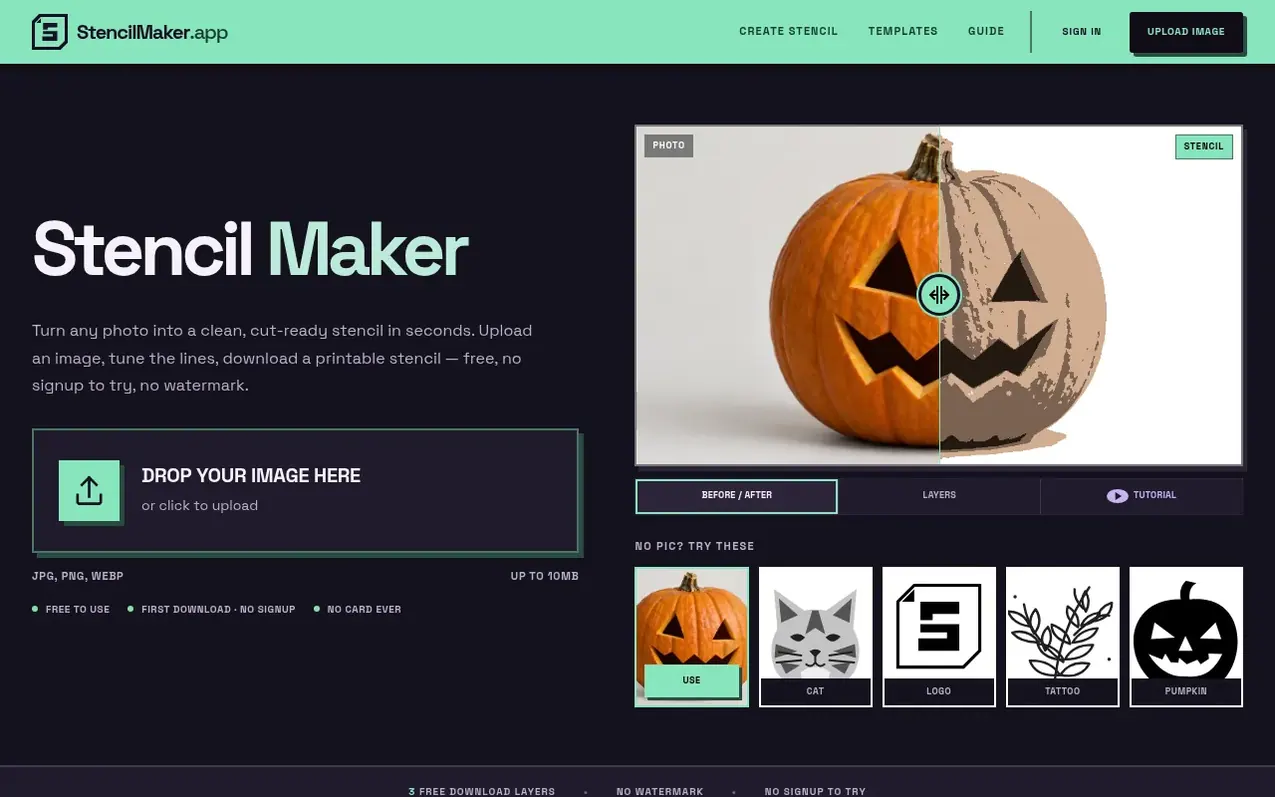
Stencil Maker is a web-based photo-to-stencil converter that lets you upload an image and transform it into a cut-ready stencil design. You can edit layers, add bridges to keep fine details connected, and tune the cut lines without creating an account. Download your first stencil as PNG or PDF with up to 3 layers at no cost and with no watermark.
The editor includes tools for managing loose pieces, creating multi-layer designs for color separation, and working on mobile devices. Free editing covers all layer management, island detection, bridge tools, and touch-up layers. The Pro plan adds vector exports (SVG, DXF), Cricut export, and multi-page printing for wall-sized stencils.
What it does
- Multi-layer stencil separation into tonal or colour layers
- Smart bridging tools to connect loose pieces
- Touch-up layers to separate fine details
- Pattern fills with hatch, crosshatch or dot options
- Text layers with font selection and bridge tools
- Full editor in mobile browser without app installation
- Wall-sized stencil printing with registration marks
- SVG, DXF and Cricut export for cutting machines
- Island detection and loose piece identification
- Keyboard shortcuts for undo, redo, save and tool switching
Pricing
Free plan with full editing and up to 3 layers per download. Pro: $10/month, $90/year, or $99 lifetime. Lifetime includes all Pro features with no subscription renewal.
Shopper questions
Is this stencil maker really free?
Editing is free with no account, including layers, island detection, bridges, touch-up layers and the full editor on mobile. Your first PNG or PDF download on this browser needs no signup, with up to 3 layers and one page per layer. Create a free account to save projects or download again, with no watermark.
Can I use it for Cricut, laser cutting or screen printing?
Yes. Use aligned SVG for Cricut, SVG or DXF for compatible laser software, and PDF or PNG separations for screen printing. Vector exports require Pro. Check size and material settings in your machine software.
What file formats can I download?
PNG and print-ready PDF on the free plan. Pro adds SVG, DXF and one-click Cricut export. Free downloads have no watermark.
Can I make a stencil from a picture on my phone?
Yes, the full editor runs in a mobile browser with no app to install. You can upload a picture from your phone, adjust the layers and print your result.
Can I sell what I make with it?
Free and Pro users may use stencils made from their own artwork, or artwork they are authorized to use, for personal and commercial projects, including client work and physical products. You retain any rights you hold in your original artwork. You are responsible for obtaining permissions needed for third-party images, characters, trademarks or protected content.
Stencil Maker has a free listing. The owner can unlock the full profile with a paid launch for $5:
- Founder story (locked)
- Milestones (locked)
- Demo video (locked)
- Dofollow website link (locked)
Shoppers also viewed
- MyPaperKit
Design tools
- AI Kitchen Design
Design tools
- ideare
Design tools
- Matita
Design tools



