
Steam Design Tools
Crop Steam profile backgrounds and showcase art to design custom profile layouts
A browser tool for cropping Steam profile backgrounds and artwork into slices sized for different Steam profile showcases.
About this launch
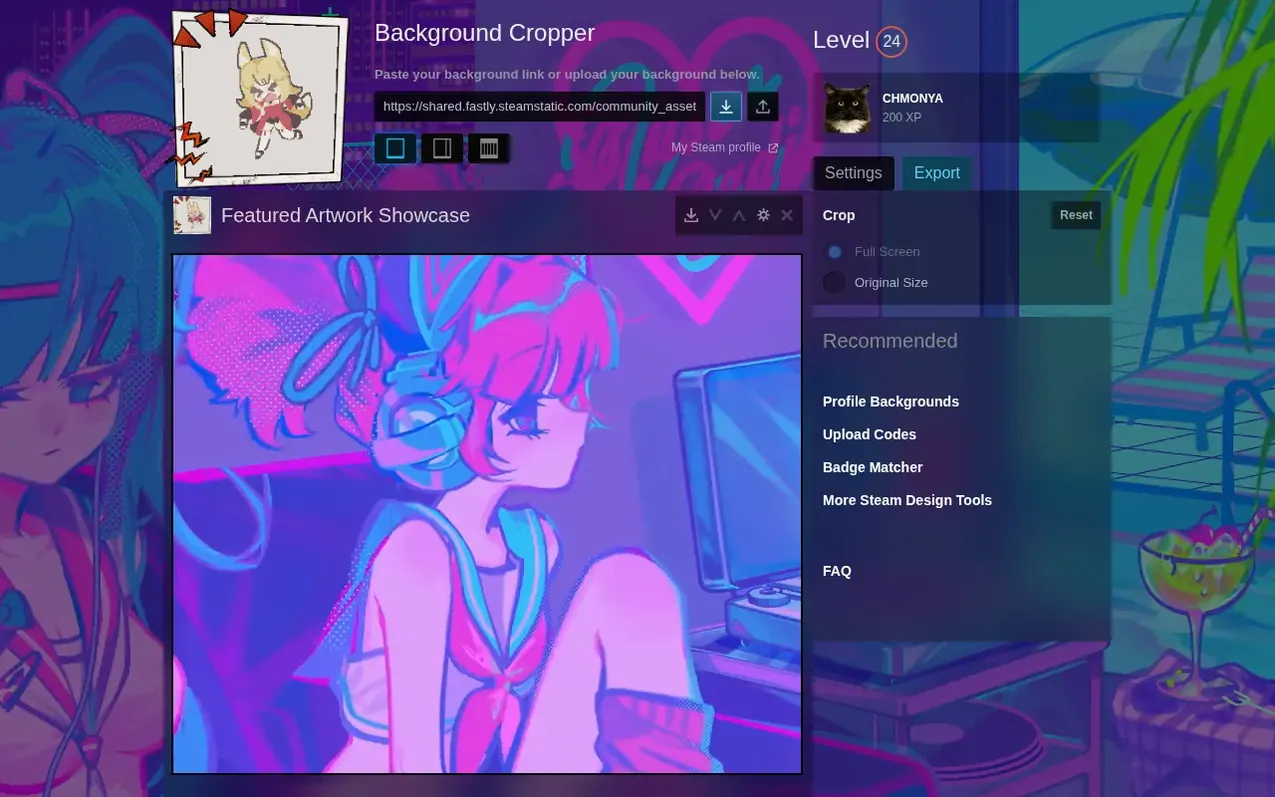
Steam Design Tools is a local-first web application that helps Steam users customize their profile backgrounds by cropping images into properly sized slices for different Steam profile showcase types. Users paste their background URL or upload a file, select the showcase type (Featured Artwork, Artwork, Screenshot, or Workshop), match their Steam display mode setting, and export the cropped slices ready to upload. The tool handles both static images and animated backgrounds, with support for GIF-style artwork and MP4/WebM video backgrounds. All processing happens in the browser without requiring a Steam login or collecting account credentials.
What it does
- Crop Steam profile backgrounds into showcase-specific slices
- Support for Featured Artwork, Artwork, Screenshot, and Workshop showcases
- Full Screen and Original Size display mode matching
- Support for animated backgrounds and GIF artwork
- MP4 and WebM video export for animated backgrounds
- Local browser storage of preferences and settings
- No Steam login or credential collection required
Pricing
Pricing model: Free
Shopper questions
Full Screen or Original Size: which one should I crop?
Full Screen and Original Size use different background sizes. Pick the same mode in the cropper that the Steam profile uses, then export the slices again after changing the mode.
Why does my Steam profile background not line up?
The cropper, exported files, and real Steam profile must use the same Steam background URL and display mode. Reset the crop, paste the exact background URL used on Steam, match the display mode, and export every slice again from the same preview.
Why does my Steam profile art fit one showcase but not another?
Artwork, Featured Artwork, Screenshot, Workshop, Guide, and Video showcases use different crop shapes. Choose the exact Steam profile showcase first, then export the slice set for that showcase.
How to put a GIF on Steam profile without breaking the background?
Use the right Steam surface for the animation. A Steam profile GIF usually belongs in artwork, screenshot, or another showcase upload flow, while Steam animated backgrounds are profile items that use MP4 or WebM background media.
Why can I not add the showcase after making the crop?
Crop files do not unlock Steam showcase slots. Steam profile showcases depend on account level and Points Shop upgrades, so confirm that the account can use the target showcase type before exporting slices.
Steam Design Tools has a free listing. The owner can unlock the full profile with a paid launch for $5:
- Founder story (locked)
- Milestones (locked)
- Demo video (locked)
- Dofollow website link (locked)
Shoppers also viewed
- MyPaperKit
Design tools
- AI Kitchen Design
Design tools
- ideare
Design tools
- Matita
Design tools



