
StampZen
Free online stamp maker for custom stamps and seals
Design custom stamps and seals free in your browser, then pay a one-time fee for high-resolution exports in PNG, SVG, or PDF format.
About this launch
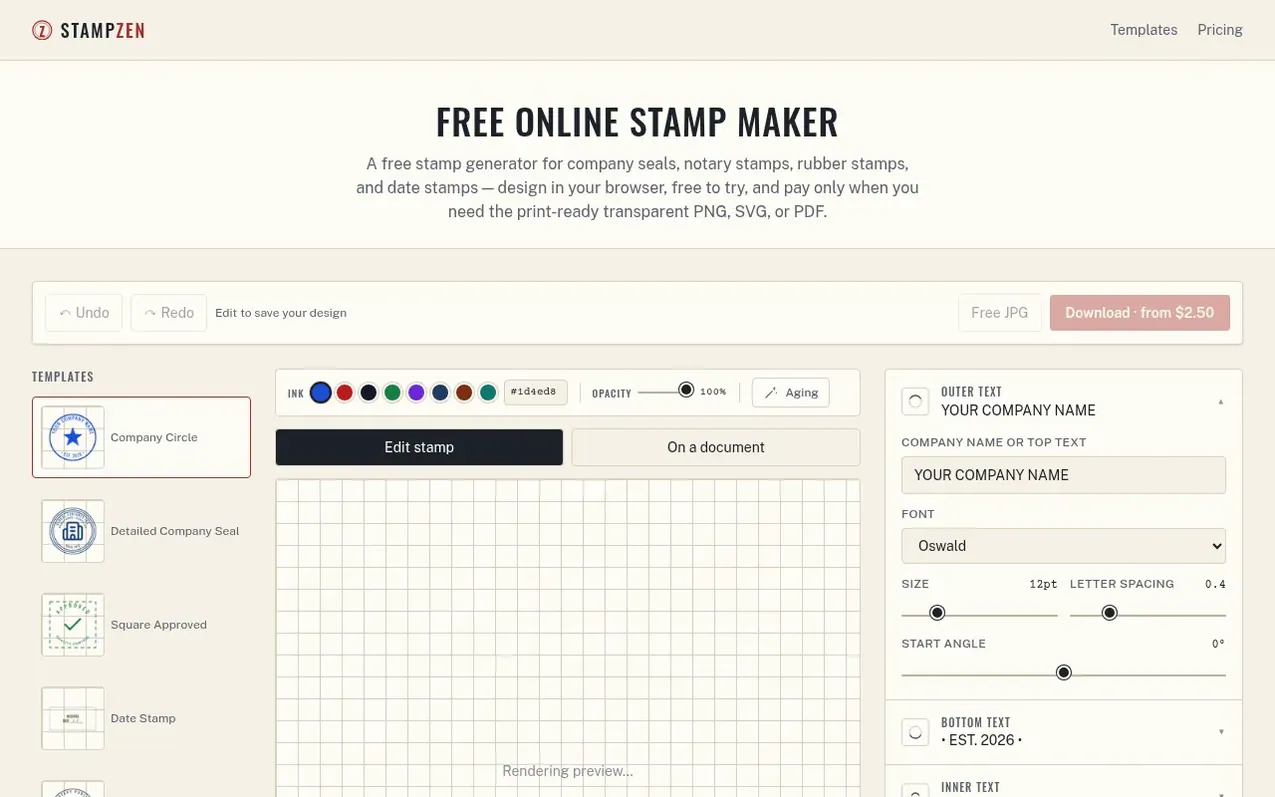
StampZen is a free online stamp maker that lets you design custom stamps and seals directly in your browser with no signup required. The editor includes 26 stamp template categories covering company seals, notary stamps, date stamps, and rubber stamps in round, square, or rectangular shapes.
Design editing is completely free with unlimited changes. You can download a watermarked 480px JPG at no cost to test your layout. When ready for production, pay a one-time fee of $2.50 to $3.50 to unlock high-resolution, watermark-free exports in your choice of PNG (6000px transparent), SVG (vector format for physical stamp makers), or PDF (print-ready at true physical size).
The tool works entirely in your browser with no account creation or subscription required. Checkout runs through Stripe, and files download immediately plus arrive by email with a seven-day re-download link. StampZen also includes a free PDF stamping tool to place your exported design onto existing documents.
What it does
- 26 stamp template categories including company seals, notary, date, and deposit stamps
- Round, square, or rectangular stamp shapes sized in real millimeters
- Live preview rendering as you edit
- Free watermarked JPG download to test layout
- High-resolution PNG export at 6000px with transparent background
- Vector SVG export with text converted to outlines for stamp makers
- Print-ready PDF at true physical size
- Mobile-responsive web app with no installation required
- Customizable fonts including Oswald, Archivo, PT Serif, Courier Prime, and Noto Sans CJK
- Adjustable ink color, opacity, aging effect, and border styles
Pricing
Pricing model: Freemium
Free: unlimited design edits and 480px watermarked JPG download. Paid: High-res PNG $2.50, PNG + SVG $2.90, All formats (PNG + SVG + PDF) $3.50. No subscription, one-time payment only.
Shopper questions
Do I need to create an account?
No. StampZen has no login system. You design, pay, and download files entirely by email link with no account creation required.
Can I use a StampZen design commercially?
Yes, once purchased the exported file is yours to use on your own products, documents, or client work. However, it is not a substitute for legally required official seals such as notary, court, or government seals where local rules govern the exact wording or registration.
Which file format should I buy?
PNG works best for stamping digital files or inserting into Word and PDF documents. Add SVG if you're sending the design to a stamp maker or print shop to produce a physical rubber stamp. Add PDF if you want a ready-to-print sheet at true size.
Can I re-download my files after payment?
Yes. After payment you get an instant download plus an email link that stays valid for seven days, and you can re-download as many times as needed in that window. If you lose the email, contact support with your receipt and they will resend it.
What's free vs. what do I pay for?
Free: unlimited design edits and a 480px white-background JPG with a visible watermark, no signup required. Paid ($2.5–$3.5 depending on the format bundle): a full-resolution, watermark-free export in PNG, SVG, and/or PDF.
StampZen has a free listing. The owner can unlock the full profile with a paid launch for $5:
- Founder story (locked)
- Milestones (locked)
- Demo video (locked)
- Dofollow website link (locked)
Shoppers also viewed
- MyPaperKit
Design tools
- AI Kitchen Design
Design tools
- ideare
Design tools
- Matita
Design tools



