
Stamp Maker
Create, repair, extract, and apply digital stamps in minutes
Browser-based tool for creating custom digital stamps from scratch, repairing blurry stamp images, extracting stamps from scans, and applying them to PDFs and
About this launch
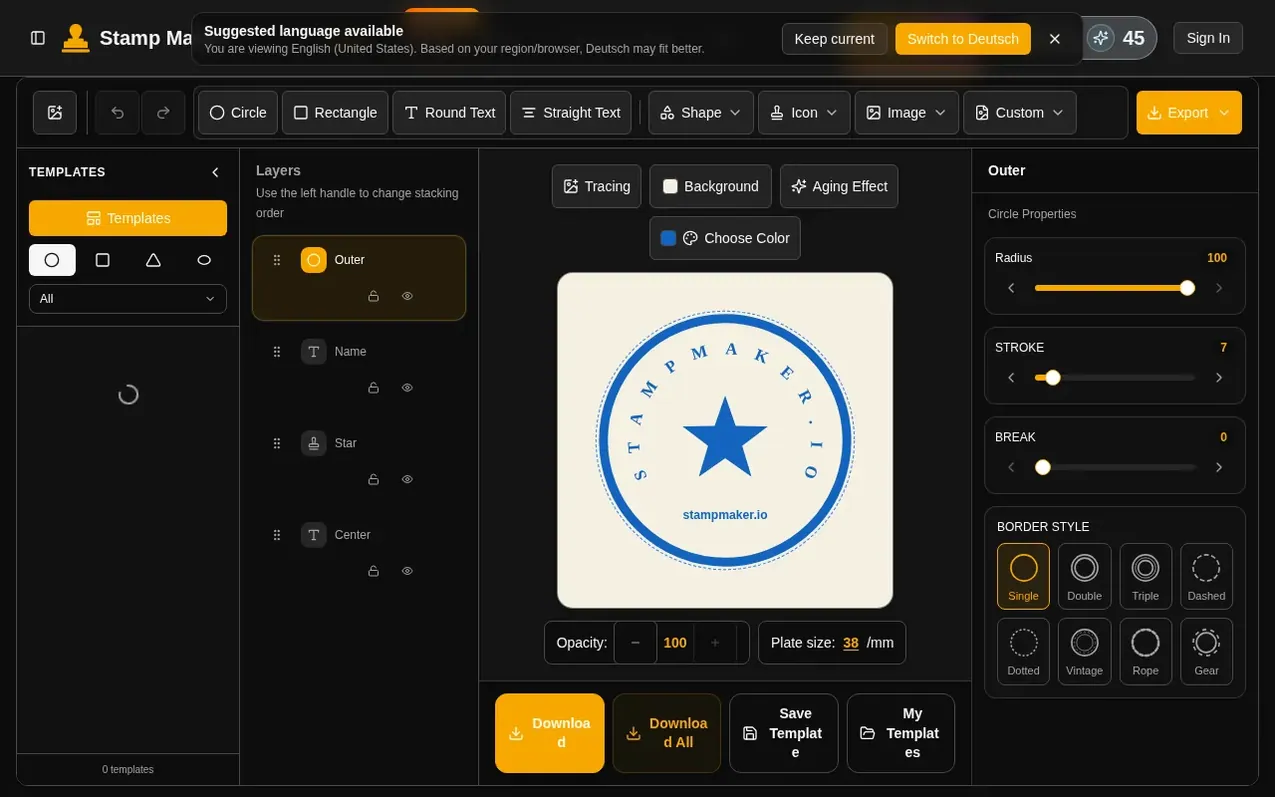
Stamp Maker is an all-in-one digital stamp creator that combines creation, repair, extraction, and application workflows. Users can create custom company seals and name stamps from scratch using templates, text, and layers, or repair legacy blurry stamp images into cleaner reusable assets. The tool extracts stamp artwork from scanned files, photos, or screenshots, and applies finished results to PDFs, contracts, invoices, and e-commerce materials. Features include transparent background export, template saving for reuse, layer editing, color and opacity adjustments, and support for PNG, SVG, PDF and other formats—all without requiring Photoshop or leaving the browser.
What it does
- Digital stamp generation from templates or blank canvas
- Repair and cleanup of blurry legacy stamp images
- Extract transparent stamps from scans and screenshots
- Layer editing with text and style controls
- Apply stamps to PDF contracts and documents
- Export in multiple formats including PNG and SVG
- Save and reuse stamp templates
- Color, opacity, and aged effects adjustments
- No registration required for basic features
- AI-assisted repair and extraction tools
Pricing
Pricing model: Freemium
Free core features; paid plans available with annual discount of 50% on select plans
Shopper questions
What is Stamp Maker?
Stamp Maker is a comprehensive digital stamp maker and stamp generator built around electronic stamp creation, repair, extraction, and application. The goal is to help you create your own stamp easily and get a result you can actually use.
Can I create a stamp from scratch?
Yes. You can start from a blank canvas or a template, then use text, layers, and style controls to build company seals, name stamps, and other common stamp types.
Can I extract a stamp from a scan or screenshot?
Yes. The homepage messaging and workflow are organized around extracting stamp artwork from scans, screenshots, contracts, and image files.
Can the result be used in PDFs, contracts, and invoices?
Yes. The goal is not to stop at a source asset. The result is meant to keep moving into PDFs, images, contracts, invoices, and e-commerce materials.
Which export formats are supported?
The editor is designed to support transparent-background output and common delivery needs, with export directions that fit document and image workflows, including PNG, SVG, and PDF formats.
Stamp Maker has a free listing. The owner can unlock the full profile with a paid launch for $5:
- Founder story (locked)
- Milestones (locked)
- Demo video (locked)
- Dofollow website link (locked)
Shoppers also viewed
- MyPaperKit
Design tools
- AI Kitchen Design
Design tools
- ideare
Design tools
- Matita
Design tools



