Snapperon
Screenshot annotation tool for Mac with arrows, redaction, and polished designs
Mac app for annotating screenshots with arrows, text, redaction, and professional styling. Includes free version with core tools and Pro upgrade for unlimited
About this launch
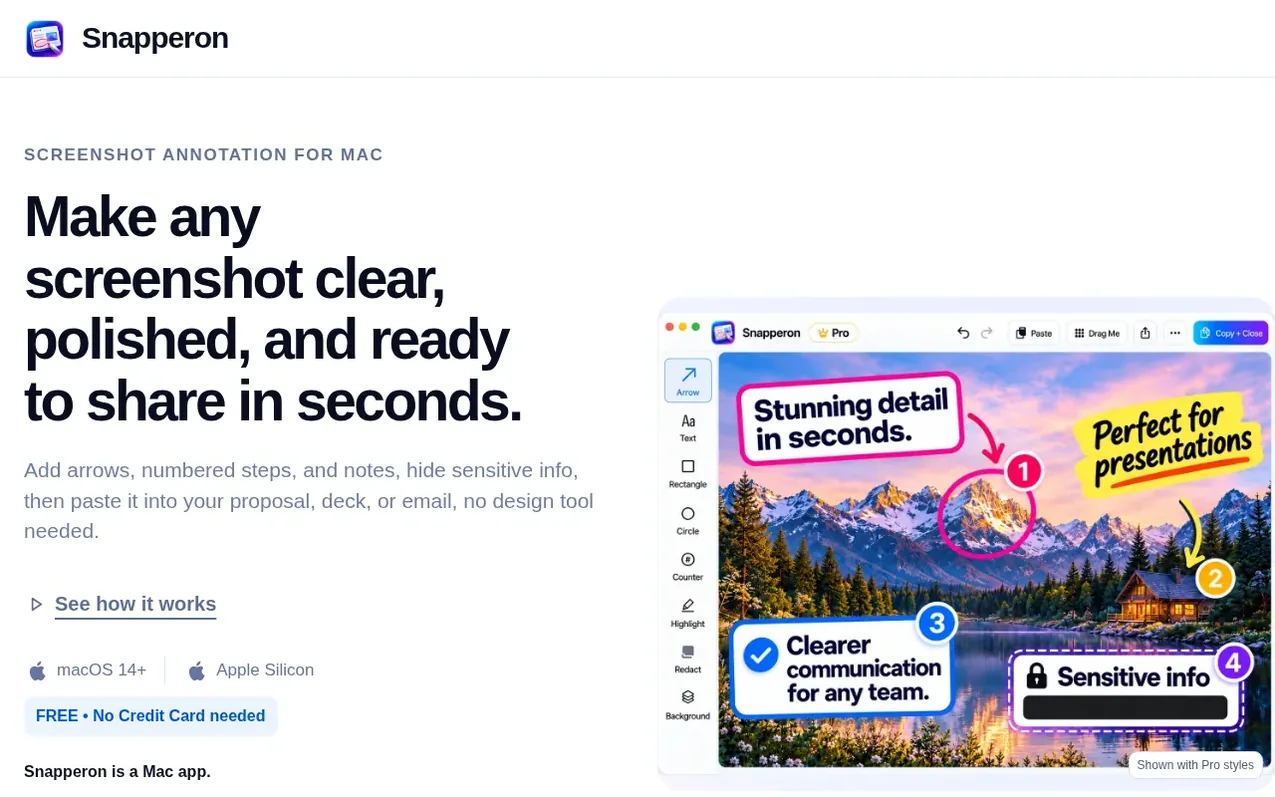
Snapperon is a screenshot annotation application for Mac that helps users create polished, ready-to-share visual content. The app provides core annotation tools including arrows, numbered steps, text banners, highlights, and redaction for hiding sensitive information. Users can add professional styling with backgrounds, borders, and watermarks to turn screenshots into presentation-ready images. The free version includes all core tools and allows up to 10 screenshots per day with a Snapperon watermark. Pro upgrades remove the daily limit, unlock additional design styles, and provide custom watermark control. The app requires Apple Silicon (M1 or newer) and macOS 14 or later. All work happens locally on the user's Mac with no uploads or account required.
What it does
- Arrows for directing attention and annotation
- Numbered counters for step-by-step tutorials
- Highlight tool for emphasis
- Permanent redaction for sensitive information
- Shapes for framing and illustration
- Backgrounds and borders for polish
- PDF page annotation
- Spotlight and crop tools
Pricing
Pricing model: Freemium
Free version with all core annotation tools and up to 10 screenshots per day. Pro available as Monthly at $2/month, Annual at $19.99/year, or Lifetime at $38.99 one-time payment.
Shopper questions
Is Snapperon really free?
Yes. Download it, use all the core annotation tools, and keep using it as long as you like. Free includes up to 10 screenshots a day, and images carry a Snapperon watermark. Pro adds more styles, unlimited screenshots, and watermark control.
Do I need to create an account?
No. Download Snapperon, open it, and start. There is nothing to sign up for.
Are my screenshots uploaded anywhere?
No. Snapperon works on your Mac and does not upload your screenshots. They only go where you send them, like pasting into an email or saving a file.
Is redaction really permanent?
Yes. Solid redaction permanently covers hidden details in PNG or JPG images you save or share, so nobody can remove the box to see what was underneath.
Will it run on my Mac?
Snapperon needs a Mac with an Apple chip (M1 or newer) running macOS 14 (Sonoma) or newer. To check, click the Apple logo in the top-left corner of your screen and choose About This Mac. Next to “Chip” you should see Apple M1, M2, M3, or similar. Your macOS version should be 14 or higher. If it says “Intel” instead, Snapperon won’t run on that Mac. Snapperon is Mac-only.
Snapperon has a free listing. The owner can unlock the full profile with a paid launch for $5:
- Founder story (locked)
- Milestones (locked)
- Demo video (locked)
- Dofollow website link (locked)
Shoppers also viewed
- Iconaut
Design tools
- Voilà Charts
Design tools
- MockShot Studio
Design tools
- BannerSplitter
Design tools