
Voilà Charts
A Mac app that creates charts from tables in links, screenshots, files or spreadsheets without requiring design or spreadsheet skills.
A Mac app that creates charts from tables in links, screenshots, files or spreadsheets without requiring design or spreadsheet skills.
About this launch
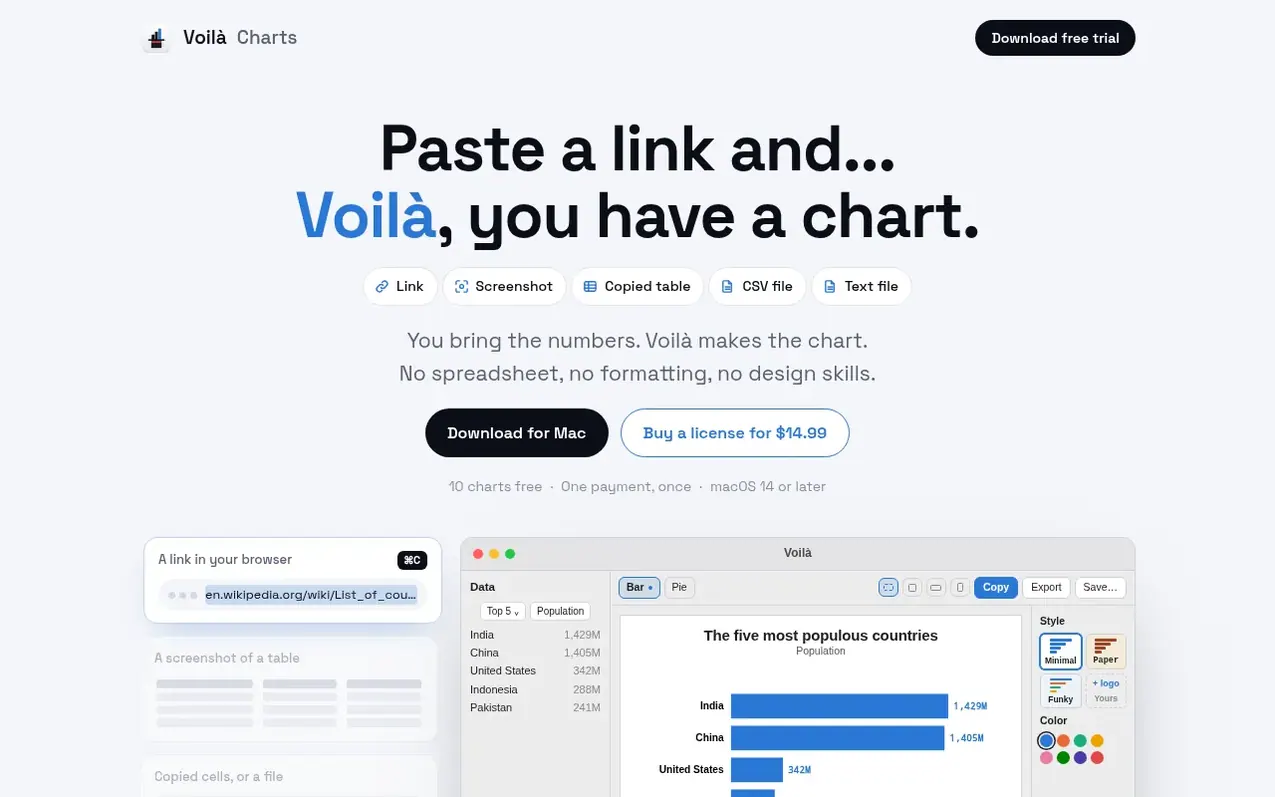
Voilà Charts is a Mac application that automatically generates charts from tables. Users can input data by pasting a link to any page with a table, uploading a screenshot, copying cells from a spreadsheet, or providing a CSV or text file. The app automatically selects an appropriate chart type and styling, then allows users to customize any element with a single click.
The free version includes 10 charts with no time limit and all chart types and styles available. Users can copy, export and save charts, which carry the Voilà mark. A one-time license purchase unlocks unlimited charts, removes the Voilà watermark, and allows users to add their own logo and branding to every chart.
What it does
- Automatic chart type detection from data
- Support for links, screenshots, CSV, Excel and text files
- Bar, line, pie and combo charts
- Compare two data sources on one chart
- Custom branding with logo and color palettes
- One-click customization of chart elements
- Export and save charts
- No data collection or cloud storage
Pricing
Pricing model: Freemium
Free: 10 charts, all chart types and styles, no account required. Launch license: $14.99 one-time payment for unlimited charts, custom logo, and no Voilà mark. $19.99 after the first 100 licenses.
Shopper questions
What can Voilà read?
Voilà can read tables from web pages via links or copied from pages, as well as CSV, Excel and text files, Google Sheets shared by link, cells copied from spreadsheets or tables, and screenshots of tables.
What chart types does Voilà make?
Voilà creates bar, line, and pie charts, plus combo charts with bars and lines over them and a second axis when units differ.
How long does it take to create a chart?
Creating a chart from a link takes about ten seconds, mostly spent loading the page. Pasting a table or file is instant.
What happens after using the 10 free charts?
New charts require a license key. Previously saved charts still open and can be edited and exported. Only charts that work successfully count towards the limit.
Where does my data go?
No data is sent anywhere. Pages are opened and tables are read on your Mac. There is no account. Only an anonymous count when trials start and the license check with the payment provider are sent.
Voilà Charts has a free listing. The owner can unlock the full profile with a paid launch for $5:
- Founder story (locked)
- Milestones (locked)
- Demo video (locked)
- Dofollow website link (locked)
Shoppers also viewed
- Iconaut
Design tools
- MockShot Studio
Design tools
- BannerSplitter
Design tools
- CatalogKite
Design tools