
Shadow Snap
Free cinematic subtitle image maker
Create cinematic subtitle images from a movie still and multiple dialogue lines, adjusting fonts, colors and watermarks, then export locally in your browser.
About this launch
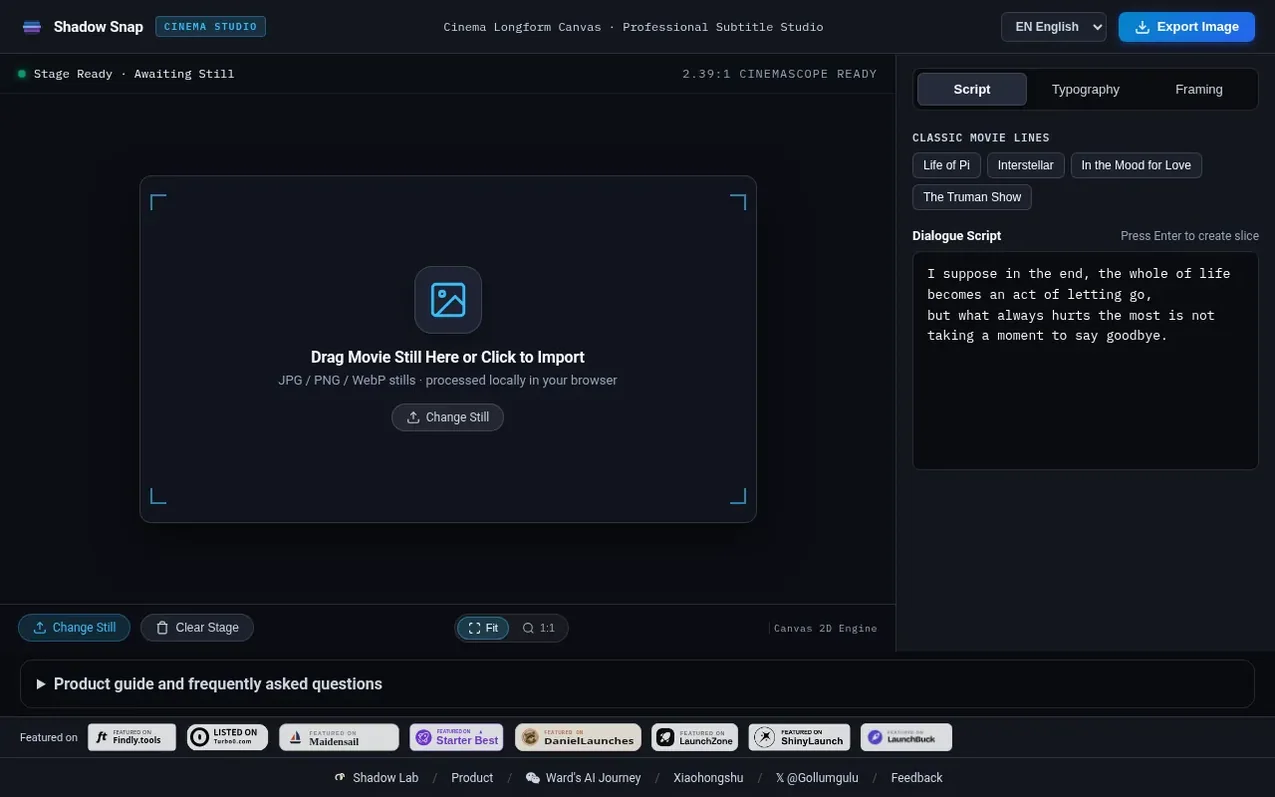
Shadow Snap is a free cinematic subtitle image maker created by Ward Lu and Shadow Lab. It helps film fans and content creators turn a single movie still and multiple dialogue lines into a long subtitle image, keeping the first frame intact and joining slices of the lower subtitle region beneath it. The tool requires no account or installation and processes all images locally in your browser using HTML5 Canvas, so your photos are never uploaded to a server. You can adjust fonts, colors, outlines, safe margins and watermarks before exporting, with support for Chinese, Latin, Thai, Vietnamese and Arabic scripts.
What it does
- Keep the first frame intact and stitch the following subtitle slices automatically
- Process and export images locally with HTML5 Canvas without uploading photos
- Support for Chinese, Latin, Thai, Vietnamese and Arabic fonts
- Adjust font size, text color, outline color and slice height
- Film color presets including Nolan White, Wong Kar-wai Gold, Tokyo Cyan and Minimal Mono
- Customizable watermark with position, opacity and font size options
- Support for JPG, PNG and WebP image formats
- Interface available in Chinese and English
- Safe margin adjustment for subtitle positioning
- 2.39:1 Cinemascope canvas ready
Pricing
Pricing model: Free
Shopper questions
What is Shadow Snap?
Shadow Snap is a free cinematic subtitle image maker that combines one still image with multiple dialogue lines. No account or installation is required.
How do I create a movie dialogue image?
Import one image, enter dialogue on separate lines, adjust the font and slice height, then export. The first frame stays intact and subsequent lines use slices from the lower region.
Are my photos uploaded to a server?
No. Image processing and export run in your local browser memory. The site loads fonts and uses website analytics; neither requires uploading your images.
How do I save an image on mobile?
After exporting, save the image through the system share sheet. Browsers without sharing support open a save panel: tap Download or long-press the image.
Which languages and fonts are supported?
The interface is available in Chinese and English. Font options include Chinese, Latin, Thai, Vietnamese and Arabic scripts. Rendering depends on your browser and font availability.
Shadow Snap has a free listing. The owner can unlock the full profile with a paid launch for $5:
- Founder story (locked)
- Milestones (locked)
- Demo video (locked)
- Dofollow website link (locked)
Shoppers also viewed
- MyPaperKit
Design tools
- AI Kitchen Design
Design tools
- ideare
Design tools
- Matita
Design tools



