
Scissor
Free vector and pixel design editor that runs in your browser
A free browser-based vector and pixel graphics editor with no install, account or upload required. Create, edit and export designs entirely on your device.
About this launch
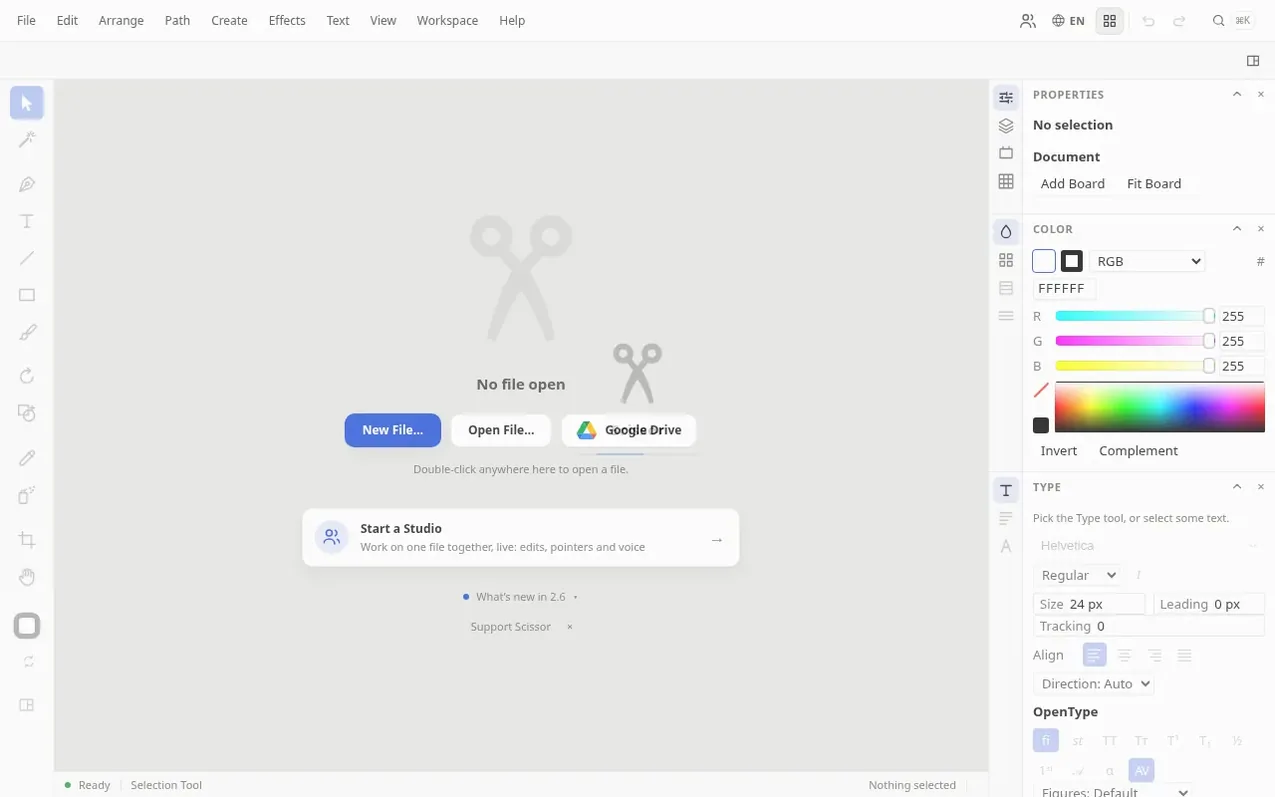
Scissor is a free vector and pixel graphics editor that runs entirely in your web browser, with no installation or account needed. You can draw with pen, curvature, pencil and shape tools, edit Bézier paths and live shapes, set type on a point or path, work with layers and masks, and apply live effects like shadows, glows and blur.
The editor lets you trace raster images into editable vectors and paint on pixel layers. You can open SVG, PDF, EPS, .ai and PSD files, and export to SVG, PDF, PNG, JPEG and WebP formats. All your work stays on your own device—nothing is uploaded to a server.
Scissor works offline and can be installed as a Progressive Web App. It is available in 15 languages and supports various grid types including orthogonal, isometric, hexagonal and perspective grids. The application runs in any modern browser with WebAssembly support.
What it does
- Pen, curvature, pencil and shape tools with editable Bézier paths and live shapes
- Type on a point, in an area and on a path with OpenType features and glyphs panel
- Layers, groups, masks and clipping support
- Fill with solid colours, gradients, meshes and patterns, and recolour artwork
- Live non-destructive effects including shadows, glows, blur, distort, warp and 3D
- Image trace to convert raster images into editable vector paths
- Pixel layers for painting and raster work alongside vector art
- Multiple grid types including orthogonal, isometric, hexagonal and perspective
- Free Transform tool for scaling, rotating and distorting selections
- Open SVG, PDF, EPS, .ai and PSD files; export to SVG, PDF, PNG, JPEG and WebP
Pricing
Pricing model: Free
Shopper questions
Is Scissor free?
Yes, Scissor is completely free with no account, sign-up or subscription required. Everything runs in your browser.
Does my artwork get uploaded to a server?
No. Documents are created, edited and saved on your own device. A document only leaves your device if you choose to send it attached to a problem report or shared with people in a Studio.
What file formats does Scissor open and export?
Scissor opens SVG, PDF, EPS, .ai and PSD files, and exports SVG, PDF, PNG, JPEG and WebP. It saves its own documents as .cut files.
Can Scissor trace an image into vectors?
Yes. Scissor can trace a raster image into editable vector paths and also has pixel layers for painting and light raster work alongside your vector art.
Can I use Scissor offline?
Yes. Once loaded, Scissor works offline and can be installed as an app because it runs entirely on your device with no server.
Scissor has a free listing. The owner can unlock the full profile with a paid launch for $5:
- Founder story (locked)
- Milestones (locked)
- Demo video (locked)
- Dofollow website link (locked)
Shoppers also viewed
- MyPaperKit
Design tools
- AI Kitchen Design
Design tools
- ideare
Design tools
- Matita
Design tools



