
Rindraw
A drawing and painting app for iPad, iPhone and Mac where every stroke stays editable
A drawing and painting app for iPad, iPhone and Mac that keeps strokes editable. Recolor, bend, scale or export strokes after drawing them without losing
About this launch
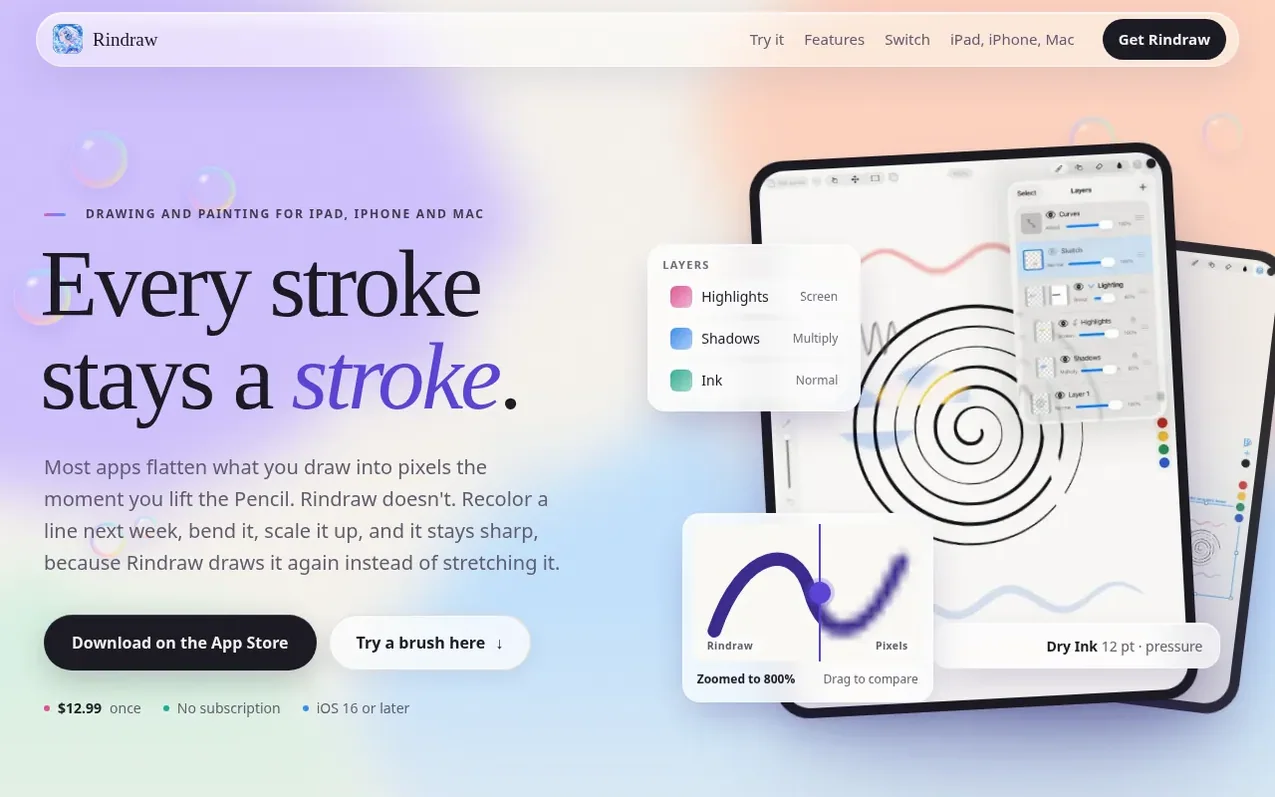
Rindraw is a drawing and painting application designed for iPad, iPhone and Mac. Unlike most drawing apps that flatten strokes into pixels immediately, Rindraw keeps every stroke as an editable path. This allows artists to recolor, bend, scale and transform lines long after drawing them while maintaining sharpness, because Rindraw redraws the stroke at the new size rather than stretching pixels.
The app supports over 300 brushes from 36 sets, including Procreate and Photoshop brushes, with features like pressure sensitivity, tilt, barrel roll, and wet paint mixing. It includes layers with groups, masks and blend modes, pages and frames for comics and storyboards, animation with onion skins, 3D painting on models, and exports to PNG, JPEG, HEIC, JPEG XL, TIFF, and PSD formats.
Rindraw is a one-time purchase with no subscription. It works offline, collects no personal data, and syncs drawings across devices through iCloud Drive via the user's Apple Account. The app integrates seamlessly with Procreate and Photoshop files, allowing users to open and continue editing artwork from those applications.
What it does
- Strokes stay editable: recolor, bend, scale and warp without losing sharpness
- Over 300 brushes from 36 sets with pressure, tilt and barrel roll support
- Import and use Procreate and Photoshop brushes
- Layers with groups, masks, blend modes and adjustment layers
- Pages and frames on one canvas for comics and storyboards
- Animation with frames, onion skins and playback
- Paint on 3D models in OBJ and USDZ format
- Export to PNG, JPEG, HEIC, JPEG XL, TIFF and PSD with CMYK for print
- Symmetry and mirroring tools
- Undo history that survives closing the app
Pricing
Pricing model: Paid
$12.99 once, no subscription. One purchase covers iPad, iPhone and Mac.
Shopper questions
Is Rindraw a vector app?
Not in the way Illustrator is. Each stroke is kept as the path the Pencil took, with its pressure and tilt, and painted with real brushes, grain and all. When you change it, scale it or export it bigger, Rindraw paints it again at that size, giving you a painting app's texture and a vector app's sharpness.
Is there a subscription?
No. You pay once, and that one purchase covers iPad, iPhone and Mac.
Does it work offline and what does it collect?
It works offline and collects nothing about you: no account, no advertising, no tracking. It only sends crash, performance and error reports, not your drawings, and you can turn that off in Settings. Your drawings sync through your Apple Account via iCloud Drive.
Do I need an Apple Pencil?
No, though it's best with one. Pressure, tilt and hover work with any Pencil that has them, and squeeze and barrel roll need Apple Pencil Pro. With a finger, a mouse or a Pencil without pressure, Rindraw infers pressure from how fast you draw.
Will my Procreate brushes feel the same in Rindraw?
Close. Rindraw reads each brush's settings, its shape, its grain and its pressure curves. A brush that leans on a setting Rindraw doesn't have may need a tweak in the Brush Editor.
Rindraw has a free listing. The owner can unlock the full profile with a paid launch for $5:
- Founder story (locked)
- Milestones (locked)
- Demo video (locked)
- Dofollow website link (locked)
Shoppers also viewed
- AI Kitchen Design
Design tools
- ideare
Design tools
- Matita
Design tools
- Hyperiux Vault
Design tools