Product Shot
Turn screenshots into device mockups and animated launch visuals in your browser
A web application and Mac app for creating screenshot mockups, device frames, and animated launch visuals with motion effects for marketing and app store
About this launch
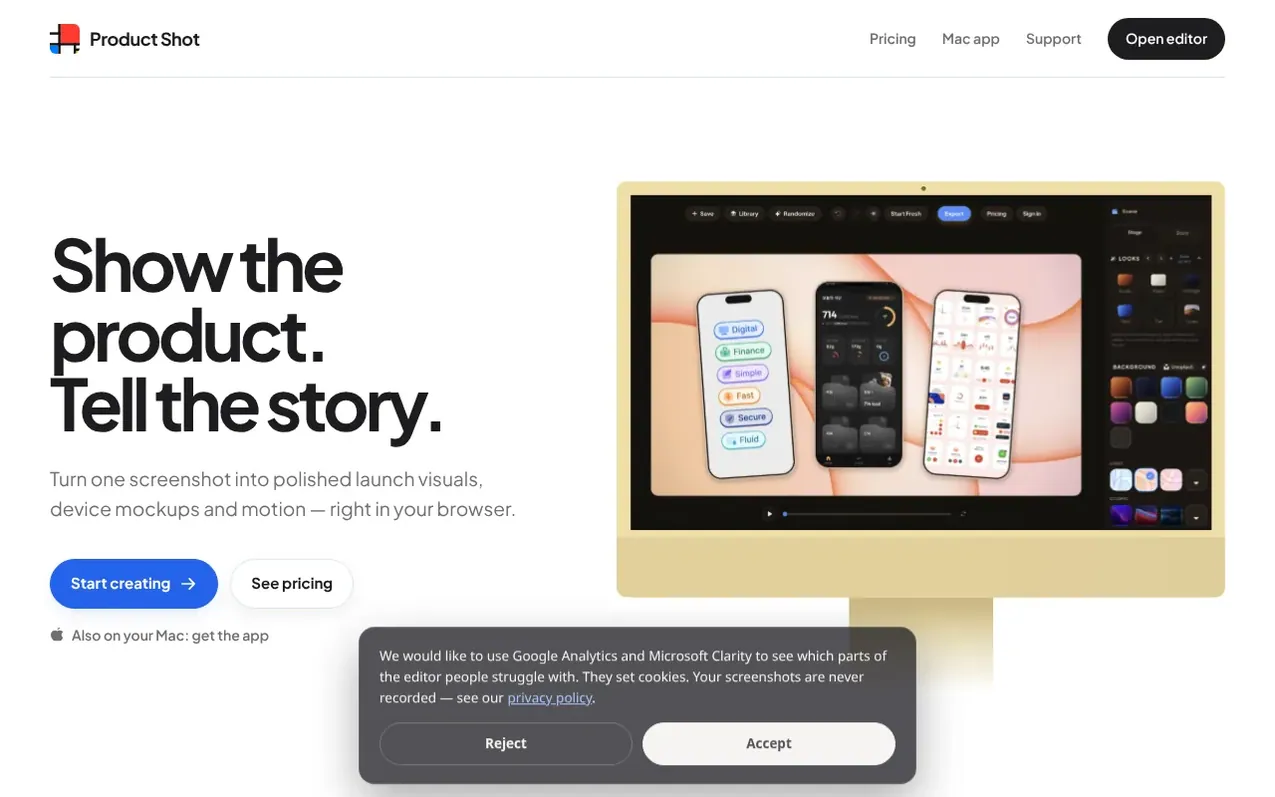
Product Shot is a web and Mac application for creating professional screenshot mockups and animated launch visuals. Users can turn a single screenshot into polished device mockups with real frames for iPhone, MacBook, iMac and browser windows. The tool supports motion effects including push-in, float, orbit and drift animations, exported as animated GIFs or MP4 video at 30, 60 or 120 frames per second. It includes text overlays with headlines, body copy and buttons that position automatically with the mockup. The application runs locally in the browser for privacy, with optional cloud sync for Pro subscribers. All exports are available in PNG, GIF, MP4 and SVG formats.
What it does
- Motion effects including push-in, float, orbit and drift animations
- Real device frames for iPhone, MacBook, iMac and browser windows
- Multiple background options including wallpapers, gradients and desktop environments
- Text overlay with automatic positioning and customizable layout
- Export to PNG, GIF, MP4 and SVG formats
- MP4 video export at 30, 60 and 120 FPS
- Transparent background export with full alpha channel preservation
- 1-Click Chrome Extension for capturing visible page and opening editor
- Cloud sync for saved compositions across devices (Pro)
- Batch export for all resolutions (Pro)
Pricing
Pricing model: Freemium
Free: 1× PNG export and watermarked GIF export. Pro Monthly: $9/month with 2× high-resolution PNG, GIF without watermark, MP4 at 30, 60 & 120 FPS, SVG, batch export and cloud sync. Pro Yearly: $69/year ($5.75/month billed annually, 36% off monthly).
Shopper questions
What is Product Shot?
Product Shot is a professional, local-first web application for creating beautiful screenshot and device mockups for App Store listings, marketing websites, pitch decks, and social media.
Which devices and frames does Product Shot support?
Product Shot includes iPhone 17, iPhone Air, iPhone 17 Pro, iPhone 17 Pro Max, MacBook Air 13, MacBook Pro 13 and 15, unbranded laptops, iMac models and browser frames.
How much does Product Shot cost?
Design and preview are free, with clean 1× PNG exports and GIF exports carrying the Product Shot watermark. Pro costs $9 per month or $69 per year and adds PNG above 1×, GIF without the watermark, MP4, SVG, all batch exports, and cloud composition sync.
Are my screenshots uploaded to servers?
Image processing and exports run locally in your browser. For signed-in subscribers, saved compositions can sync automatically to their account, uploading the composition and its images to private cloud storage for access across devices. The local working copy stays on your device.
Which export formats are supported?
Product Shot exports PNG, GIF, MP4 and SVG. SVG preserves editable text, shapes and gradients while embedding screenshots, photographic hardware and pixel effects as raster layers. MP4 uses WebCodecs in supported browsers at 30, 60 or 120 FPS, with 60 FPS as the default.
Product Shot has a free listing. The owner can unlock the full profile with a paid launch for $5:
- Founder story (locked)
- Milestones (locked)
- Demo video (locked)
- Dofollow website link (locked)
Shoppers also viewed
- MyPaperKit
Design tools
- AI Kitchen Design
Design tools
- ideare
Design tools
- Matita
Design tools



