PixelColor
Professional Color Picker for macOS
All-in-one color management solution for designers and developers with screen picking, editing, history tracking, and local storage.
About this launch
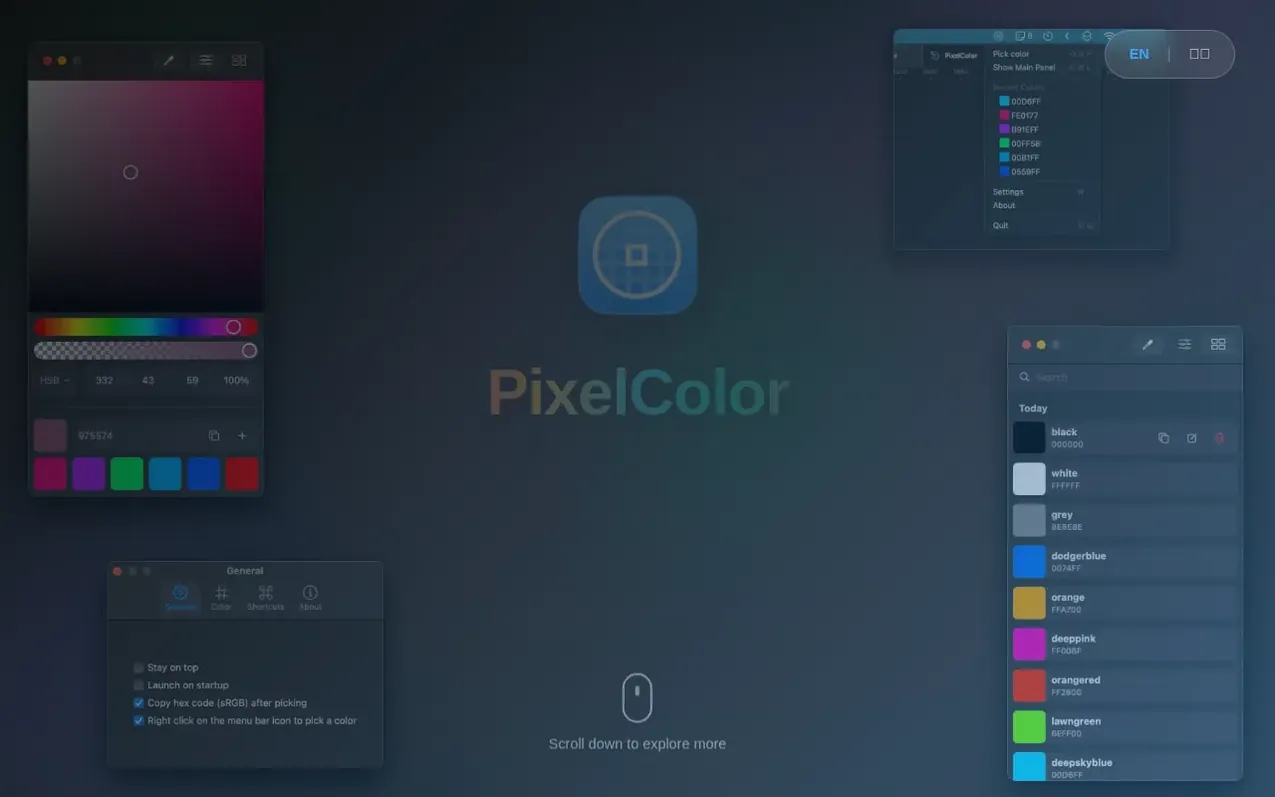
PixelColor is a professional color picker tool for macOS that provides an all-in-one color management solution for designers and developers. The app features precise screen color picking using a built-in eyedropper tool that supports multiple color modes including RGB, HSB, and HSL with real-time preview and adjustment. Users can save and organize favorite colors in a color library with powerful search functionality, and access recently used colors instantly from the menu bar with one-click copy in multiple export formats. The application stores all data securely on the device and offers customizable global hotkeys, color format preferences, and automatic dark mode adaptation.
What it does
- Eyedropper tool for picking colors from anywhere on screen
- Support for multiple color modes including RGB, HSB, and HSL
- Color library with save and organization functionality
- Powerful search functionality to find colors by name or value
- Menu bar quick access with one-click copy
- Multiple export formats for color values
- Global hotkey for instant color picking
- Color history tracking and management
- Customizable global hotkeys and color format preferences
- Automatic dark mode adaptation
PixelColor has a free listing. The owner can unlock the full profile with a paid launch for $5:
- Founder story (locked)
- Milestones (locked)
- Demo video (locked)
- Dofollow website link (locked)
Shoppers also viewed
- AI Kitchen Design
Design tools
- ideare
Design tools
- Matita
Design tools
- Hyperiux Vault
Design tools