Photostar
Free online Photoshop alternative for photos and PSD files
A free browser-based photo editor that opens PSD files, supports layers and masks, removes backgrounds, and runs entirely on your device without uploading
About this launch
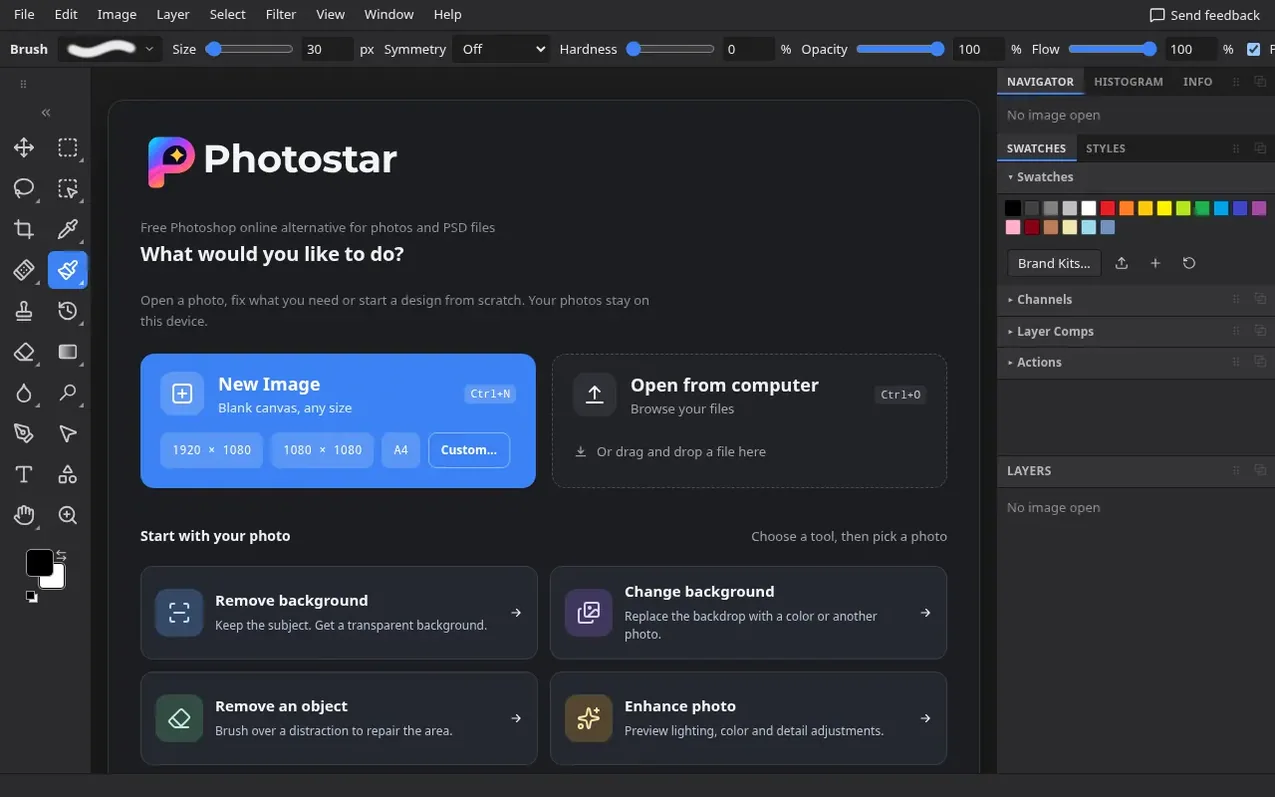
Photostar is a free online photo editor that runs in your browser. You can edit photos, create designs, open PSD files and work without an account or export watermark. The editor includes tools for cropping, resizing, retouching, adjusting light and colour, removing backgrounds, cloning and healing. You can work with layers, masks, adjustment layers, smart objects, paths and filters. All editing and AI tools run on your device, so your photos are not uploaded. The editor supports opening PSD, PNG, JPEG, WebP, SVG, PDF, HEIC and camera RAW files, and can export as PSD, PNG, JPEG or WebP. You can save projects as .pxed files to edit later, and work offline after initial resources are cached.
What it does
- PSD import and export with editable text and shapes
- Layers, masks and adjustment layers
- On-device background removal and subject selection
- Healing, cloning and object removal
- Smart objects and smart filters
- Offline editing after resources are cached
- Support for RAW camera files
- 8-bit and 16-bit editing
- Multiple export formats including PNG, JPEG, WebP, TIFF and PDF
- Editable design templates
Pricing
Pricing model: Free
Shopper questions
Is Photostar free Photoshop?
Photostar is a free online Photoshop alternative, not Adobe Photoshop. It covers layered designs, retouching and PSD editing in your browser, without an account or subscription, and is independent of Adobe.
Can I open and save layered PSD files?
Yes, you can open and save PSD files including supported text, shapes, masks and adjustments. However, fonts, complex effects and unsupported features can look different, so it is recommended to keep the original and check the export before sharing.
Are my photos uploaded for editing or AI tools?
No. The editor and its current AI tools run on your device. Your browser downloads the models they need, without uploading your photo.
Can I work offline?
Yes, after the app and the tools you need are cached. A new font or AI model needs a connection for its first download. Save project copies outside the browser since clearing its storage can remove recent files and autosaves.
Does Photostar work like an online Photoshop?
Many familiar tools are here, including layers, masks, adjustment layers, smart objects, healing, paths and filters. It is its own editor rather than a copy, so some features and file details differ.
Photostar has a free listing. The owner can unlock the full profile with a paid launch for $5:
- Founder story (locked)
- Milestones (locked)
- Demo video (locked)
- Dofollow website link (locked)
Shoppers also viewed
- AI Kitchen Design
Design tools
- ideare
Design tools
- Matita
Design tools
- Hyperiux Vault
Design tools