PerfectVector
Turn PNG and JPG into clean, editable SVG, PDF, EPS, DXF and AI files
AI image-to-vector converter that transforms raster images into editable vector files for designers and makers.
About this launch
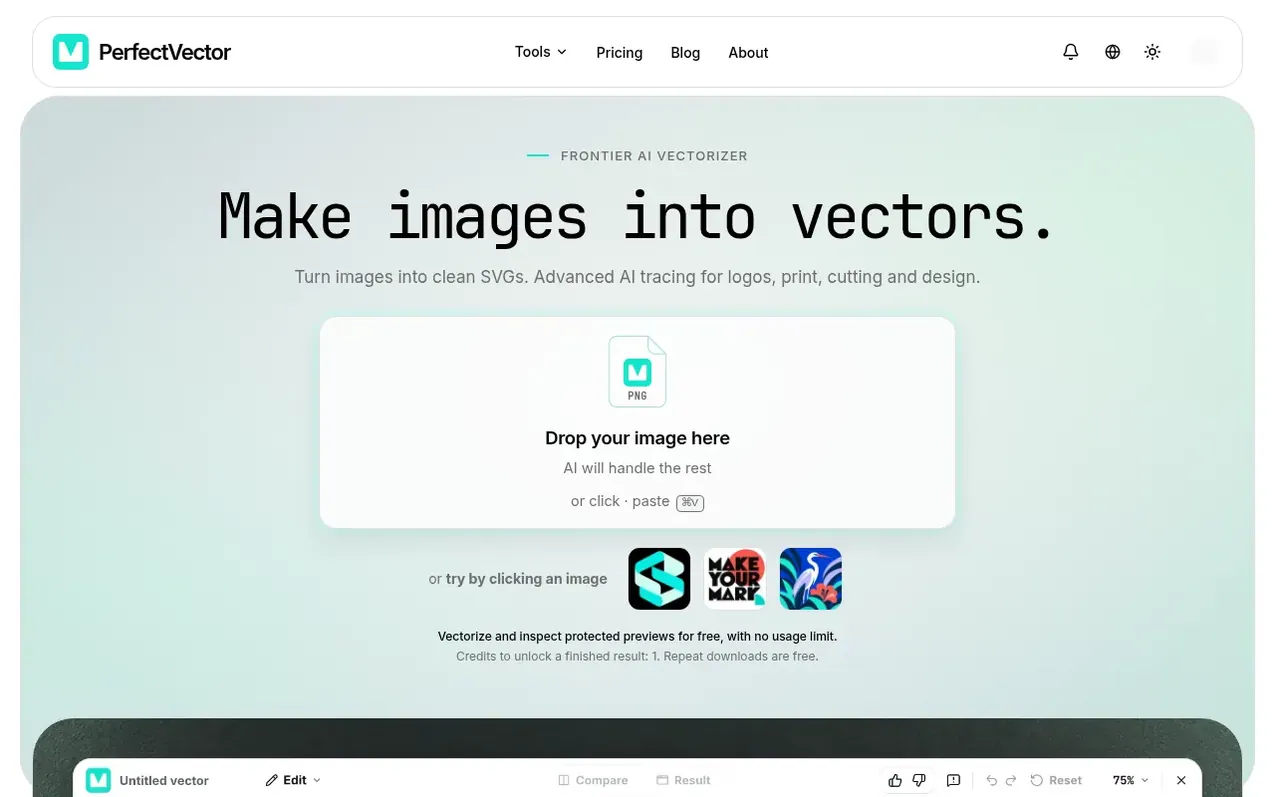
PerfectVector is an AI-powered tool that converts raster images like PNG and JPG into clean, editable vector files including SVG, PDF, EPS, DXF, and AI formats. Built by Rastrix Inc. using its own in-house vectorization model, it combines deep learning and computer vision to reconstruct curves, edges and colors from your images.
The service is designed for designers, makers and creators who need scalable vectors for branding, merchandise, cutting and printing workflows. You can vectorize and inspect previews unlimited times for free, and only spend credits when you download finished files. The tool works directly in your browser with no desktop software needed, and outputs integrate seamlessly with design tools like Illustrator, Figma, Sketch, Inkscape and others.
What it does
- Support for multiple input formats: PNG, JPEG, WebP, GIF, BMP, AVIF, HEIC/HEIF, TIFF, APNG, SVG, SVGZ, ICO, ICNS, PDF, PSD, PSB
- Export to SVG, PDF, EPS, DXF, AI and raster formats (PNG, JPG, WebP)
- Free and unlimited vectorization and preview before download
- In-browser image preparation with automatic resizing for quality
- Color simplification and palette refinement in built-in editor
- Background removal from vectors
- Compatible with major design tools: Illustrator, Figma, Sketch, Inkscape, Affinity, Canva and others
- Integration with AI assistants: Claude, ChatGPT, Claude Code via MCP
- Cleaner paths with fewer nodes for easier editing
- Commercial use rights for all generated vectors
Pricing
Pricing model: Freemium
Free: 5 credits upon sign-up (expires in 30 days). Light: $12/month for 100 credits. Pro: $25/month for 500 credits. Pay-as-you-go: $5 for 10 credits (never expires). 1 credit = 1 download; repeat downloads are free.
Shopper questions
What image formats does PerfectVector support?
PerfectVector supports PNG, JPEG, WebP, GIF, BMP, AVIF, HEIC/HEIF, TIFF, APNG, SVG, SVGZ, ICO, ICNS, PDF, PSD, and PSB files. Compatible files are prepared automatically in your browser.
What is the maximum file size I can upload?
The prepared image must fit within a 5 MiB processing budget. If resizing or compression could affect quality, you review the change before it continues.
Can I use the vectors commercially?
Yes, all vectors generated through PerfectVector are yours to use, including for commercial work. You are responsible for having the rights to the original image you upload.
Do you store my uploaded images?
Your image is removed from your account when vectorization finishes. Images may be temporarily retained to debug failed conversions, conduct quality reviews, and respond to abuse or content-takedown requests, but are never used for model training or shared with third parties.
How is PerfectVector different from other vectorization tools?
PerfectVector was built with its own AI model specifically trained on real design assets, creating cleaner paths with fewer nodes that are much easier to edit. The model continuously improves based on real user feedback.
PerfectVector has a free listing. The owner can unlock the full profile with a paid launch for $5:
- Founder story (locked)
- Milestones (locked)
- Demo video (locked)
- Dofollow website link (locked)
Shoppers also viewed
- MyPaperKit
Design tools
- AI Kitchen Design
Design tools
- ideare
Design tools
- Matita
Design tools



