Passport Size Photo
Create passport photos online with country-specific presets, correct crop, and print-ready downloads
Get it on your phone
Download on the App Store (opens in a new tab)Online tool to create compliant passport and visa photos by uploading a picture, previewing the crop and background, and downloading files for digital use or
About this launch
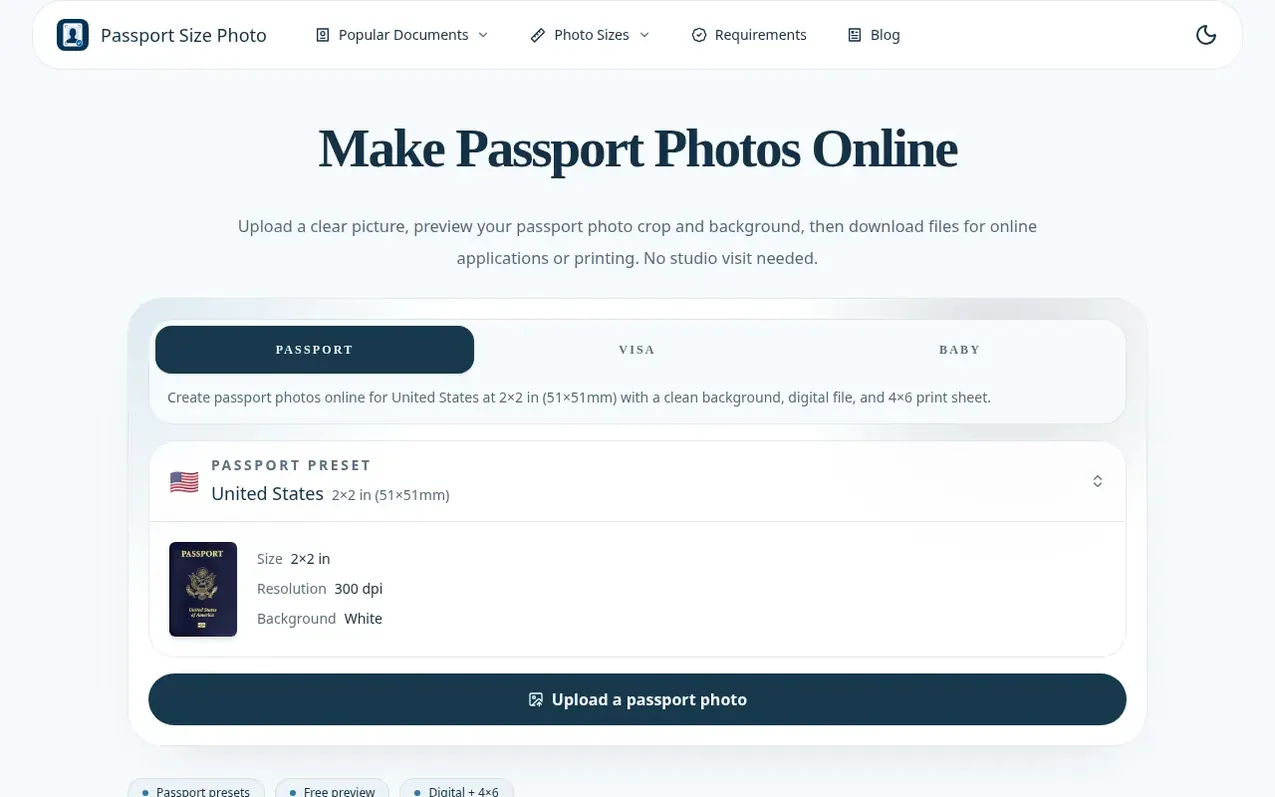
Passport Size Photo helps travelers, students, parents, and document applicants create official passport and visa photos online without visiting a studio. Users upload a clear photo, choose a country-specific format preset, preview the crop and background, and download either a digital file for online applications or a 4×6 print sheet for kiosks and home printers. The tool handles precise sizing, correct aspect ratio, face positioning, and background requirements for multiple countries including US (2×2 in), UK (35×45 mm), China (33×48 mm), and Canada (50×70 mm).
The service focuses on reducing avoidable mistakes through exact dimensions, clear crop guidance, and 300 DPI output where required. Photos are mostly processed in the browser; final exports may be transmitted to their infrastructure for delivery. All work is preview-first, with users able to review results before paying. There is no subscription; users pay once per photo package.
What it does
- Country-specific size presets for major formats
- Upload and preview photos in browser before payment
- AI-assisted crop and background cleanup
- 300 DPI high-resolution output
- 4×6 printable sheet for kiosks and home printers
- Support for JPG, PNG, and WEBP formats
- iPhone and iPad app for mobile photo creation
- No subscription required
Pricing
Single Photo Package: US$9.99 reduced to US$8.99. Includes one high-resolution digital photo, one printable 4×6 sheet, AI-assisted crop and background cleanup, and country-specific sizing. One-time payment with no subscription.
Shopper questions
Is my photo safe? Do you store my images?
Most photo preview and editing happen in your browser. When you request a final download, the generated export may be sent through their service to deliver the file. They do not ask you to send a photo to a studio to check crop and size.
Can I use this photo for my official passport application?
They crop to the official size, background, and 300 DPI output for the preset selected so you can review the photo before paying. The service does not guarantee acceptance by any government authority; you should compare the file with the latest official instructions before submitting.
What image formats are accepted?
They accept JPG, PNG, and WEBP formats. For best results, use a high-resolution photo taken in good lighting.
Can I make passport photos at home?
Yes. You can take a clear photo at home, use the preview to check the crop and background, and download files for online applications or printing.
Do I need a subscription?
No. There is no subscription. You only pay once per photo package when you download the final files.
Passport Size Photo has a free listing. The owner can unlock the full profile with a paid launch for $5:
- Founder story (locked)
- Milestones (locked)
- Demo video (locked)
- Dofollow website link (locked)
Shoppers also viewed
- Contour
Photography & video
- CheckPassportPhoto
Photography & video
- Geo-Tag-It
Photography & video
- Passport Photo Guru
Photography & video