mylabelmaker
Free label maker app to design and print labels in your browser
A free web-based label maker for designing and printing labels on DYMO, Brother, Zebra, Rollo, Avery printers or home computers. No account required.
About this launch
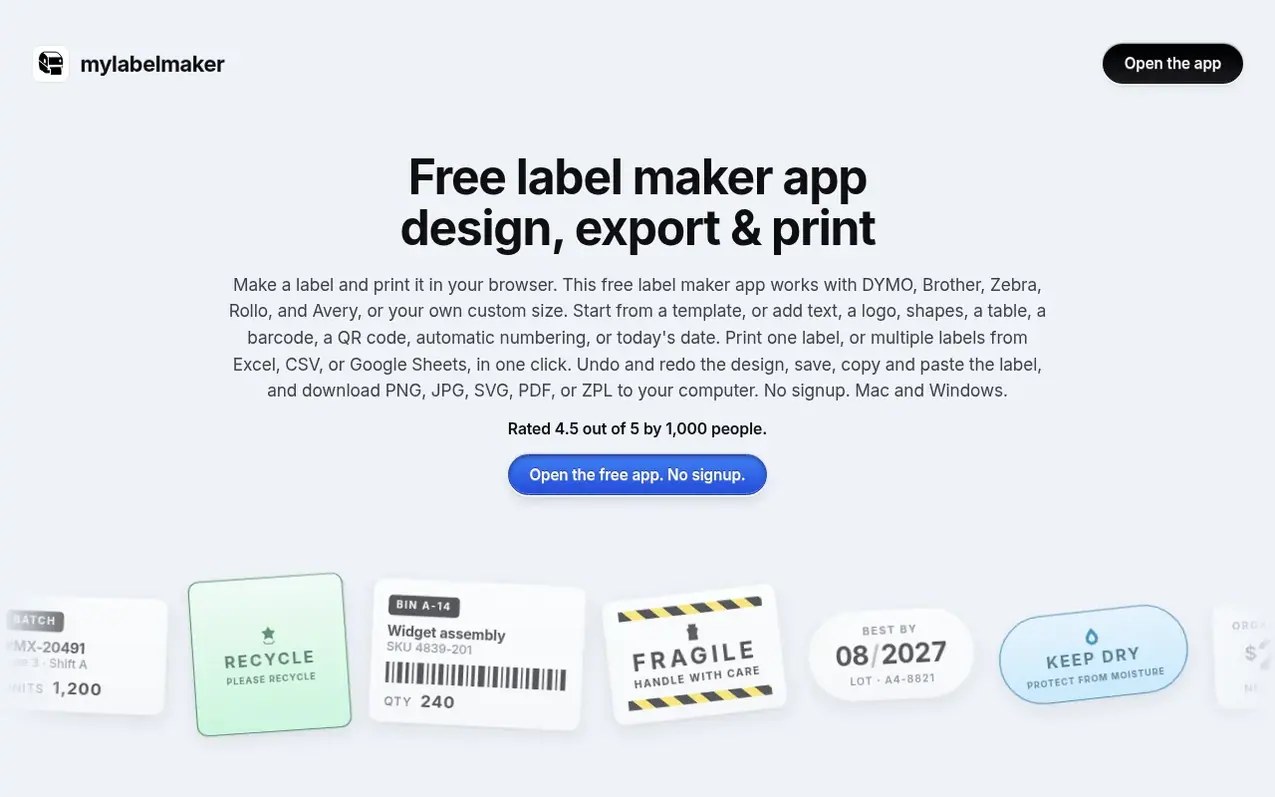
mylabelmaker is a free label maker app that runs entirely in your web browser. You can design labels by picking from built-in templates for DYMO, Brother, Zebra, Rollo, and Avery, or by setting a custom size in inches. The editor features a drag-and-drop canvas similar to design tools like Photoshop, with support for text, barcodes, QR codes, logos, shapes, and tables.
You can print directly to Zebra printers via Zebra Browser Print, or print from your home computer using the standard print dialog. For batch printing, upload data from Excel, CSV, or Google Sheets to generate multiple labels at once. The app also supports serial numbers, sequential numbering, and automatic date stamping.
Label designs can be exported as PNG, JPG, SVG, PDF, or ZPL format. All features are free and require no account, login, or email signup. The app works on Mac and Windows in Chrome, Edge, Firefox, Safari, and Brave browsers.
What it does
- Drag-and-drop canvas with snap guides and layers
- Support for CODE128, UPC, EAN, QR, Data Matrix, and more barcode types
- Batch printing from Excel, CSV, and Google Sheets
- Export to PNG, JPG, SVG, PDF, and ZPL formats
- Support for 203, 300, and 600 DPI settings
- Serial numbers and sequential numbering
- Built-in templates for DYMO, Brother, Zebra, Rollo, and Avery
- ZPL viewer for pasting and previewing Zebra code
Pricing
Pricing model: Free
Shopper questions
Is mylabelmaker free?
Yes, mylabelmaker is completely free with no signup and no account required. You can design and print labels, download files, and use all features at no cost.
What printers does mylabelmaker support?
It works with DYMO, Brother, Zebra, Rollo, and Avery label printers. You can also print to any computer printer using the standard print dialog, or export to file formats like PNG, PDF, or ZPL for use with other systems.
Do I need to install anything to use mylabelmaker?
No. The editor runs entirely in your browser with no installation needed. To print directly to a Zebra printer, you optionally install Zebra Browser Print once, which is free from Zebra. For other printers, you only need your browser.
Can I print labels from Excel or Google Sheets?
Yes. You can upload an Excel file, CSV, or paste a Google Sheets URL. Click a column name to put it on the label, and each row becomes one label. You can then check which rows to print and print them all at once.
Does mylabelmaker work offline?
Yes, after the first visit. Once the page, fonts, and barcode library load, you can design, save, undo, and print without an internet connection. However, importing from Google Sheets requires the network so your browser can fetch the published sheet.
mylabelmaker has a free listing. The owner can unlock the full profile with a paid launch for $5:
- Founder story (locked)
- Milestones (locked)
- Demo video (locked)
- Dofollow website link (locked)
Shoppers also viewed
- MyPaperKit
Design tools
- AI Kitchen Design
Design tools
- ideare
Design tools
- Matita
Design tools



