MP3 to Text
Convert speech to text directly in your browser with AI-powered transcription
Free online MP3 to text converter that uses AI to turn audio into searchable transcripts with no installation required.
About this launch
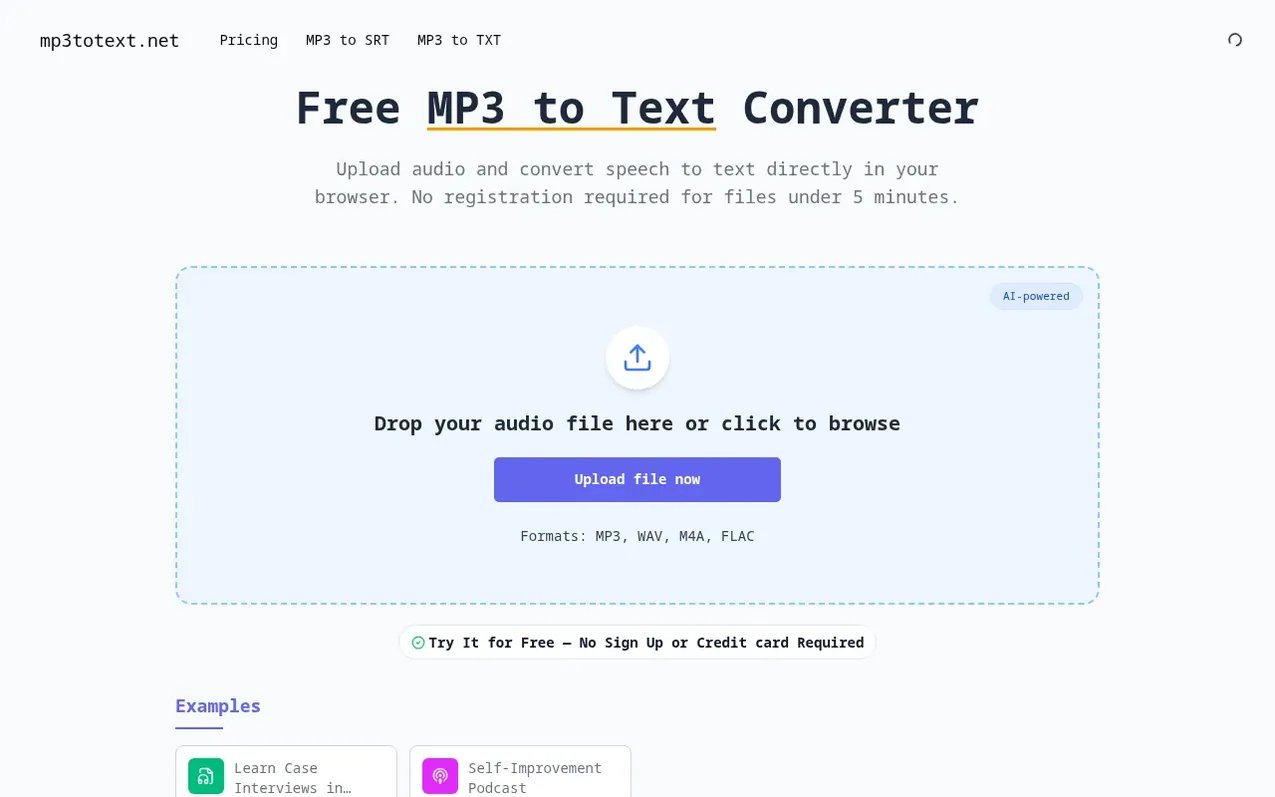
MP3 to Text is an online audio transcription tool that converts speech to text using AI-powered recognition. Upload your audio file in MP3, WAV, M4A, or FLAC format directly to your browser, and the service automatically transcribes it into clean, readable text with punctuation and paragraph breaks.
The tool offers a simple three-step workflow: upload your file, let the AI transcribe automatically, then review and export your transcript as TXT or SRT subtitle files. It requires no software installation and works on any modern browser on desktop or mobile.
Users get up to 5 minutes free as a guest or 30 minutes when logged in. For longer recordings, a Study Pack offers 5 hours of transcription for a one-time payment. The service is designed for journalists, podcasters, students, researchers, and anyone who needs fast, accurate transcripts from audio recordings.
What it does
- AI-powered transcription with modern models for high accuracy
- Support for multiple audio formats including MP3, WAV, M4A, and FLAC
- Export transcripts as TXT or SRT subtitle files
- Built-in text editor to fix mistakes
- Automatic AI punctuation and paragraph formatting
- No software installation required, runs in any modern browser
- Credit-based pricing system where 1 credit equals 1 minute of audio
- Processing for long recordings without file splitting
Pricing
Pricing model: Freemium
Free: up to 5 minutes as guest, or 30 minutes when logged in. Study Pack: $9.9 one-time for 5 hours of transcription (300 credits). Credits never expire. 1 credit = 1 minute of audio.
Shopper questions
How do I convert MP3 to TXT?
Upload your audio, click Transcribe, then copy or download the transcript as TXT.
How do I convert MP3 to SRT?
Upload your audio, click Transcribe, then export subtitles as an SRT file.
Is MP3 to Text really free?
Yes. You can transcribe up to 5 minutes as a guest, or 30 minutes when you log in. If you need more, you can upgrade to a paid plan.
What formats does MP3 to Text support?
The tool works best with MP3 files but also supports common formats like M4A, WAV, and FLAC through the same audio to text process.
How accurate is MP3 to Text?
Accuracy depends on audio quality. The service uses modern AI models that perform well for clear speech. You may need to correct names or technical terms, but for most recordings it will save you significant time.
MP3 to Text has a free listing. The owner can unlock the full profile with a paid launch for $5:
- Founder story (locked)
- Milestones (locked)
- Demo video (locked)
- Dofollow website link (locked)