mockiso
Turn app screenshots into photorealistic 3D device mockups in seconds
A browser-based studio that converts app and website screenshots into photorealistic 3D device mockups with 129 devices, studio lighting, and up to 8K exports.
About this launch
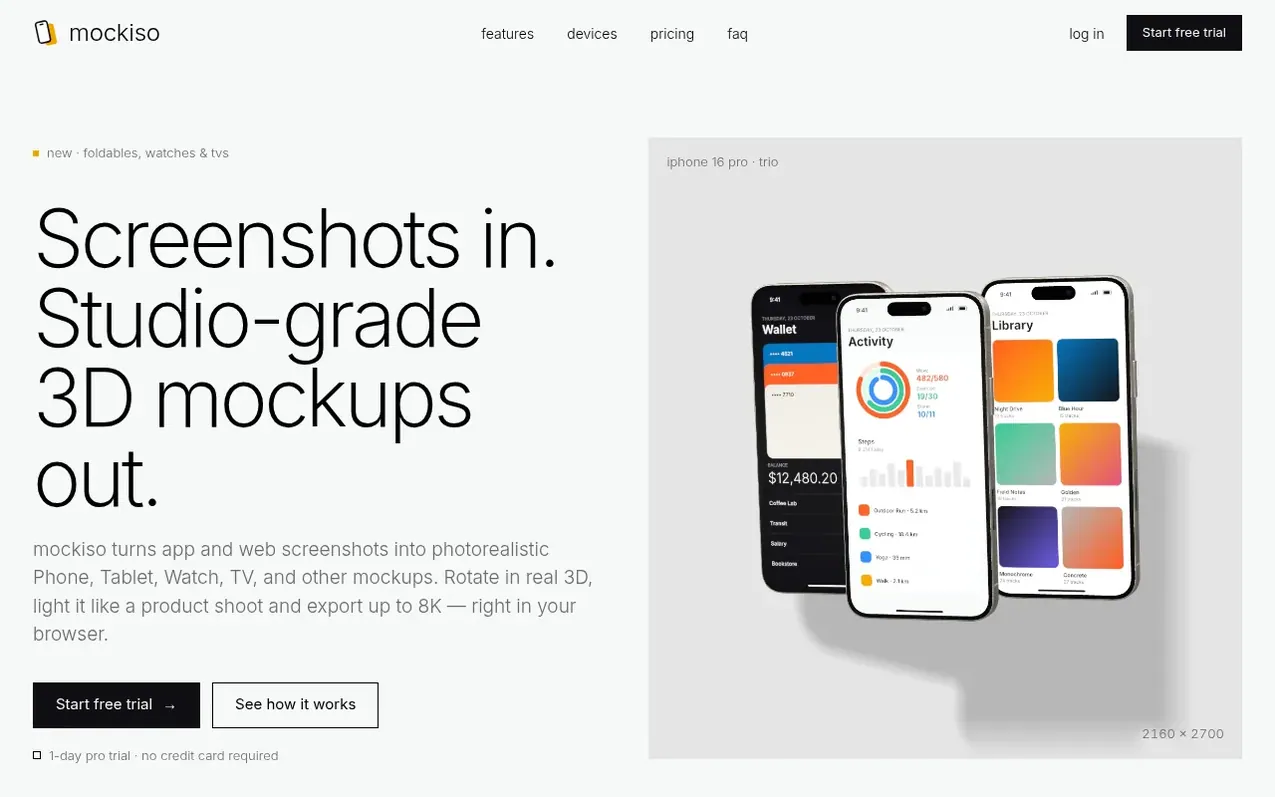
mockiso is a browser-based studio that turns app and website screenshots into photorealistic 3D device mockups. Choose from 129 devices including iPhones, tablets, foldables, laptops, monitors, watches and TVs, each with multiple finishes. Rotate the device in real 3D, apply studio lighting with adjustable key light and soft shadows, and export at up to 8K resolution as PNG, JPEG or WebP. The service is rendered entirely in your browser, with projects saved to your account for editing anytime. Export presets are included for App Store, Google Play, social media and other common formats.
What it does
- 129+ device models (iPhones, Android phones, tablets, foldables, laptops, monitors, watches, TVs)
- Real 3D models with beveled glass, metal frames and camera modules
- Studio lighting with movable key light and exposure control
- Soft shadows with adjustable softness, distance and strength
- Camera lens zoom 24–135 mm with rotation controls
- Single, duo and trio screen layouts with caption support
- Up to 8K export (8192 px) as PNG, JPEG or WebP
- Presets for App Store, Google Play, Instagram, Twitter/X, Dribbble and more
- Saved projects to edit and revisit anytime
Pricing
Pricing model: Freemium
Free: 3 saved projects, 3 screenshots per project, unlimited exports up to 4K, no commercial use. Pro: $7/month or $84/year (save 22%) — 50 saved projects, 20 screenshots per project, unlimited 8K exports, commercial use, no watermark. Studio: $19/month or $228/year — unlimited projects and screensh
Shopper questions
What is mockiso?
mockiso is a browser-based studio that turns your app or website screenshots into photorealistic 3D device mockups. Pick a device, drop in a screenshot, choose an angle and export a high-resolution image for the App Store, Google Play, your landing page or social media.
How does the free trial work?
Every new account gets 1 day of Pro for free with no credit card required. When the trial ends you move to the Free plan automatically and keep all of your projects. Upgrade any time to unlock Pro features again.
Can I use the mockups commercially?
Yes. Images exported on Pro and Studio can be used in commercial projects such as app store listings, ads, websites and client work. The Free plan adds a small watermark to exports.
What export sizes and formats are supported?
PNG, JPEG and WebP with presets for App Store, Instagram, Twitter/X, Dribbble and more, or any custom size. Pro and Studio export at double resolution, up to 8192 px and can download every angle or every screenshot as a ZIP.
Can I cancel at any time?
Yes. Cancel from the Billing page and you keep your paid features until the end of the current billing period. Payments are processed by Dodo Payments, our Merchant of Record, which also handles sales tax and invoices.
mockiso has a free listing. The owner can unlock the full profile with a paid launch for $5:
- Founder story (locked)
- Milestones (locked)
- Demo video (locked)
- Dofollow website link (locked)
Shoppers also viewed
- Iconaut
Design tools
- Voilà Charts
Design tools
- MockShot Studio
Design tools
- BannerSplitter
Design tools