
Mermaid Viewer
Free online Mermaid diagram viewer and editor with live preview, AI generation, and exports
Write or paste Mermaid code, see diagrams render instantly, generate diagrams with AI, and export as PNG, JPG, SVG or PDF. No sign-up required to start.
About this launch
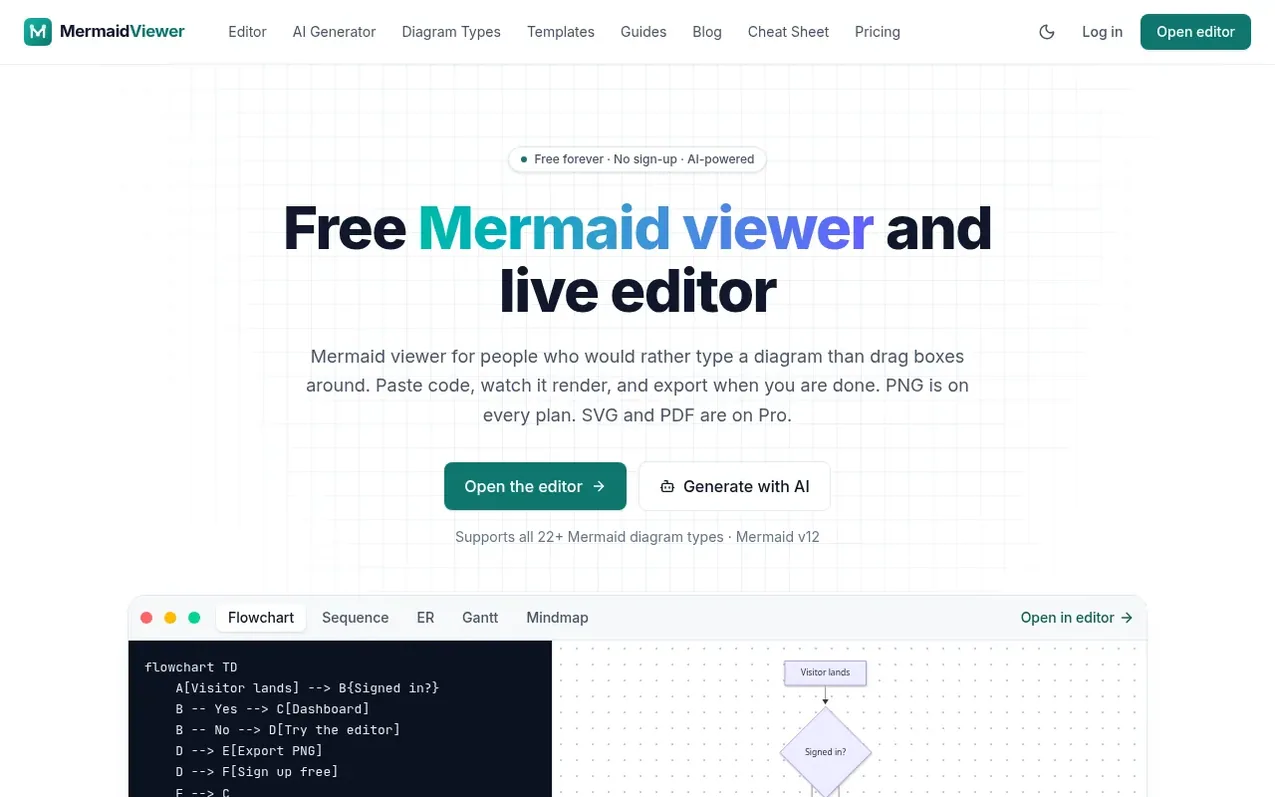
Mermaid Viewer is a free online editor for Mermaid diagrams—a diagrams-as-code language used in GitHub, GitLab, Notion and other platforms. Write or paste Mermaid syntax and watch it render instantly with live preview. Generate diagrams from plain-language descriptions using AI, or ask the AI to edit, fix or explain existing diagrams. Export as PNG on all plans; Starter and Pro add JPG, SVG and PDF exports. Share diagrams via public links and embeds, save them to the cloud with folders and version history, and access them from any device. The editor supports all 22+ Mermaid diagram types including flowcharts, sequence diagrams, class diagrams, Gantt charts, mindmaps, and more. No account or installation required to begin.
What it does
- Live preview of Mermaid code as you type
- AI diagram generator, editor and syntax fixer
- PNG export on every plan; JPG, SVG and PDF on Pro
- All 22+ Mermaid diagram types supported
- Share diagrams via public links and embeds
- Save diagrams to cloud with folders and version history
- Keyboard shortcuts and autocomplete
- Mobile-responsive editor with pan and pinch-zoom
Pricing
Pricing model: Freemium
Free: unlimited editor and preview, 3 saved diagrams, 5 AI uses total, PNG export 1× with watermark. Starter: $6.99/month or $69.90/year; 30 saved diagrams, 500 AI conversations per month, PNG export up to 4× without watermark. Pro: $11.99/month or $119.90/year; unlimited diagrams, unlimited AI, PNG
Shopper questions
What is MermaidViewer?
MermaidViewer is a free online Mermaid diagram viewer and editor. Write Mermaid code and see the diagram instantly, generate diagrams with AI, download a PNG, and share links or embeds. JPG, SVG and PDF downloads are included with Pro.
Is MermaidViewer free?
Yes. The editor, live preview, templates and one public share link work without an account. A free account saves 3 diagrams and includes 5 AI uses in total. Free PNG export is 1× with a small watermark. Starter ($6.99/month or $69.90/year) adds 30 diagrams, 500 AI conversations a month and watermark-free PNG up to 4×. Pro ($11.99/month or $119.90/year) makes diagrams and AI unlimited and adds JPG, SVG and PDF, plus PNG or JPG up to 8×.
Do I need to sign up?
No. Open the editor and start typing. Your work is autosaved in your browser. Sign up only if you want to save diagrams to the cloud, organise them in folders and access them from any device.
Which Mermaid diagram types are supported?
All of them: flowchart, sequence, class, state, ER, Gantt, pie, mindmap, timeline, git graph, user journey, quadrant, sankey, XY chart, requirement, C4, block, packet, kanban, architecture, radar and treemap, plus any new types in the latest Mermaid release.
How does the AI diagram generator work?
Describe the diagram you want in plain language. MermaidViewer sends the request to an AI model, which writes Mermaid code that streams into the editor and renders live. You can also ask the AI to edit, fix or explain an existing diagram. Free includes 5 uses in total.
Mermaid Viewer has a free listing. The owner can unlock the full profile with a paid launch for $5:
- Founder story (locked)
- Milestones (locked)
- Demo video (locked)
- Dofollow website link (locked)
Shoppers also viewed
- MyPaperKit
Design tools
- AI Kitchen Design
Design tools
- ideare
Design tools
- Matita
Design tools



