Ligature
A fast, offline space for writing, thinking, and organizing ideas
An offline writing app that lets you write, organize ideas in documents and folders, and optionally sync across devices without requiring an account.
About this launch
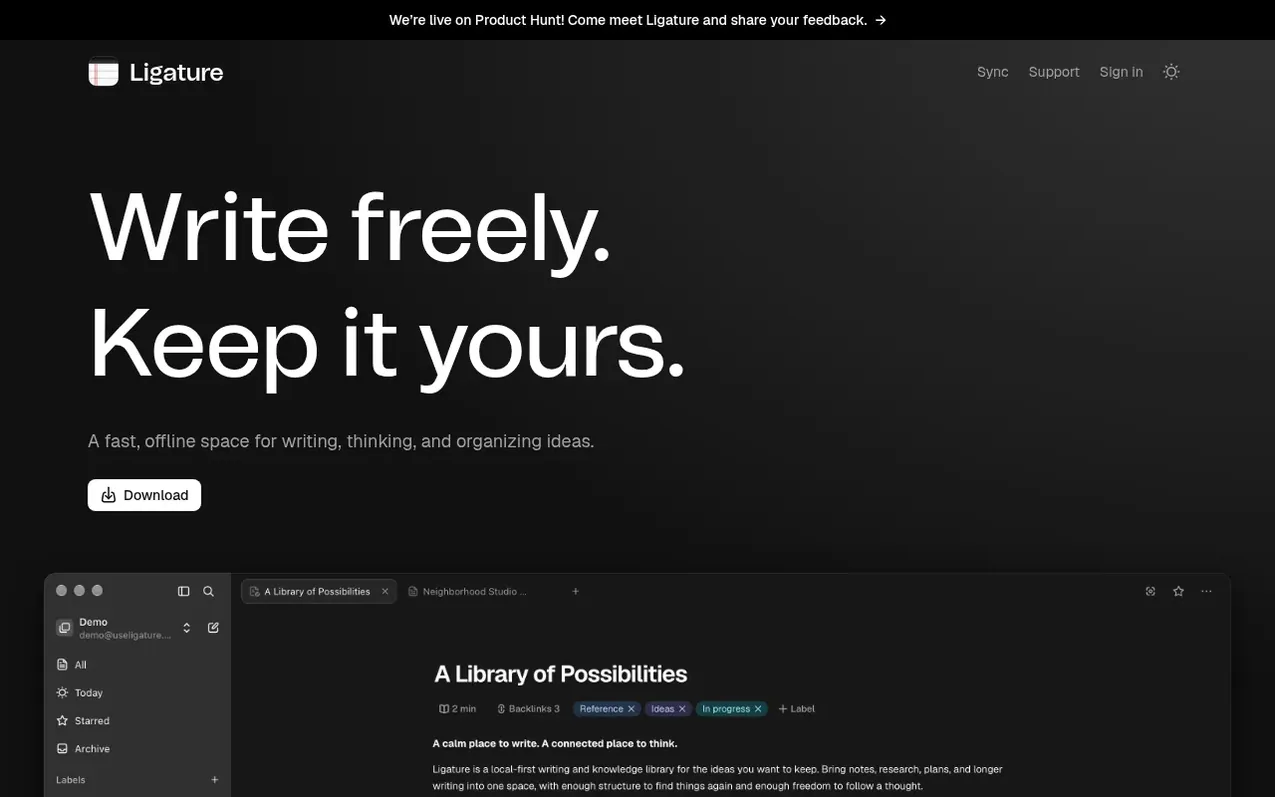
Ligature is an offline writing application designed for composing, thinking, and organizing ideas. Your writing is stored locally on your device with no account requirement, giving you complete control over your files and backups.
The app features a block-based document editor with support for headings, lists, callouts, tables, and annotations. You can organize your writing in folders and add labels and tasks for additional structure. Ligature includes built-in AI capabilities, allowing you to connect OpenAI, Claude, Ollama, or LM Studio while keeping your API keys local.
While the core writing and organizing features are free, Ligature Sync is an optional paid service that keeps your library synchronized across multiple devices. The app works entirely offline, with sync and connected services only requiring internet when actively used.
What it does
- Block-based document editor with headings, lists, callouts, and tables
- Organize with documents, folders, labels, and tasks
- Inline annotations without interrupting writing flow
- Focus mode to hide distractions
- Customizable AI integration with local API keys
- AI agent support via MCP protocol
- Export documents
- Optional cross-device sync service
- Full offline capability
- Local file storage with user control
Pricing
Pricing model: Freemium
Free core features (local writing and organizing). Sync is a paid optional service for synchronizing libraries across devices.
Shopper questions
Is Ligature free?
Yes. Writing and organizing a library on your device is free. Sync is an optional paid service for keeping your library up to date across devices.
Do I need an account?
You can create a local library and write without an account. Sign in when you want to use Ligature Sync.
Does it work offline?
Yes. You can write, edit, and organize documents in your local library without an internet connection. Offline changes sync when you reconnect.
Where is my writing stored?
Your writing lives in a library on your device. You control those files and can keep your own backups.
Which devices can I use?
The desktop beta is available for Mac with Apple Silicon. Windows and Linux desktop downloads are not offered publicly yet.
Ligature has a free listing. The owner can unlock the full profile with a paid launch for $5:
- Founder story (locked)
- Milestones (locked)
- Demo video (locked)
- Dofollow website link (locked)
Shoppers also viewed
- StoriesDen
Writing & Content
- food.fast
Writing & Content
- MemoirWell
Writing & Content
- PlotForge
Writing & Content