
Image2Layer
AI tool to separate images into editable layers for PSD, PNG and ZIP export
Upload a JPG, PNG, or WebP image and use AI to separate it into up to 10 editable layers including subjects, objects, text, shadows and reconstructed
About this launch
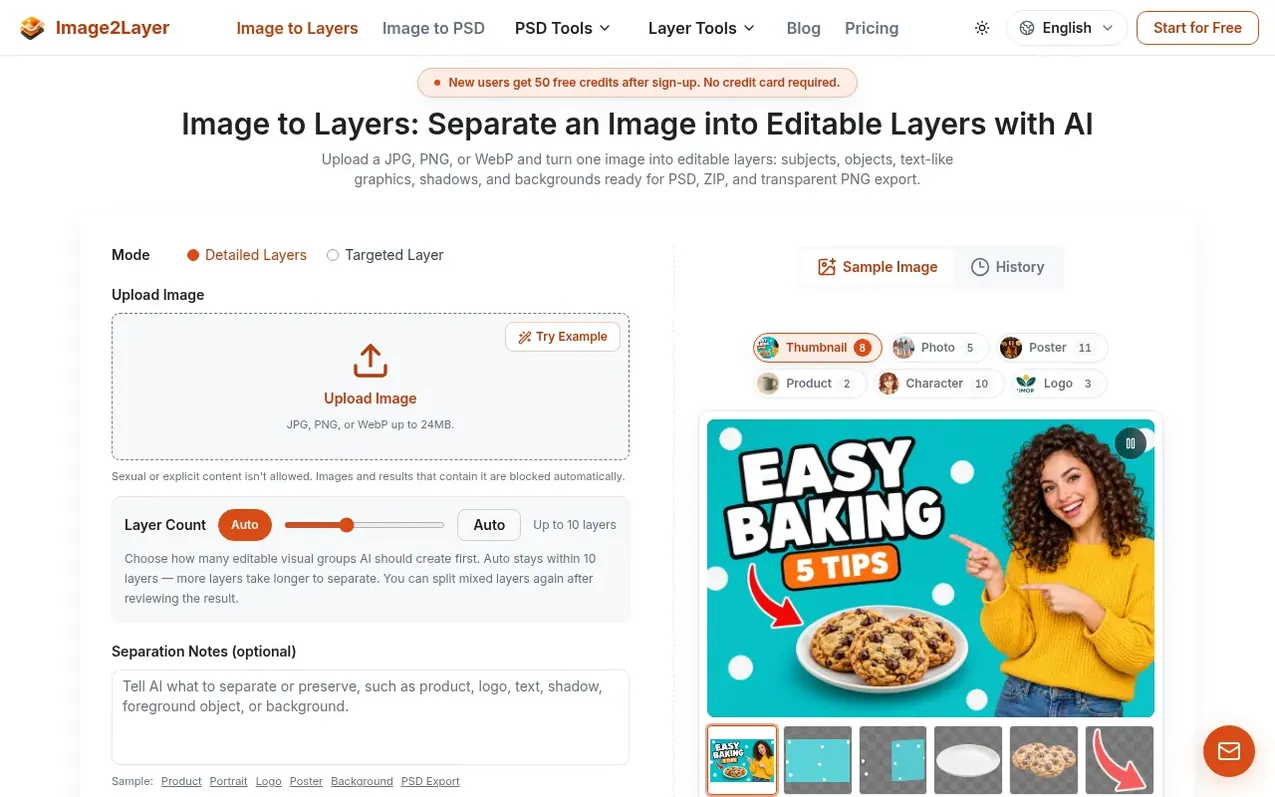
Image2Layer uses AI to convert flat images into editable layer assets. Upload a JPG, PNG, or WebP image up to 24 MB and the tool separates subjects, objects, text-like graphics, shadows, and backgrounds into up to 10 independent layers in 60 to 120 seconds. Hidden areas behind foreground elements are rebuilt so you can move or remove objects without leaving empty gaps.
Export options include layered PSD files compatible with Photoshop, Photopea, GIMP, Affinity Photo and Krita, or transparent PNG layers in a ZIP package. Layers are raster images at your original image resolution up to about 4 megapixels. The tool is designed for designers, marketers, animators, game artists, e-commerce teams and content creators preparing assets for design revisions, product marketing, animation, game scenes and client handoff.
What it does
- Semantic layer separation into subjects, objects, text, shadows and backgrounds
- Background reconstruction behind removed objects
- Export as layered PSD, transparent PNG or ZIP
- Process in 60 to 120 seconds
- Support for JPG, PNG and WebP up to 24 MB
- Layer output at original image resolution up to 4 megapixels
- Targeted Layer tool to extract single elements
- Background Splitter for subject and background separation
- Commercial use allowed without watermark on any plan
- Failed jobs never charged, automatic credit return
Pricing
Pricing model: Freemium
Free: 50 welcome credits. Starter: €7.99/month with 1,000 credits (about 125 layers). Creator: €16.99/month with 2,400 credits (about 300 layers). Studio: €44.99/month with 6,400 credits (about 800 layers). Yearly plans available with 2 months free. Credit packs: €3.99 for 400 credits, €7.99 for 900
Shopper questions
What does an image to layers tool do?
An image to layers tool turns a flat JPG, PNG, or WebP into editable layer assets. Image2Layer separates subjects, objects, text-like graphics, shadows, and backgrounds into up to 10 layers in 60 to 120 seconds, then exports them as a layered PSD, transparent PNGs, or a ZIP.
How is image to layers different from background removal?
Background removal gives you one cutout and discards the rest. Image to layers separation keeps the whole picture with subjects, shadows, objects and text-like regions, rebuilds the background hidden behind them, and lets you remove a background as a choice after separation rather than settling for a single cutout.
Can I export image to layers results as a PSD file?
Yes. Every run exports as a layered PSD with the stacking order intact, and the file opens in Photoshop, Photopea, GIMP, Affinity Photo, and Krita. The layers are raster, so text arrives as an image of text rather than live type, and logos as pixels rather than vector shapes.
Can I use the results commercially and are there watermarks?
Yes, you can use them commercially, and no watermark is added on any plan, including free. You keep ownership of your uploads and of the results made for you, as far as the law allows. Make sure you have the rights to the images you upload.
What counts as one credit?
Layer separation uses 8 credits for each layer you receive. Targeted Layer is a flat 16 credits for the one target layer it extracts. Failed generations are not charged, and downloads from history do not cost extra.
Image2Layer has a free listing. The owner can unlock the full profile with a paid launch for $5:
- Founder story (locked)
- Milestones (locked)
- Demo video (locked)
- Dofollow website link (locked)
Shoppers also viewed
- MyPaperKit
Design tools
- AI Kitchen Design
Design tools
- ideare
Design tools
- Matita
Design tools



