
HTML to Webflow
Free converter that transforms HTML, CSS or Tailwind code into native Webflow elements with classes, hover states and responsive breakpoints.
Free converter that transforms HTML, CSS or Tailwind code into native Webflow elements with classes, hover states and responsive breakpoints.
About this launch
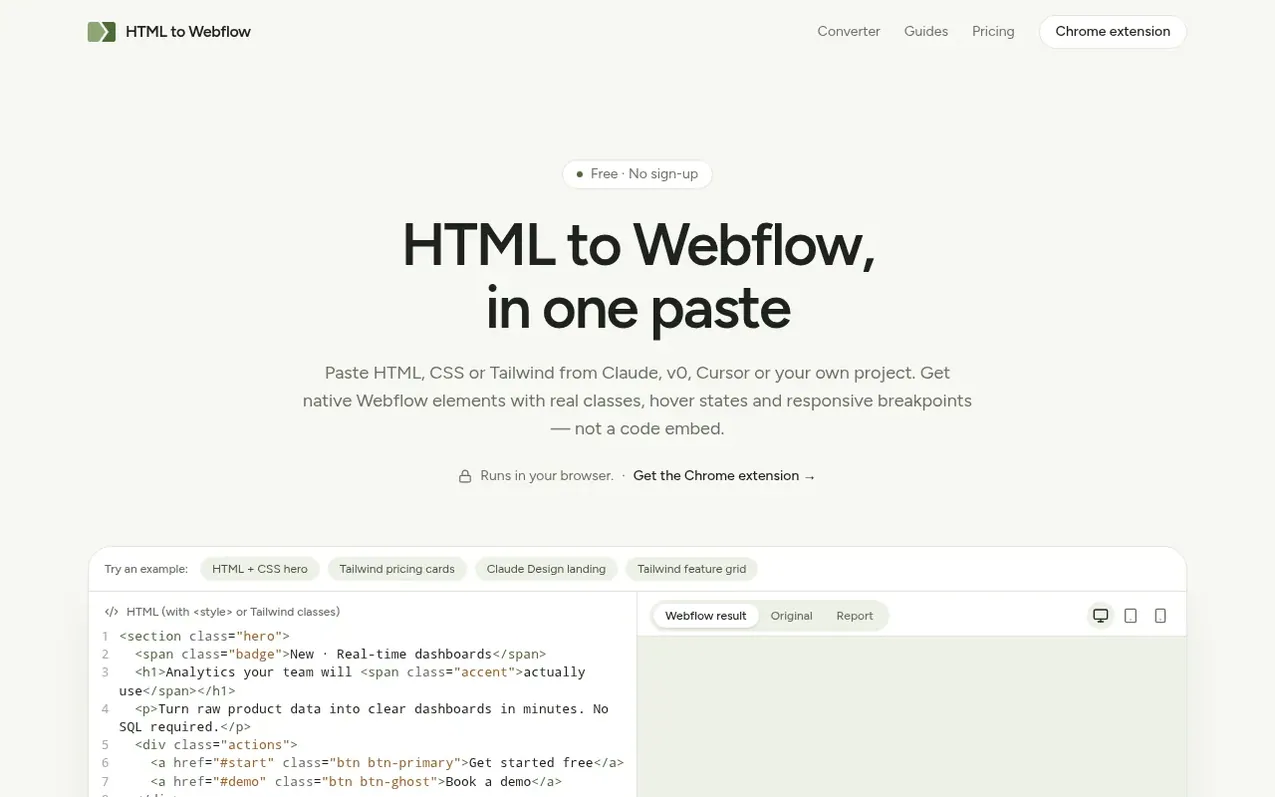
HTML to Webflow converts code into native Webflow elements. Paste HTML with CSS, separate stylesheets or Tailwind markup, and the tool renders your code in the browser, reads styles at Webflow's four breakpoints, and rebuilds them as clean reusable classes. You get native elements like sections, divs, headings, paragraphs, links and images that you can select and edit in Webflow's Style panel, not code embeds.
Media queries become Webflow's tablet and mobile styles, and flex and grid layouts are preserved. Hover and focus rules convert to Webflow states with transitions. Forms become native Webflow Form Blocks, navigation bars become Webflow Navbars, and CSS animations become Webflow Interactions. A Chrome extension lets you capture sections from any web page and insert them directly into the Webflow Designer.
What it does
- Responsive breakpoints for tablet and mobile
- Convert hover and focus states
- Convert CSS and GSAP animations to Webflow Interactions
- Preserve grid and flex layouts
- Convert forms to Webflow Form Blocks
- Convert navigation bars to Webflow Navbars
- Chrome extension to insert sections directly into Webflow Designer
- Capture sections from any web page
- Side-by-side preview and conversion report
Pricing
Pricing model: Free
Web converter and Chrome extension: free, no sign-up, unlimited conversions
Shopper questions
Can I import an HTML file into Webflow?
Webflow has no built-in HTML import. Its Embed element only shows raw code that you cannot edit visually. This converter rebuilds HTML as native elements instead, so you can keep designing in Webflow.
Is it really free?
Yes. The converter and the Chrome extension are free while in beta, with no sign-up and no daily limit.
What happens to forms, navigation bars, SVG icons and videos?
Forms become native Webflow Form Blocks with real inputs, selects, checkboxes and a submit button so Webflow can collect submissions. Navigation bars whose menus collapse on mobile become native Webflow Navbars so menus open and close without custom code. Elements Webflow cannot create from pasted code, such as inline SVG, video, tables and iframes, are kept as HTML Embeds with their styles inlined so they still look right.
Why does my font look different after pasting?
Webflow only keeps fonts that are already added to your site. Add the fonts listed in the conversion report under Site settings → Fonts before you paste, and the text will match.
Are CSS and GSAP animations converted?
Yes. Transitions and hover or focus states become regular Webflow styles. Keyframe animations become Webflow Interactions, and so do hover effects that change child elements. Content that fades in on scroll through JavaScript becomes a scroll interaction instead of staying invisible. GSAP code in scripts becomes Webflow Interactions too.
HTML to Webflow has a free listing. The owner can unlock the full profile with a paid launch for $5:
- Founder story (locked)
- Milestones (locked)
- Demo video (locked)
- Dofollow website link (locked)
Shoppers also viewed
- MyPaperKit
Design tools
- AI Kitchen Design
Design tools
- ideare
Design tools
- Matita
Design tools



