
GitHubCard
Drag-and-drop GitHub profile README generator
Create GitHub profile and repository cards with drag-and-drop editing, customize with 20+ widgets, and export as SVG or PNG for README embeds.
About this launch
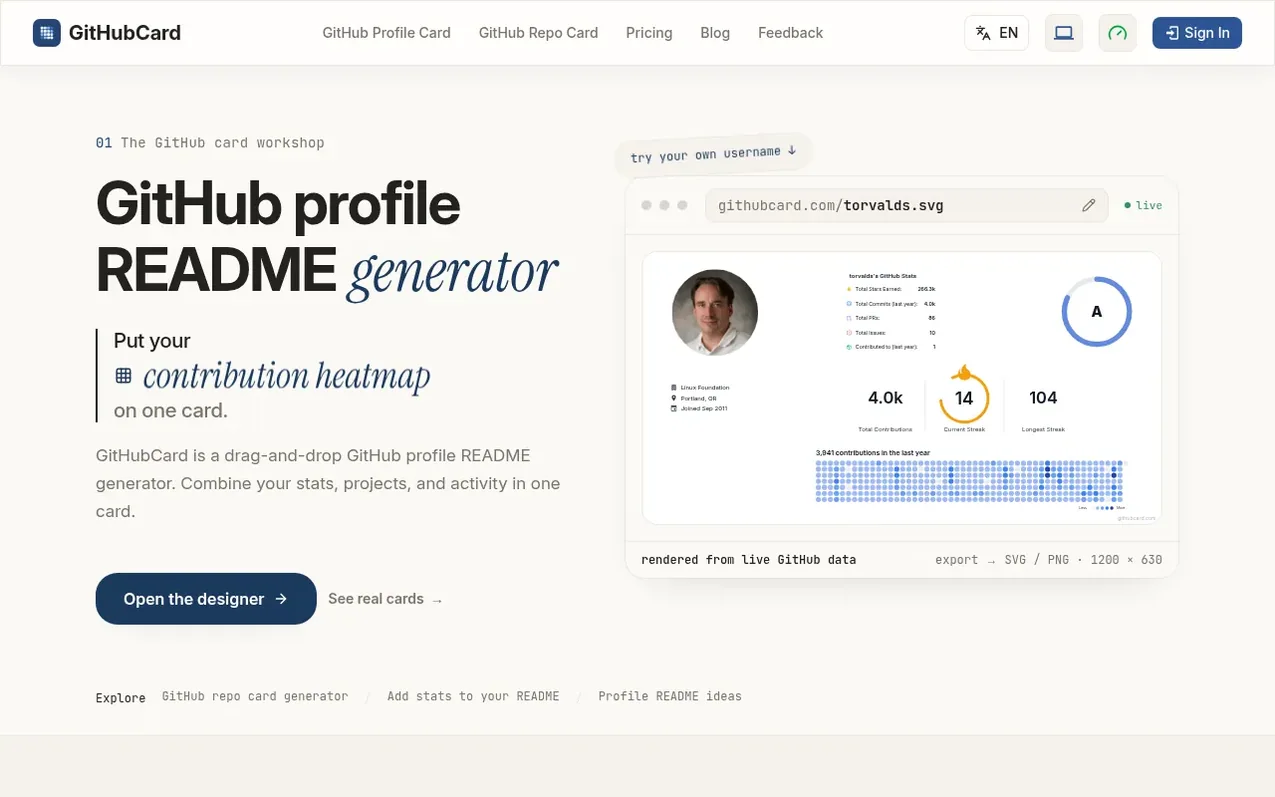
GitHubCard is a visual GitHub profile README generator that lets you arrange GitHub data into profile and repository cards. Instead of embedding multiple separate tools and services, you combine your GitHub stats, contribution heatmap, commit streaks, top languages, and other data into a single customizable card.
The tool works by replacing github.com with githubcard.com in a profile or repository URL. You can then open the canvas editor to design your card by dragging and dropping from 20+ widgets onto a layout. Cards display real-time GitHub data with automatic updates.
Once designed, you publish the card at a stable link that never changes, then copy the SVG URL to embed in your README using Markdown. You can also export cards as PNG files. All core features are free; an optional Pro Lifetime upgrade costs $19 one-time and adds premium backgrounds, fonts, watermark-free exports, and high-resolution 4x PNG exports.
What it does
- 20+ draggable widgets including stats, heatmaps, streaks, and language cards
- GitHub stats cards, contribution heatmaps, commit streaks, language and stack snapshots, top languages cards, top repositories, and star history
- Real-time data from GitHub with automatic caching
- SVG and PNG export
- Canvas editor with drag-and-drop interface
- Global theme settings for background and typography
- Stable published links that never change
- Sign in with GitHub to save and manage designs
- Profile card and repository card types
Pricing
Pricing model: Freemium
Free for all core features. Pro Lifetime: $19 USD one-time payment for premium backgrounds, premium fonts, watermark-free exports, and 4x PNG exports.
Shopper questions
What is GitHubCard?
GitHubCard is a visual GitHub profile README generator that lets you arrange your GitHub data into profile and repository cards for use in README files, portfolios, or social posts.
How do I use GitHubCard?
Replace github.com with githubcard.com in a profile or repository URL (such as githubcard.com/torvalds or githubcard.com/facebook/react), then open the canvas editor to customize the card.
Do I need to sign in?
You can preview default cards without signing in. Sign in with GitHub to save, publish, update, or delete your custom designs.
Are the cards updated automatically?
Yes, cards display real-time GitHub data. Data is cached for optimal performance, so updates may take up to an hour to reflect.
Is GitHubCard free to use?
Yes, all core features are free. Pro Lifetime is an optional one-time $19 payment for premium backgrounds, fonts, watermark-free exports, and 4x high-resolution PNG exports.
GitHubCard has a free listing. The owner can unlock the full profile with a paid launch for $5:
- Founder story (locked)
- Milestones (locked)
- Demo video (locked)
- Dofollow website link (locked)
Shoppers also viewed
- MyPaperKit
Design tools
- AI Kitchen Design
Design tools
- ideare
Design tools
- Matita
Design tools



