
Fake Text Maker
Free iPhone-style text message generator and chat story video creator
A free browser-based tool to create iPhone-style fake text message screenshots and 9:16 chat story videos without watermarks, with optional AI script writing.
About this launch
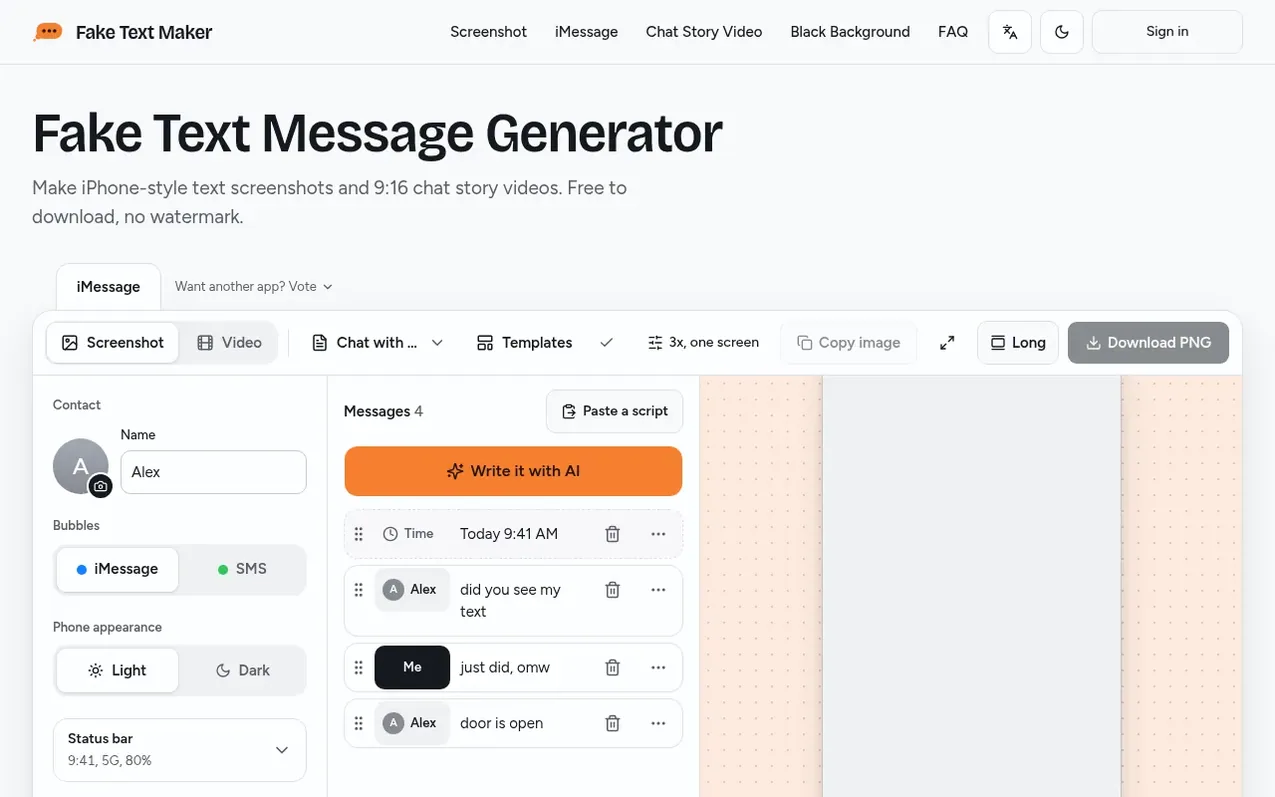
Fake Text Maker lets users create realistic iPhone-style text message conversations by typing, pasting scripts, or using AI to generate them. Users can export their chats as PNG screenshots or 1080×1920 MP4 videos in a 9:16 aspect ratio, suitable for TikTok, Reels, and Shorts. The tool runs entirely in the browser with no account required and adds no watermark to screenshots or videos.
Users can customize the appearance by changing contact names and photos, adjusting status bar details like battery level and signal strength, switching between blue iMessage bubbles and green SMS bubbles, toggling dark mode, and selecting backgrounds including green screen for video editing. The AI writer generates fictional conversations from a one-line idea with options for different lengths and styles. Drafts save automatically in the browser, and users can reorder, edit, or delete individual messages.
What it does
- Create iPhone-style text message screenshots
- AI script generator with free daily limits
- Customize contact name and photo
- Toggle blue iMessage or green SMS bubbles
- Dark mode support
- Green screen background for video editing
- Paste pre-written scripts in Name: message format
- Auto-save drafts in browser
- Add emoji-only messages and photo attachments
Pricing
Pricing model: Free
Shopper questions
Is this fake text message generator really free?
Yes. Making and downloading screenshots and videos costs nothing. The AI writer comes with free daily scripts, and once you've used them you can still write or paste chats by hand.
Does this fake text generator add a watermark?
No. Screenshots download clean, and videos have no logo over the chat. Each video ends with a 2-second Fake Text Maker end card, but a paid option to remove it is planned.
Can I make fake texts on my iPhone without an app?
Yes. There's no fake text app to install and no account to create. Open faketextmaker.app in your browser on an iPhone, an Android phone or a computer, though video export requires iOS 16.4 or later and Chrome on Android.
How do I make a fake text message video for TikTok?
Write or paste the chat, switch to Video at the top of the editor, pick a background like green screen, set the speed and how long each message stays, adjust message sounds, and export the 1080×1920 MP4 video.
What happens to the chats I make?
Screenshots and videos are made on your device. When you export or use the AI writer, the site keeps an anonymous copy of the chat's text and settings for 30 days, then deletes it, to help identify misuse and improve the tool.
Fake Text Maker has a free listing. The owner can unlock the full profile with a paid launch for $5:
- Founder story (locked)
- Milestones (locked)
- Demo video (locked)
- Dofollow website link (locked)
Shoppers also viewed
- Iconaut
Design tools
- Voilà Charts
Design tools
- MockShot Studio
Design tools
- BannerSplitter
Design tools