Easy Grid Maker
Free grid maker to turn photos into numbered drawing grids
A free online tool that overlays a numbered grid on photos to help people copy images square by square for drawing practice and art projects.
About this launch
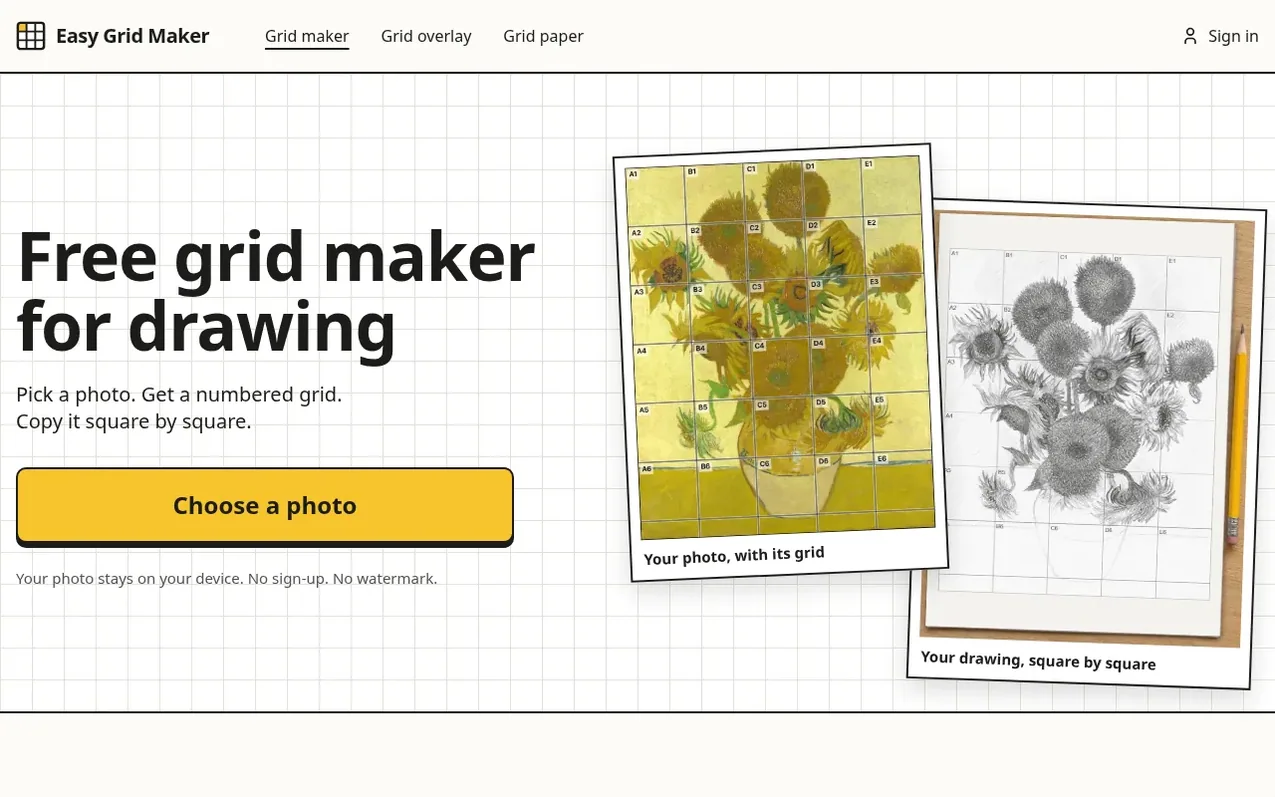
Easy Grid Maker is a free web-based tool that creates numbered grids on photos to help with drawing. Users select a photo, choose the number of squares (Fewer with 3 squares, Medium with 5, or More with 8 across the short side), and the grid appears immediately. The tool works entirely in the browser with no sign-up, watermark, or photo upload required. Users can save the gridded photo or print two sheets: one with the grid overlaid on the photo and one with an empty grid for drawing. The square names (like A1, B3) help artists copy each square onto their own paper, breaking down complex images into manageable parts. It supports all common photo formats and works on both phones and computers.
What it does
- Overlays numbered grid on photos with automatic line color detection
- Three grid sizes: Fewer (3 squares), Medium (5 squares), More (8 squares) across short side
- Works on phones and computers without installation or upload
- Print two sheets: photo with grid and empty grid for drawing
- Save gridded photos as JPG or PNG with no watermark
- View individual squares enlarged while working
- Supports JPG, PNG, WebP and iPhone HEIC photo formats
Pricing
Pricing model: Free
Shopper questions
Is this grid maker free?
Yes, it is completely free. You can add a grid to as many photos as you like and save or print them at no cost. There is no watermark on your picture and no account to create.
Do I have to upload my photo?
No, your photo stays on your device. The grid is drawn by your own browser and nothing is sent to the server, which also means it works quickly even with large photos.
Can I use this on my phone without downloading an app?
Yes, the entire tool runs in your phone's browser on both iPhone and Android with nothing to install. You can pick a photo from your camera roll and save the result.
How many squares should my drawing grid have?
Start with Medium, which has 5 squares across the short side of your photo. Use Fewer (3 squares) for simple subjects and young beginners, and More (8 squares) for faces and fine detail.
Can I print my photo with the grid on it?
Yes. Press Print to get two sheets at true size, your photo with its grid and the same grid left empty to draw on. The tool uses Letter or A4 paper based on your browser's region, and you can change it under “Adjust grid”. Each printed sheet says how wide its squares are.
Easy Grid Maker has a free listing. The owner can unlock the full profile with a paid launch for $5:
- Founder story (locked)
- Milestones (locked)
- Demo video (locked)
- Dofollow website link (locked)
Shoppers also viewed
- Iconaut
Design tools
- Voilà Charts
Design tools
- MockShot Studio
Design tools
- BannerSplitter
Design tools