DielineKit
Custom packaging dieline generator with real-time 3D folding simulation and production-ready exports
Browser-based CAD tool for creating custom packaging dielines with 3D folding simulation, exporting production-ready PDF, DXF and SVG files for digital cutters.
About this launch
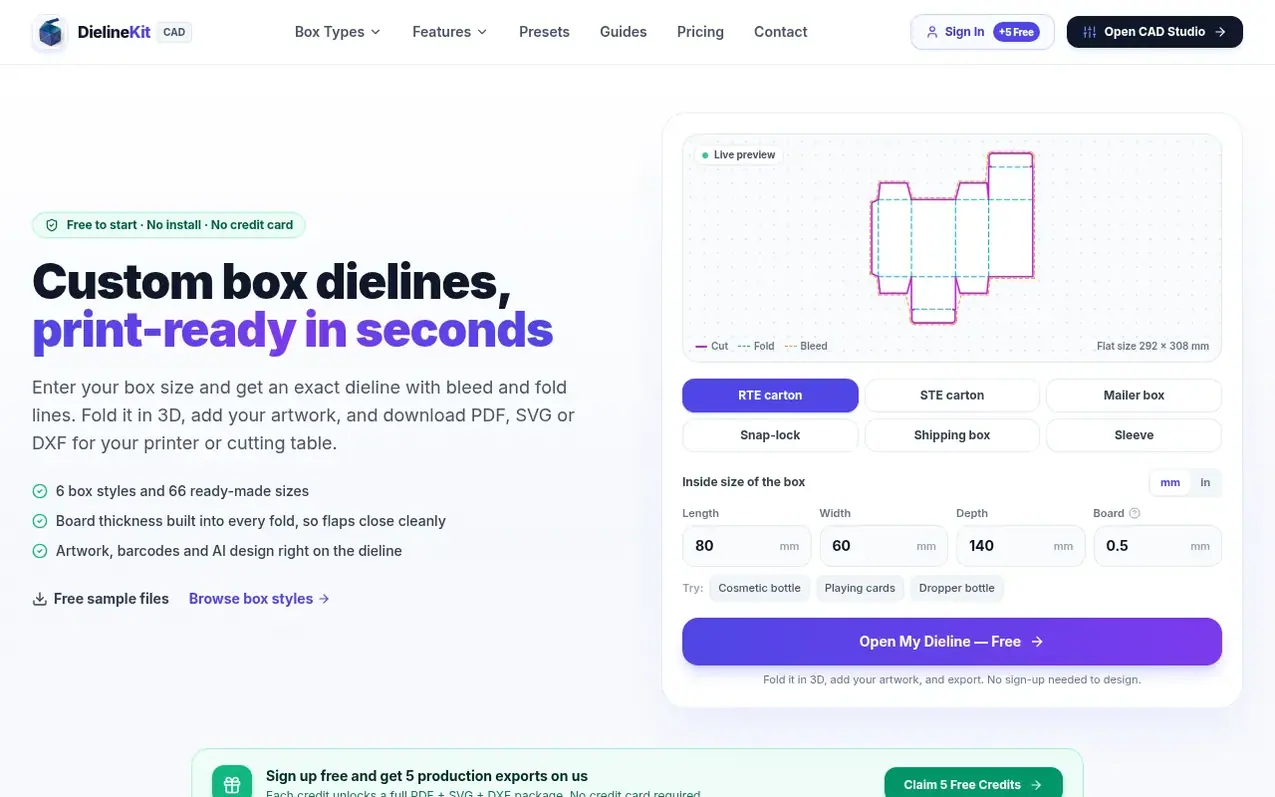
DielineKit is an industrial-grade parametric packaging dieline and 3D folding simulation platform. It calculates mathematically verified caliper clearances and exports production-ready PDF, DXF, and SVG files for digital CNC cutters and die-makers. The tool supports six box styles with 66 ready-made sizes, includes real-time 3D folding proofs, and offers integrated artwork placement, barcode generation, and PDF preflight checking. Files are optimized for use with Zünd, Kongsberg, and other commercial cutting equipment, with automatic caliper compensation ensuring friction-free folding.
What it does
- Real-time 3D folding simulation with 60 FPS WebGL
- Automatic caliper clearance compensation at 1.5x material thickness
- Export to PDF, DXF (AutoCAD R12), and SVG with layer separation
- Six box styles with 66 preset sizes
- Integrated artwork, barcode and QR code placement
- PDF preflight checker for print-readiness validation
- Mockup video generator for MP4 exports
- Zünd and Kongsberg CNC cutter compatibility
- AI-powered artwork layout from brief description
- Custom board thickness and material selection
Pricing
Pricing model: Freemium
Free tier with 5 export credits on signup. Single export $5.99. Designer 3-Pack $4.00 per export. Pro Unlimited $19.99/mo for unlimited exports.
Shopper questions
What CAD file formats can I export from DielineKit?
DielineKit exports 1:1 scale vector PDF with spot-color dielines (magenta for cuts, cyan dashed for creases, orange bleed guide), layered SVG for design apps, and AutoCAD R12 DXF with polylines organized for Zünd, Kongsberg and Summa digital cutting tables.
How does the caliper clearance compensation formula work?
DielineKit automatically computes dynamic caliper allowances based on paperboard thickness. It applies deductions like 1.5×t for side panels and hinge setbacks to prevent tuck heads, dust flaps and roll-over walls from colliding or binding during assembly.
Can I upload my own custom artwork onto the 3D folding box?
Yes. You can drag and drop PNG, JPG or SVG artwork directly onto the 3D model, and toggle between Front Wall, Top Lid, or Full Dieline mapping modes. You can also preview different board finishes like White SBS coated or Natural Kraft corrugated.
Are exported dielines ready for physical die-making and CNC cutting?
Yes. Every vector path strictly follows international packaging prepress standards with continuous single-stroke vectors, no duplicate lines, and no self-intersecting loops. Files run on steel-rule dieboards and digital CNC cutters like Zünd, Kongsberg and Colex without cleanup.
Is DielineKit free? How do export credits work?
You can start for free: the 2D dieline editor, 3D folding simulation and artwork preview cost nothing to use. Every new account also receives 5 free export credits with no credit card required. One credit unlocks one complete production package for a box design (1:1 vector PDF, layered SVG, CNC DXF and a ZIP bundle). When you need more, a single export is $5.99, the Designer 3-Pack works out at $4.00 per export, and Pro Unlimited is $19.99/mo for unlimited exports. Credits never expire.
DielineKit has a free listing. The owner can unlock the full profile with a paid launch for $5:
- Founder story (locked)
- Milestones (locked)
- Demo video (locked)
- Dofollow website link (locked)
Shoppers also viewed
- MyPaperKit
Design tools
- AI Kitchen Design
Design tools
- ideare
Design tools
- Matita
Design tools



