
DeckCraft
Free, open-source presentation software
Create slides online for free using DeckCraft, an open-source presentation editor available as a browser app or desktop application for Mac, Windows, and Linux.
About this launch
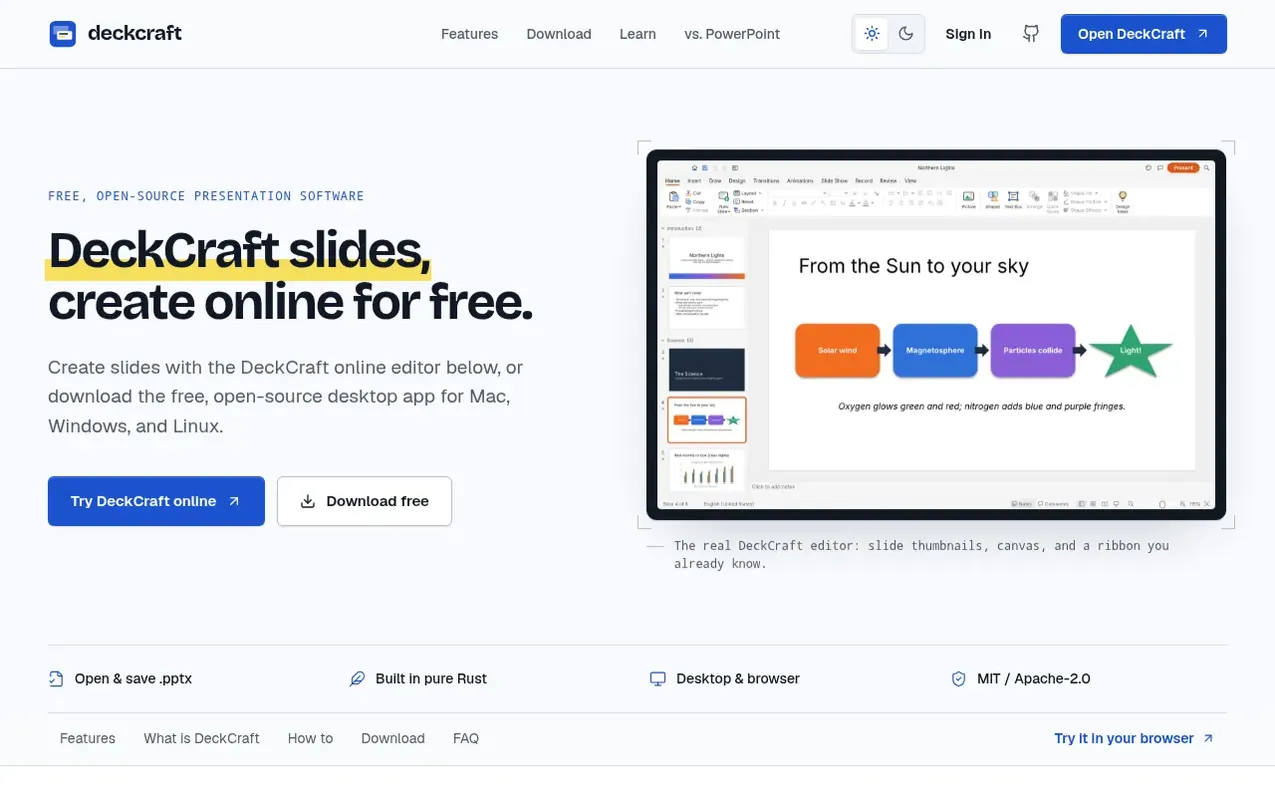
DeckCraft is free, open-source presentation software for making slides, building decks, and presenting them. Developed by the ArtCraft team at Storytold and written in pure Rust, it is released under the MIT or Apache-2.0 license. Users can run it as a native desktop app on macOS, Windows, and Linux, or access the same editor in a browser through WebAssembly with nothing to install.
The online editor features slide thumbnails, a canvas, and formatting tools. It supports themes, slide masters, layouts, text, images, charts, vector shapes, fills, gradients, transitions, and animations. Users can open and save .pptx files, add speaker notes, and present full screen with presenter tools on desktop builds.
DeckCraft is designed for everyday presentations such as pitch decks, class presentations, lesson slides, project updates, and conference talks. No account is required, and documents are saved locally to the user's device.
What it does
- Open and save .pptx PowerPoint files
- Text, images, charts, and vector shapes
- Fills, gradients, and formatting options
- Transitions and animations
- Speaker notes and presenter tools
- Slide sections for organization
- WebAssembly browser editor
- Desktop apps for Mac, Windows, and Linux
Pricing
Pricing model: Open source
Shopper questions
Is DeckCraft really free?
Yes. The ArtCraft team publishes DeckCraft as open-source software under MIT or Apache-2.0 licensing, and users can use the desktop and web builds without buying a subscription.
Can I open my PowerPoint files?
DeckCraft can open and save .pptx presentations. Since it is still in early development, complex formatting, media, or advanced PowerPoint features may not round-trip perfectly, so it is recommended to work from a copy and check the result.
Does DeckCraft work on Mac, Windows, and Linux?
Yes. DeckCraft ships a universal macOS build for Apple silicon and Intel, Windows installers for x64 and ARM64 plus a portable zip, and Linux packages as AppImage, .deb, and .rpm. The online editor works on other systems with a modern desktop browser.
Do I need an account?
No account is required to try the editor or download the software. Documents are handled in the browser and saved to the user's device rather than in cloud storage.
Is deckcraft.me the official DeckCraft website?
No. deckcraft.me is an independent English-language guide and browser access point. DeckCraft is developed by the ArtCraft team at Storytold, and official source code, downloads, and project information are available through other linked resources.
DeckCraft has a free listing. The owner can unlock the full profile with a paid launch for $5:
- Founder story (locked)
- Milestones (locked)
- Demo video (locked)
- Dofollow website link (locked)
Shoppers also viewed
- MyPaperKit
Design tools
- AI Kitchen Design
Design tools
- ideare
Design tools
- Matita
Design tools



