
Coloring Page Maker
Turn photos into printable black-and-white coloring pages, privately in your browser
About this launch
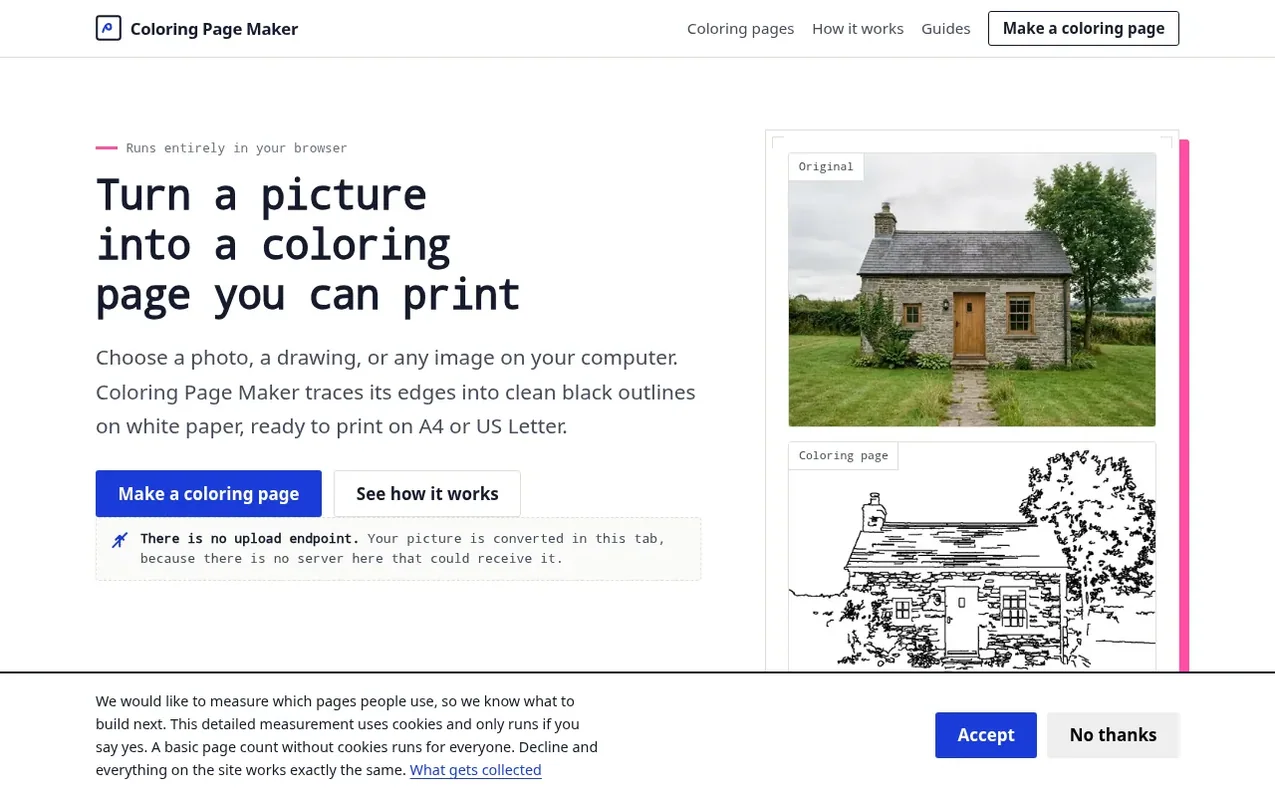
Coloring Page Maker converts any photo or image into printable black-and-white line art suitable for coloring. The tool processes images entirely within your browser using edge detection algorithms, with no server uploads, accounts, or watermarks. You can adjust detail level, line thickness, and choose between classical image processing styles (Outline or Sketch) or an AI Model. Output is available as print-ready PDF or PNG files sized for A4 or US Letter paper in portrait or landscape. The site also provides a gallery of 160 ready-made printable coloring pages across various subjects, a built-in canvas for coloring pages in your browser, and optional Chrome extension integration.
What it does
- Convert photos to black-and-white outlines for coloring
- Adjustable detail, line thickness, and style settings
- Multiple output formats: PDF and PNG
- Three conversion styles: Outline, Sketch, and AI Model
- Gallery of 160 ready-made printable coloring pages
- Browser-based coloring canvas with undo and palette
- Chrome extension for right-click conversion
- No account or sign-up required
- Portrait or landscape orientation on A4 or US Letter
- AI Model downloads about 30 MB to run locally on first use
Pricing
Pricing model: Free
Shopper questions
Are my photos uploaded anywhere?
No. The conversion runs in your own browser using your device's processor. Your picture is never sent to a server, and there is no database, gallery, or account where it could be stored.
Does it cost anything?
No. The tool is free to use, with no sign-up, no trial, and no watermark on what you download.
What size paper does it print on?
You can choose A4 or US Letter, in portrait or landscape. The artwork is centred with a 12 mm margin so nothing is clipped by your printer's unprintable edge.
Which images work best?
Pictures with a clear subject, good lighting, and an uncluttered background give the cleanest outlines. Busy backgrounds and very dark photos tend to produce noisy lines, though lowering the Detail setting usually helps.
Can I use pictures I found online?
Only if you own them or have permission. Turning someone else's photograph or illustration into a coloring page can create a derivative work, and the rights stay with the original creator.
Coloring Page Maker has a free listing. The owner can unlock the full profile with a paid launch for $5:
- Founder story (locked)
- Milestones (locked)
- Demo video (locked)
- Dofollow website link (locked)
Shoppers also viewed
- MyPaperKit
Design tools
- AI Kitchen Design
Design tools
- ideare
Design tools
- Matita
Design tools



