Bloopbot
Twitch and Kick chat bot built on visual flows
A visual flow-based chat bot for Twitch and Kick streamers to automate commands, alerts, moderation, song requests and overlays without coding.
About this launch
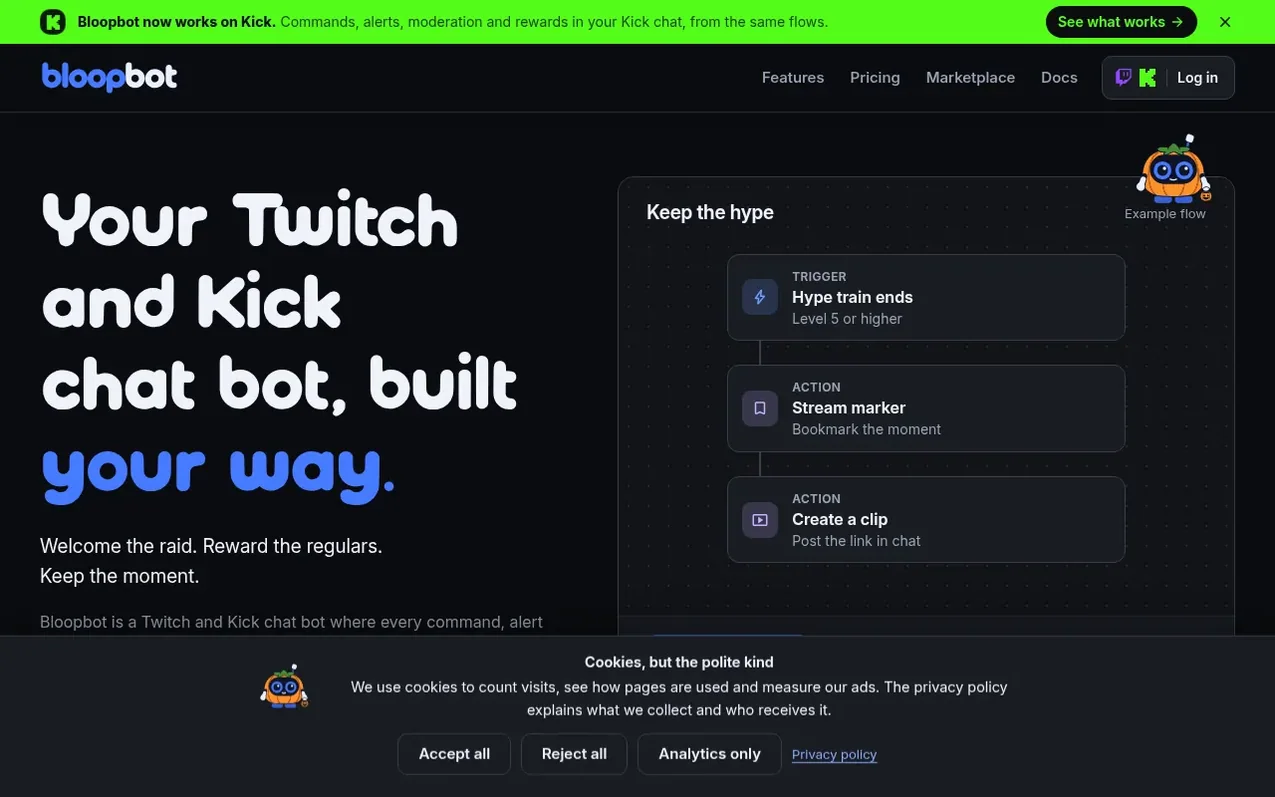
Bloopbot is a chat bot for Twitch and Kick streamers that uses visual flows to automate chat commands, alerts, timers, moderation, song requests, giveaways and overlays. Users draw flows in their browser by connecting triggers (events like raids, subscriptions or chat commands) to actions (like creating clips, sending messages or opening giveaways), with conditions and loops in between. The bot runs on Bloopbot's servers so flows work even when the streamer is offline. Features include AI-powered text screening and moderation, integration with Spotify for song requests, OBS widget support, and the ability to import commands from other bots like Nightbot and StreamElements. Ready-made flow packs are available in the Marketplace, and users can start with simple form-based editing before diving into the full visual canvas.
What it does
- Visual flow editor to create commands, alerts and automations by connecting triggers to actions
- Ready-made flow packs for alerts, moderation, music and community
- Twitch and Kick chat integration with commands, subscriptions, raids and channel rewards
- Spotify song requests with queue management
- OBS browser source widgets for alerts and overlays
- AI text screening and moderation
- Giveaways with follow-locks and prize vault
- Server-side flow execution so automations run even when streamer is offline
- Command import from Nightbot and StreamElements
Pricing
Pricing model: Freemium
Free plan with 15 custom flows. Plus £5.99/month (billed monthly, VAT or sales tax included) with 75 custom flows and 3 editors. Pro £12.99/month (billed monthly, VAT or sales tax included) with unlimited custom flows, 25 editors and own bot account.
Shopper questions
Do I need to build a flow for everything?
You can start with a simple command or a ready-made flow, and edit the basics as a form. Open the canvas when you want to connect more steps, add conditions or repeat an action for each viewer.
Does Bloopbot work on Kick?
Yes. Sign in with Kick to make a Kick channel, or add Kick to your Twitch channel so both chats run the same flows. Kick commands, follows, subscriptions, gifted subs and KICKs start your flows, and moderation filters, channel rewards and loyalty points work in Kick chat.
Can I use it with OBS?
Yes. Add a hosted widget URL as a Browser Source in OBS. Flows can send alerts and update the variables your widgets display, so your chat and on-screen moments can work together.
How do song requests work?
Link Spotify from your dashboard to let chat request songs with !sr. Song requests need Spotify Premium and an active playback device. You can set queue limits, cooldowns and blocks.
What happens after I sign in?
Sign in with Twitch or Kick to link your channel and open your dashboard, where Pebble, Bloopbot’s robot, offers to put your first alert on stream with you. For moderation on Twitch, make your bot a moderator in your chat with /mod your_bot_username — your dashboard shows the account name for your channel. Then choose a starting flow and make it yours.
Bloopbot has a free listing. The owner can unlock the full profile with a paid launch for $5:
- Founder story (locked)
- Milestones (locked)
- Demo video (locked)
- Dofollow website link (locked)
Shoppers also viewed
- Bolt Claw
Social Media & Creator Tools
- UpScrolled™
Social Media & Creator Tools
- Exploreel
Social Media & Creator Tools
- StarPresence
Social Media & Creator Tools