AppScreenStudio
Free app store screenshot generator for iOS and Android
Browser-based tool to create professional App Store and Google Play screenshots in minutes without design skills or credit card required.
About this launch
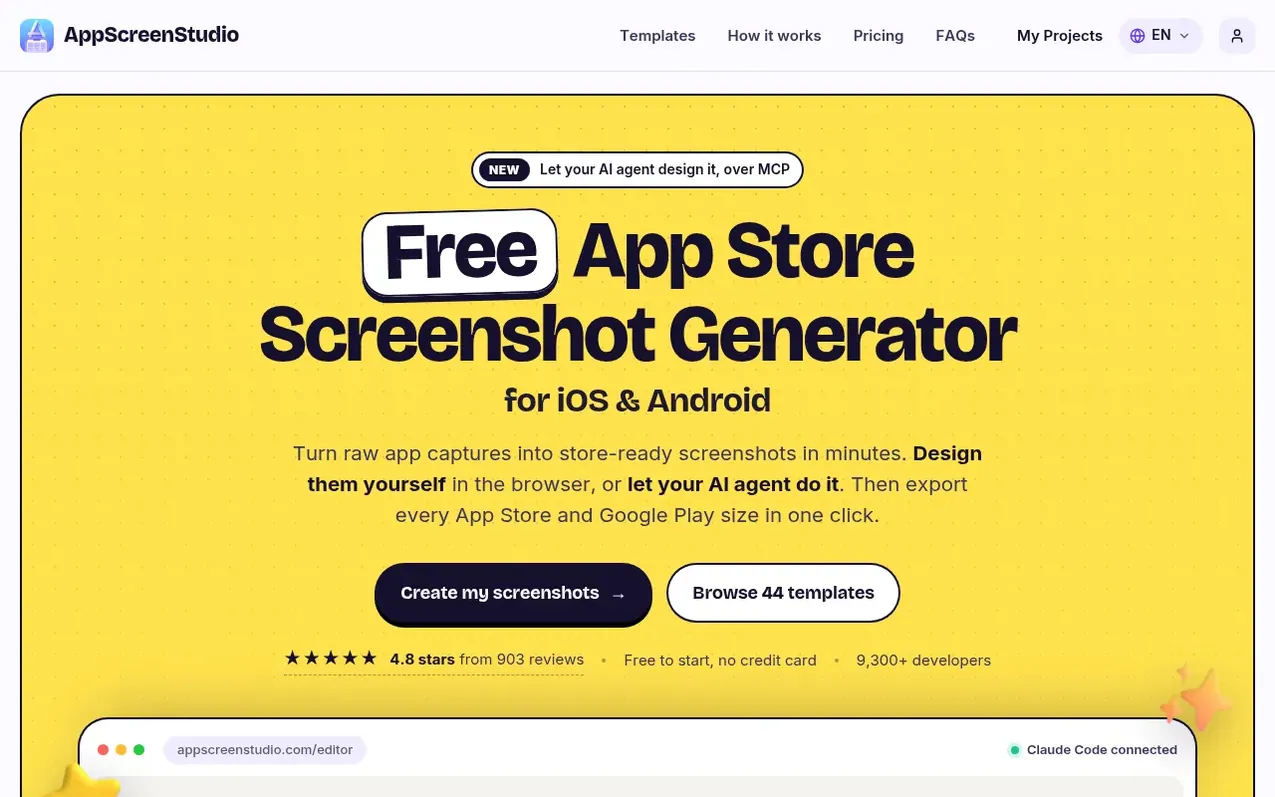
AppScreenStudio is a browser-based screenshot generator that helps developers and ASO specialists create professional App Store and Google Play screenshots. The free plan includes core design tools, device frames, templates, and one export per day. Users upload raw app captures, select from 44 templates, customize headlines and colors in the visual editor, then export all required sizes in one click for iPhone, iPad, and Android devices.
The Pro plan offers a one-time payment for unlimited exports, premium templates, AI features including mascots and backgrounds, and support for 89 locales. Advanced users can connect AI agents like Claude Code, Cursor, or Gemini CLI to automate the design process. All work happens in the browser with no desktop software to install.
What it does
- App Store and Google Play screenshot generation
- iPhone, iPad, and Android device frames
- 44 pre-designed templates
- One-click multi-size export
- AI translation to 89 locales
- AI mascot and background generation
- Browser-based editor
- AI agent integration via MCP
- Customizable headlines, fonts, colors, and backgrounds
- Support for all required App Store and Google Play sizes
Pricing
Pricing model: Freemium
Essential (Free): Unlimited screenshots and templates, device frames, every App Store and Google Play size, 1 export per day, up to 2 projects. Pro (1 month): $5 per month with 500 AI credits. Pro (1 year): $60 one-time payment with 6,000 AI credits. Both Pro plans include unlimited exports, premium
Shopper questions
Is the app store screenshot generator free?
Yes. Essential includes the core design tools, free templates, device frames, and 1 export per day with no credit card required. Pro can be purchased for unlimited exports and premium features.
Is Pro a subscription?
No. Pro is a one-time payment for either one month or one year of access that ends when the period is over with no automatic renewal.
How do I make app screenshots without design experience?
Start with a ready-made template, add your app screens, and edit headlines, colors, and backgrounds in the visual editor without any design experience needed.
Can I customize the templates and device frames?
Yes. You can edit headlines, fonts, colors, backgrounds, screenshot order, and select iPhone, iPad, Pixel, or Galaxy frames to suit your listing.
Can my AI agent design my screenshots?
Yes. Connect Claude Code, Codex, Cursor or Gemini CLI to get an MCP endpoint and token, then ask the agent for changes in plain language while it edits your project live.
AppScreenStudio has a free listing. The owner can unlock the full profile with a paid launch for $5:
- Founder story (locked)
- Milestones (locked)
- Demo video (locked)
- Dofollow website link (locked)
Shoppers also viewed
- MyPaperKit
Design tools
- AI Kitchen Design
Design tools
- ideare
Design tools
- Matita
Design tools



